
See Paint Colors in My Room Using AI Visualization Tools
- oliverjames0609
- Dec 10, 2025
- 13 min read
Picking a new paint color is one of those decisions that feels deceptively simple. You see a tiny swatch you love at the store, but once it's on all four walls, it can look completely different. The way light shifts throughout the day can turn a calm beige into a muddy brown, or a soft gray into an unexpected lavender.
Fortunately, we're no longer stuck with guesswork. If you've ever wished you could just see paint colors in my room before committing, an AI paint visualizer is the answer. This tech lets you virtually "paint" your space with hundreds of real-world colors, saving you from the headache of a repaint.
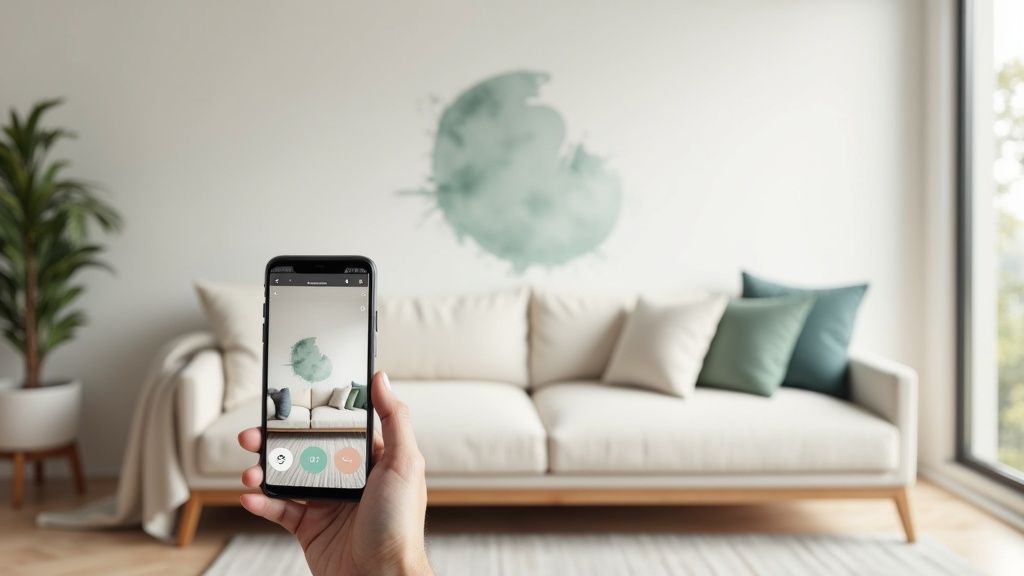
The End of Paint Swatch Guesswork
For years, the standard process was taping a bunch of two-inch paper swatches to the wall. We’d stand back, squint, and try to imagine what an entire room would feel like based on that tiny square. It’s a flawed system, and many of us have learned that the hard way. That perfect greige can suddenly look purple in a north-facing room, or a cheerful yellow can become overwhelming in direct sunlight.
This is exactly where modern tools change the game for everyone from weekend DIYers to professional interior designers. Instead of just hoping for the best, you get a realistic preview of the final result before you even crack open a can of paint.
Why Virtual Previews Are a Must
Using a digital tool to test colors isn't just a neat trick; it's a practical step that bridges the gap between your inspiration and the final reality. The benefits are clear from the get-go.
Dodge Expensive Mistakes: You get to skip the time, money, and sheer effort of repainting a room that just didn't work out.
Experiment with Confidence: It’s a lot easier to try that bold navy blue or deep emerald green when you can see it first without any commitment.
Work with What You Have: Instantly see how a new wall color plays with your existing sofa, rug, and artwork.
This kind of accessible technology is a big reason the global paints and coatings market is thriving. Valued around USD 185.6 billion in 2023, the industry is projected to hit nearly USD 274.8 billion by 2034, largely fueled by our desire to personalize and refresh our living spaces.
To really understand the shift, it helps to compare the old way with the new.
Paint Swatch vs. AI Visualizer: A Quick Comparison
Here’s a quick look at how traditional paint swatching stacks up against using a modern AI visualizer.
Feature | Traditional Paint Swatch | AI Paint Visualizer |
|---|---|---|
Accuracy | Poor; can't show how light changes the color on a large scale. | High; simulates lighting and shows color across the entire wall. |
Cost | Can add up if you buy multiple sample pots and brushes. | Often free or a small one-time fee for premium features. |
Time Investment | Involves trips to the store, painting, and waiting for it to dry. | Instantaneous; test dozens of colors in minutes. |
Convenience | Low; you have to physically paint swatches on your walls. | High; works from your phone or computer with a simple photo. |
Variety | Limited by the number of samples you're willing to buy. | Virtually unlimited; access entire color libraries from major brands. |
As you can see, the AI approach gives you far more information and creative freedom with a lot less risk.
Once you’ve tested a few individual colors and found some contenders, the next step is building a cohesive look. Our guide on using a color scheme generator can show you how to pull together a complete, harmonious palette for your entire room.
Capturing the Perfect Photo for Your Virtual Paint Job
The incredible realism you can get from a virtual paint preview all hinges on one thing: the quality of the photo you start with. Seriously. Think of your photo as the canvas; if the canvas is flawed, the final painting will be, too. A dark, blurry, or cluttered picture can easily confuse the AI, leaving you with wonky color results and a lot of frustration.
Taking a few extra minutes to prep the room and snap a decent shot is the single most important thing you can do to successfully see paint colors in my room virtually. You don't need to be a professional photographer, not at all. It's just about giving the technology a clean slate to work its magic. A little effort upfront pays off big time later.
Let There Be Natural Light
Artificial light is the enemy of true color. Your lamps and overhead lights cast all sorts of weird yellow or blue tints that completely warp how a paint color actually looks on a wall. To get around this, always take your photos during the daytime, using only the natural light coming through the windows.
I find that mid-morning or early afternoon usually works best. You get that bright, indirect sunlight that fills the space evenly without creating the kind of harsh, dramatic shadows you'd get if the sun were beaming straight in. Those hard shadows can trick the AI into thinking they're part of the wall, which leads to splotchy, uneven color in your final preview.
Pro Tip: Before you even think about taking the picture, go around and turn off every single light in the room. Even one small lamp left on can mess with the color temperature and throw the AI's calculations off.
Setting the Stage for Success
Once you've got the lighting sorted, a bit of quick staging can make a huge difference. The main goal here is to give the AI a clear, clean shot of the walls you want to paint.
Tidy up a bit: You don’t have to empty the entire room, but it helps to move smaller, distracting items like throw pillows, blankets, or general floor clutter away from the main wall. This just makes it easier for the software to find the edges of the wall accurately.
Wipe your lens: This sounds almost too simple to mention, but you'd be surprised. A quick wipe of your phone's camera lens with a soft cloth can be the difference between a sharp, crisp photo and a blurry, disappointing one.
Find your angle: The best shot is usually from a corner of the room, standing as far back as you can. This perspective captures more of the space, showing how the color will look on multiple walls and how it plays with the room's layout. Try to avoid shooting straight-on at a single flat wall, as it just doesn't give you as much context.
By getting a handle on these simple things—light, a clean space, and the right angle—you’re feeding the visualizer a high-quality photo. This is what ensures the virtual paint colors you're testing are a true, reliable preview of how they'll look in your home, getting you that much closer to making a decision you'll be happy with.
Alright, with your room photo prepped and ready to go, it’s time for the fun part. This is where you get to splash color all over your walls—virtually, of course—and see what sticks, all without opening a single can of paint. Using a tool like Decor8 AI is designed to be super intuitive, so you can stop guessing and start seeing.
First things first, you'll upload that picture you just perfected. As soon as it's loaded, the AI kicks into gear, instantly mapping out the room. It’s smart enough to tell the difference between a wall and the ceiling, or a window frame and the trim, which is the magic that lets you repaint everything with just a click.
Dipping into the Digital Paint Deck
At the core of any good visualizer is its library of colors. You'll find thousands of options from the big names you know, like Sherwin-Williams and Benjamin Moore, laid out just like the swatches at a hardware store. Feel free to browse through popular collections or search for that one specific shade you saw in a magazine.
To get the most realistic results, the quality of your initial photo is key. Just focus on three simple things: good lighting, a decluttered space, and the right angle.
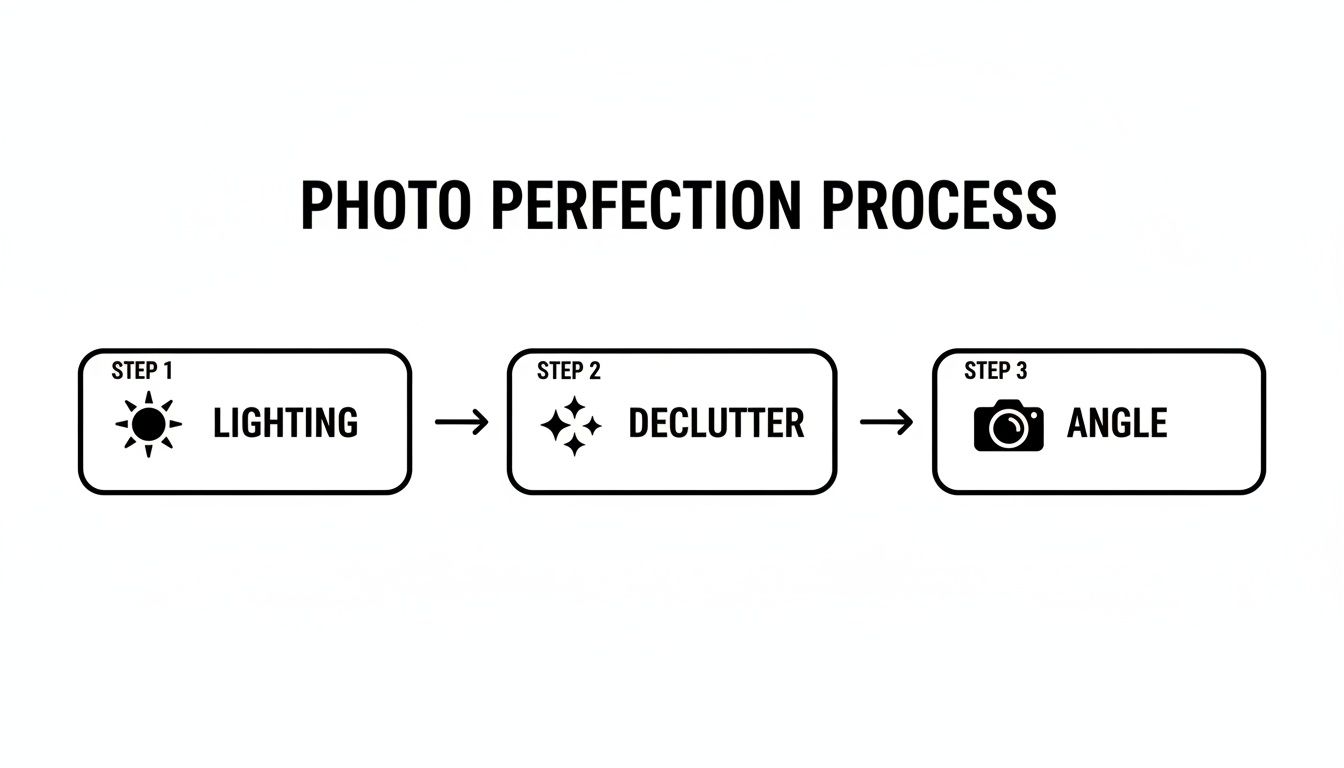
Nailing these steps gives the AI a clean canvas to work with, which means your virtual paint job will look incredibly true-to-life.
Having access to real-world paint brands is a massive plus. Paint preferences can vary wildly depending on where you are. For instance, the Asia Pacific market, valued at an estimated USD 104.45 billion for 2025, is a global powerhouse driven by new construction. Meanwhile, European tastes often lean toward eco-friendly formulas and softer pastels. A tool with a global paint library means you can find the perfect color, no matter what style you're going for.
My Go-To Tip: Don't sweat it if you can't find your small, local paint brand in the tool. Just head to the brand’s website and find the HEX code for your desired color (it looks something like #F5F5DC for a classic beige). Almost every visualizer has a spot to plug in a custom code, giving you a near-perfect digital match.
Getting a Feel for Smart Masking Tools
The real "wow" moment comes from the smart masking technology. You tap on a wall, and boom—the tool instantly fills the entire surface with your chosen color. It works its way around tricky spots like light switches, crown molding, and even pictures hanging on the wall.
For example, our https://www.decor8.ai/ai-wall-paint-color-visualizer is designed for precision. But hey, sometimes the tech isn’t perfect. If the AI accidentally paints over a bit of your sofa or misses a tiny corner, there are always simple brush and eraser tools. This lets you manually clean up the edges for a flawless preview.
This kind of digital visualization is a game-changer, and it's part of a bigger trend in home design, similar to how virtual staging helps people envision a home's full potential before moving in.
Ultimately, this whole process is about giving you confidence. You can save dozens of color variations, compare your top contenders side-by-side, and even send the images to your partner or designer for a second opinion. You're no longer just imagining how a color will look; you're actually seeing it.
How Light and Sheen Change Everything
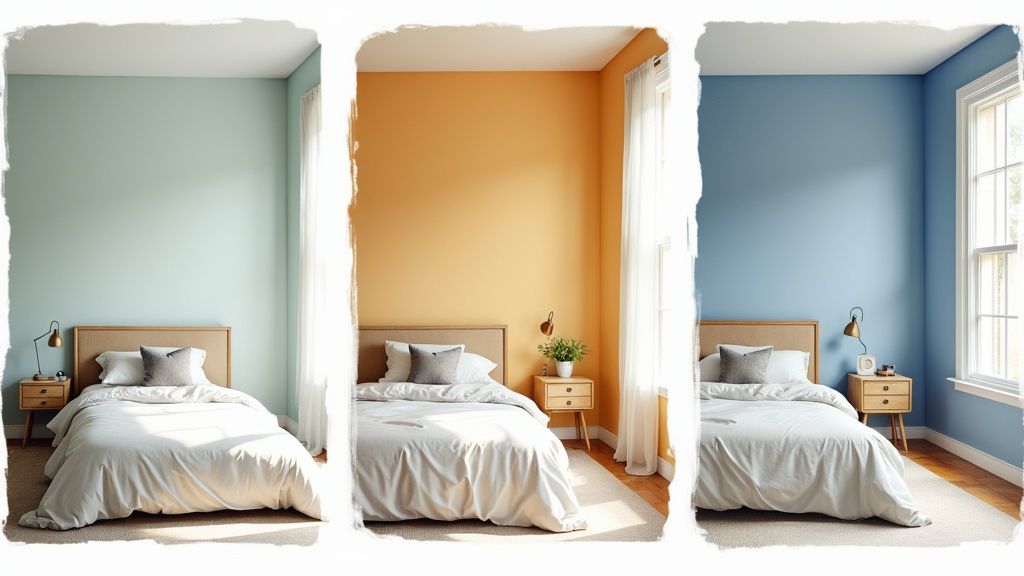
So you’ve picked a color. But that's only half the story. The real character of that color—how it will actually feel once it’s on your walls—hinges on two things: paint sheen and lighting. These two factors are notorious for playing tricks on the eye, turning a perfect gray into a cold blue or a warm beige into a washed-out yellow.
This is where a good AI visualizer really shines. It lets you test for these variables, giving you a preview that’s much closer to reality. It's the critical step that helps you truly see paint colors in my room as they will exist day-to-day, saving you from that all-too-common moment of realizing the color on the wall looks nothing like the swatch. A paint color isn't static; it’s alive and interacts with its environment.
The Impact of Paint Sheen
Paint sheen, or finish, is all about how much light a paint surface bounces back. The spectrum runs from completely flat to super shiny, and your choice affects both the aesthetic and the toughness of the paint job.
Here’s a quick rundown of what you’ll find:
Matte (or Flat): This finish has virtually no shine, which is fantastic for hiding small bumps and imperfections on older walls. The downside? It’s not very scrubbable, so it’s best reserved for low-traffic spaces like ceilings or a formal dining room.
Eggshell: A crowd favorite for a reason. Eggshell has just a whisper of a sheen, making it more durable and easier to clean than matte. It's a go-to for living rooms and bedrooms where you want a soft look with some practicality.
Satin: With a smooth, velvety look, satin is a step up in durability from eggshell. It’s a workhorse finish that’s perfect for hallways, family rooms, and even kitchens because it can handle a good cleaning.
Semi-Gloss & Gloss: These are your high-shine, high-durability champs. They’re built to resist moisture and are easy to wipe down, which is why you see them on trim, doors, and in bathrooms. Just be warned: that high shine will spotlight every single flaw, so your wall prep needs to be flawless.
When you’re using a visualizer, toggle between these finishes. You’ll see how a deep navy in a matte finish feels moody and velvety, while that same navy in satin suddenly pops with energy as it reflects light around the room.
Simulating Light at Different Times of Day
The single biggest mistake I see people make is choosing a paint color under the harsh fluorescent lights of the hardware store. The light in your home is completely different, and it changes all day long.
A north-facing room gets cool, indirect light that can pull the blue or gray undertones out of a color. A south-facing room, on the other hand, is flooded with warm, bright light that can intensify bold colors and wash out lighter ones.
To avoid any nasty surprises, you need to see how your top contenders hold up under different lighting conditions. A good visualizer will let you cycle through various scenarios. Make sure you test your colors this way:
Bright Daylight: This shows you the color at its truest, like on a sunny afternoon.
Overcast: Mimics the soft, gray light of a cloudy day, which often highlights a color’s cooler side.
Warm Evening Light: This is crucial. It shows you how the paint will look at night under the warm, yellowish glow of your lamps and overhead lights.
Flipping through these lighting conditions is how you catch problems early. That beautiful greige that looked perfect in the daylight might turn a weird shade of purple once your lamps are on. This is how you go from just liking a color on a chip to knowing you’ll love it on your walls, 24/7.
Bridging the Gap from Digital Preview to Real-World Paint
You've spent hours cycling through colors and have finally landed on what looks like the perfect shade. The AI preview is stunning, and your first instinct might be to run out and buy a few gallons of paint.
Hold on for just a moment. This is where a little patience saves a lot of headaches. An AI visualizer is an incredible tool for cutting down a sea of 100+ color choices to a manageable handful, but it’s not meant to be the final word.
The last, most important step is to see how that color actually looks in your room with a physical sample. This simple check is what makes sure the vision on your screen becomes a reality you love. Skipping this is a risk because every screen displays color a bit differently, and the unique light in your room can play tricks on your eyes.
Why You Absolutely Must Test Real Paint Samples
I like to think of AI renderings as a highly detailed map. The map is essential for getting you to your destination, but you can’t truly experience the place until you're standing in it. Ordering peel-and-stick samples or small test pots of your top two or three choices is the best investment you can make in your project.
Here's how I recommend my clients test their top picks:
Check Different Walls: Paint looks completely different on a wall flooded with sunlight versus one tucked away in a darker corner. Apply your samples in a few key spots to see the full range.
Watch It All Day: The color you love in the bright morning light might look completely different in the afternoon or under artificial light at night. Keep an eye on it for a full 24 hours.
Don't Paint Directly on the Wall: Grab a large piece of white poster board and paint your sample on that instead. This lets you move the color around the room without leaving patches everywhere, and it prevents the current wall color from skewing your perception.
One of the most common mistakes I see is someone picking a cool, crisp white for a north-facing room with very little natural light. On-screen, it looks bright and clean. In reality, it can feel cold and sterile. Testing first would have revealed how the room's light brings out those unexpected undertones.
This real-world test is what gives you true confidence. It’s the essential bridge from digital idea to physical reality, a process we dive into deeper in our breakdown of photorealistic AI design versus manual methods.
From Virtual Vision to Flawless Finish
Once you've used the AI to get clarity and tested your samples to confirm your choice, you're finally ready for the fun part. If your project goes beyond just the walls, learning from expert tips on how to paint kitchen cabinets can help you carry that perfect color scheme across other surfaces for a truly professional look.
The process starts with technology that lets you explore endless creative options without fear. But it always ends with a simple, tangible test that confirms your vision. By combining the power of AI with the tried-and-true reliability of real-world samples, you’ve got a foolproof system for picking the perfect color every single time.
Common Questions About Virtual Paint Previews
Jumping into virtual design tools for the first time usually brings up a few questions. As you start using an app to see paint colors in my room, you'll probably wonder how true-to-life the colors are, what to do about all the furniture you already have, or how to test a color from a brand that isn't listed. Let's get those sorted out so you can feel confident in your choices.
Think of an AI visualizer as your personal design assistant. It's built to give you a very realistic preview of how things will look, but at the end of the day, it's still a simulation. The main goal here is to narrow down your options and avoid any big surprises once the paint is actually on the wall.
How Accurate Are These Previews?
This is always the first question, and for good reason. The short answer is: they are incredibly accurate for getting a feel for a color's undertone and overall mood in your space. But that accuracy really hinges on the quality of your photo and how your screen is calibrated. The tool is only as good as the picture you feed it.
You'll always have real-world variables that a screen can't perfectly replicate. Your wall texture, for instance, or the unique way sunlight streams into your room can make a color look slightly different in person.
My Advice: Use the visualizer to pick your top two or three favorites—the ones that really get you excited. Then, and this is crucial, grab a physical paint sample of those final contenders and test them on the actual wall. This combination of tech and real-world testing is the best way to get it right.
What if My Room Is Full of Furniture?
No problem at all. You absolutely do not need an empty room to make this work. Modern visualizers are smart enough to identify and paint around things like your couch, windows, and wall art. They can tell the difference between a bookcase and the wall behind it.
For the cleanest-looking preview, try to snap your photo from an angle that gives you a clear view of the wall. You don't need to haul everything out, but just shifting a small lamp or a stack of books out of the way can help the tool create a much crisper result.
My Favorite Paint Brand Is Not in the App
This happens all the time, but there's a super simple fix. If a smaller boutique brand or a local favorite isn't in the app's library, you can still visualize its colors.
Find the Color Code: First, head over to the paint company's website and look for the color's HEX or RGB code. Think of this as the digital fingerprint for that specific shade.
Use the Custom Feature: Nearly every visualizer tool has a "custom color" option where you can just paste that code.
Get a Close Match: The tool will then create a near-perfect digital version of that paint, letting you apply it to your virtual room. It's a great little trick that means you're never stuck with just the pre-loaded options.
Ready to stop guessing and start seeing? The Decor8 AI platform lets you upload a photo and instantly test thousands of real-world paint colors from major brands. See your vision come to life in seconds and make your next design decision with total confidence. Try it for free today.