
Finding the Best Interior Design AI App for Your Home
- oliverjames0609
- 1 day ago
- 17 min read
If you're looking for the short answer, the best interior design AI app is the one that delivers photorealistic results, offers a huge library of styles, and is dead simple to use. For most people—from homeowners and real estate agents to professional designers—Decor8 AI hits all those marks and then some.
How To Choose The Best Interior Design AI App
Trying to pick the right AI design tool can feel like wading through a sea of options. This guide cuts through the noise. We'll break down exactly what to look for and focus on the criteria that separate a decent tool from a truly great one, based on real-world needs and results.
The market for these tools is booming, with a projected compound annual growth rate of 15.60%. It's on track to become a $7.2 billion industry by 2033. This explosion is fueled by platforms like Decor8 AI, which put professional-grade design power into everyone's hands. AI is changing the game by automating everything from layout planning to material selection, turning a process that once took weeks into something that takes seconds.
This article is here to give you a straight-up analysis, helping you find the perfect tool whether you're just refreshing a single room or need a full-blown professional virtual staging solution.
Quick Look at Top AI Interior Design App Features
To get a quick lay of the land, here’s a table that stacks up the key features of the top apps. Think of it as a cheat sheet before we dive deeper into specific scenarios and workflows.
Feature | Decor8 AI | Competitor A | Competitor B |
|---|---|---|---|
Photorealistic Output | Excellent | Good | Moderate |
Style Library Size | 50+ Styles | ~30 Styles | ~20 Styles |
Paint Brand Support | Yes (Major Brands) | Limited | None |
Virtual Staging API | Yes (Full SDKs) | Basic API | None |
Mobile/Web Syncing | Seamless | Web Only | Mobile Only |
Image Editing Toolkit | Comprehensive | Basic | None |
As you can see, Decor8 AI stands out as a more complete, all-in-one package. For more details on what these tools can do, check out our practical guide to AI interior design software.
The combination of top-tier rendering quality, a massive style library, and professional tools like API access makes it a serious contender for pretty much any use case. We’ll get into the specifics of why that matters next.
A Closer Look at the Core Features of Top AI Design Tools
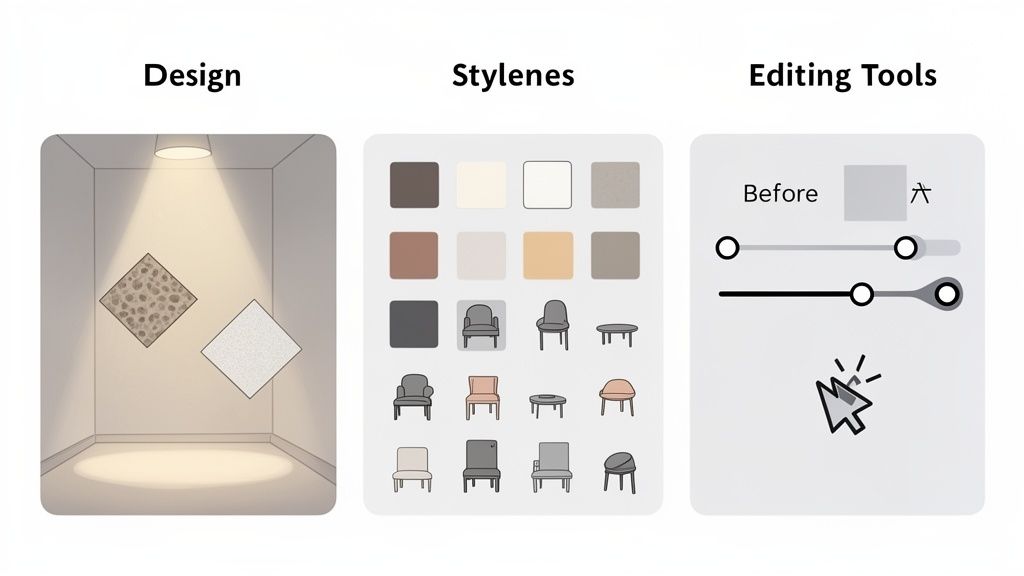
When you’re trying to find the best interior design AI app, it’s easy to get lost in the marketing noise. The real test is looking at the features that actually get the job done. A solid app does more than spit out a pretty picture; it has to deliver realistic, usable concepts that genuinely save you time and frustration.
The first thing to look at—and it’s a big one—is rendering quality. This is the absolute foundation of any AI Room Design tool. You need an app that can produce photorealistic images with accurate textures, lighting, and shadows. The difference is night and day. A cheap render looks flat and fake, but a high-quality one can fool you into thinking it’s a real photograph.
As you compare options, pay close attention to their AI rendering capabilities. This single feature defines the quality of everything the app produces. Decor8 AI, for example, is fantastic at the small details, like creating believable reflections in mirrors or casting realistic shadows that feel right for the room’s lighting. It's this level of detail that makes its designs good enough for professional real estate listings.
Style Libraries and Real-World Customization
Looking real is only half the battle. A design also has to match a specific vision, and that's where a deep style library is crucial. Some tools give you a few basic options like "Modern" or "Bohemian," but the platforms worth your time offer a much richer creative palette.
Decor8 AI stands out here with over 50 distinct styles, covering everything from "Japandi" to "Industrial Loft." But more importantly, it lets you customize designs in ways that connect back to the real world.
One of the biggest differentiators is the ability to use actual paint colors from major brands. This is a game-changer.
Decor8 AI: You can pick from real Sherwin-Williams, Benjamin Moore, and Behr paint colors. This means the design you see on screen is one you can actually create.
Competitor Apps: Most just give you a generic color wheel or ask for hex codes, which leaves you guessing how to match that color in a real paint store.
This simple feature turns an AI Home Design from an abstract idea into a concrete, actionable plan. There’s no more guesswork. You know you can walk into a store and grab the exact shade of "Naval" blue from your render.
Integrated Editing for That Perfect Finish
Finally, let's talk about the editing toolkit. Let's be honest: a raw AI generation is rarely perfect. Your original photo might have clutter, bad lighting, or an ugly armchair you want gone. The best apps give you the tools to fix these issues both before and after you apply a new design.
For a tool to be truly effective, it must empower the user to refine the AI's output. Simple, integrated editing features are non-negotiable for achieving a professional finish, whether it's for a personal project or a client presentation.
Decor8 AI gets this right by including a bunch of practical editing tools. Its clutter removal feature, for instance, lets you digitally erase old furniture before you even start redesigning. For real estate agents, tools like sky replacement can transform a photo taken on a dreary day into something bright and appealing. If you want to dig deeper, you can learn more about the top AI features every interior designer should use in our full guide.
Having this kind of control is what makes an app a complete AI Interior Design platform, not just a simple image generator. It gives you the power to perfect every last detail.
A Head-to-Head Look at the Top AI Interior Design Apps
Choosing the right AI interior design app isn’t just about ticking off features on a list. It’s about how the tool actually performs when you’re up against a deadline or trying to bring a client’s vision to life. The real test is in the trenches.
So, let's move past the simple pro/con lists and ask the questions that really matter. Which app delivers lightning-fast, photorealistic AI Virtual Staging for a real estate agent who needed images yesterday? What’s the best tool for a homeowner who just wants to play with AI Home Décor ideas without getting bogged down in complex software?
This is a critical conversation to have, especially now. The design industry is embracing this technology at an incredible pace—nearly 47% of professionals have already woven AI into their virtual modeling workflow. The market itself is exploding, set to jump from $829 million in 2023 to over $7.2 billion by 2033, a testament to the power of all-in-one platforms like Decor8 AI. You can dig into the numbers behind this growth over at Market.us.
Scenario 1: The Real Estate Agent’s Last-Minute Staging Emergency
An agent just got photos of a beautiful but empty new build. They need to get compelling, staged images for the online listing, and they need them in a matter of hours. The mission is simple: get speed, realism, and a few style options to attract different buyers.
Decor8 AI: This is exactly where Decor8 AI shines. The agent can upload a photo, use the one-click clutter removal to get rid of any leftover construction dust, and instantly apply a style like "Modern Farmhouse." The platform's lighting engine is smart enough to generate truly believable shadows and reflections, making the staging feel completely natural. The whole process takes just minutes, giving them time to generate multiple styles for A/B testing the listing.
Competitor A (e.g., Homestyler): While Homestyler is a powerhouse, it demands more hands-on effort. The agent would have to manually place each piece of furniture from a library, then painstakingly adjust the lighting and textures. It offers a ton of control, but it completely fails the speed test when you're racing against the clock.
Competitor B (e.g., RoomGPT): This tool is incredibly fast for spitting out ideas, but the final images often lack the polished, photorealistic look needed for a professional listing. The results can feel more like a concept sketch than a photograph, which might not impress today’s savvy buyers.
For this kind of urgent AI Room Design task, Decor8 AI is the clear winner. It hits that perfect sweet spot between professional-grade quality and the breakneck speed the real estate world demands.
Scenario 2: The Homeowner’s Weekend Redesign Project
A homeowner is tired of their living room and wants to visualize a fresh new look. They’ve got a Pinterest board full of inspiration and want to test-drive different paint colors and furniture layouts before they spend a dime. Their top priorities are ease of use and the freedom to get creative.
This is probably one of the most common reasons someone seeks out an AI Home Design tool. Even for personal projects, it helps to see what the pros are using, and exploring resources that compare the best virtual staging software options can provide some fantastic insights.
Decor8 AI: The conversational, chat-based interface is a game-changer here. The homeowner can upload a picture of their living room and just type, "Show me this room in a Japandi style with a dark accent wall." Because Decor8 AI integrates real paint brands like Sherwin-Williams, they can see exactly how a color like "Iron Ore" would look on their wall. The ability to pull styles directly from a reference image is another massive win for visual people.
Competitor A (e.g., Planner 5D): This is a fantastic tool for detailed floor planning, but it's often overkill for a simple style refresh. Having to build out a 2D or 3D model of the room is a lot more work than just uploading a photo, which can be a real barrier for someone looking for quick ideas.
Competitor B (e.g., IKEA Kreativ): This app is great for one thing: seeing how IKEA products will look in your space. But that’s also its biggest limitation. It locks you into their ecosystem, making it less useful for broad creative exploration with different brands and styles.
Decor8 AI's standout feature is its sketch-to-render capability, combined with seamless cross-platform syncing. A designer can sketch a rough concept on a tablet, and the AI generates a photorealistic render that is instantly available on their phone to show a client—a workflow that competitors simply can't match.
This one feature perfectly illustrates Decor8 AI's core strength: it's built for both quick, casual brainstorming and serious professional execution.
Feature Deep Dive: Decor8 AI vs The Competition
Let's get into the weeds. The table below breaks down some of the more advanced features that really separate the good from the great, especially for professionals who need more than just basic image generation.
If you want an even more exhaustive breakdown, don't miss our complete guide on the 12 best AI interior design app choices for 2026.
Advanced Feature | Decor8 AI | Competitor A | Competitor B | Best For |
|---|---|---|---|---|
API/SDK Access | Yes (Python, JS, etc.) | Limited API | None | Developers & Businesses |
Real Paint Brands | Sherwin-Williams, Behr | Limited/Generic | None | Homeowners & Designers |
Sketch-to-Render | Yes (Photo & Isometric) | No | No | Architects & Designers |
Cloud Sync | Seamless (Web & Mobile) | Web Only | Mobile Only | Users on Multiple Devices |
Clutter Removal | One-Click Tool | Basic Editing | No | Real Estate Agents |
When you lay it all out, it becomes clear that while many apps can handle basic AI Interior Design tasks, Decor8 AI’s robust toolkit and professional-grade integrations make it a far more versatile and powerful choice for just about every type of user and workflow.
Finding the Right AI Home Design App for Your Project
Choosing the right AI interior design app isn't about finding the "best" one, but the best one for you. A homeowner just trying out new styles has completely different needs than a real estate agent trying to sell a house fast. This guide will help you cut through the noise and match the right tool to what you're actually trying to accomplish.
It's no surprise that the whole interior design software market, including these AI tools, is booming. It hit $5,373.8 million in 2024 and is on track to reach a staggering $9,656.6 million by 2030. This explosion is fueled by the rise of e-commerce and a massive interest in home remodeling—trends that platforms like Decor8 AI are built to serve. You can dig into the numbers in the full market analysis from Grand View Research. This growth just proves how much people need tools that deliver real results for specific jobs.
So, let's look at what different people need and how the right app can help.
For Homeowners and DIY Enthusiasts
If you're a homeowner, your main goal is pretty simple: you want to see what a change will look like before you spend the time and money. You need an app that’s fun, fast, and inspiring—something that can take a fuzzy idea and turn it into a clear picture without a huge learning curve.
Top Priority: Ease of use and creative freedom.
Must-Have Features: A big library of different styles, real-world paint colors, and an interface you can figure out in minutes.
Decor8 AI Solution: Decor8 AI was made for this. You can just type what you want in plain English, like, "Show my living room in a coastal style with light wood floors." It even uses real paint colors from brands like Sherwin-Williams and Behr, so the colors you see on screen are the exact ones you can go out and buy. No more guesswork.
If you're not even sure where to begin, our interior design style finder quiz can be a great starting point to nail down your personal taste.
For Real Estate Professionals and Marketers
Real estate agents are always on the clock. They need to create visuals that make people fall in love with a property, helping it sell faster and for more money. The job is to turn an empty or dated room into someone's dream home, and it has to be done quickly and look incredibly realistic.
Top Priority: Speed, photorealism, and marketability.
Must-Have Features: High-quality AI Virtual Staging, one-click tools to remove clutter, and features that make listing photos pop (like changing the sky).
Decor8 AI Solution: This is where Decor8 AI's pro features really make a difference. An agent can take a photo of an empty room and have a beautifully furnished, photorealistic version back in just a few minutes. The ability to digitally remove old furniture saves a ton of time and money, and the day-to-dusk feature can create those gorgeous twilight shots that make a listing stand out.
For Interior Designers and Architects
Professionals need tools that fit right into how they already work, making their creative process faster, not more complicated. They need precision, customization, and better ways to show clients their vision. For them, it's not just about a pretty picture; it's about having an AI Home Design tool that offers real control.
For a professional designer, the best AI app acts as a powerful assistant. It should speed up the initial brainstorming, create a realistic canvas for client meetings, and be flexible enough for custom projects without taking away creative control.
Decor8 AI delivers on this with advanced tools like its sketch-to-render function, which can turn a quick drawing into a detailed 3D view. Even better, its API and SDKs let design firms plug Decor8 AI's visualization engine directly into their own websites or client portals. This creates a seamless, branded experience for their clients and makes their entire workflow more efficient.
Why Decor8 AI Delivers Superior Design Results
After putting the top contenders side-by-side, one thing becomes clear. The best interior design AI app isn’t just about making one cool-looking image. It’s about having a complete and flexible toolkit that actually works for different kinds of people, from seasoned pros to weekend warriors. This is where Decor8 AI pulls ahead of the pack, striking that difficult balance between professional-grade features and genuine ease of use.
Many apps get one thing right—some are fantastic for sketching out floor plans, while others are great for quick, AI-powered style swaps that might lack a bit of realism. The magic of Decor8 AI is that it does it all in one place. It’s built so that a real estate agent can whip up stunning AI Virtual Staging just as easily as a homeowner can play with a dozen new paint colors. That built-in versatility is its real superpower.
This decision path shows how different people can find the right tool for what they need to accomplish.
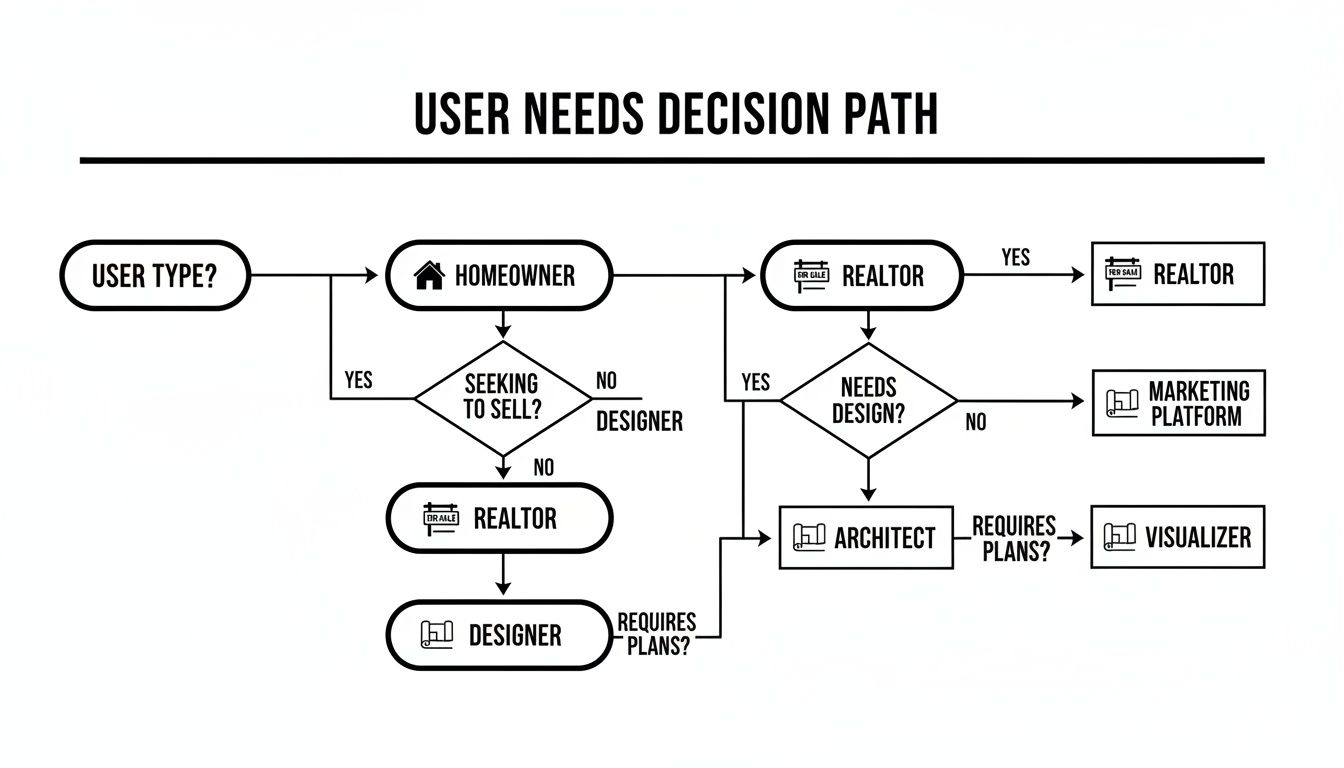
As you can see, whether you're a homeowner, realtor, or designer, your core needs eventually point back to having a powerful visualization tool that doesn't require a steep learning curve.
The Power of an Integrated Workflow
What really makes Decor8 AI different is how all its features connect to create one smooth process. It isn't just a random assortment of tools. It's a cohesive system designed to take you from a vague idea in your head to a polished, market-ready visual with almost no friction.
Take the chat-based design process, for example. Instead of digging through complicated menus and settings, you just type what you want. This makes the whole AI Home Design experience feel more like a natural conversation, which is a game-changer for anyone new to this kind of software. But it’s not just for beginners; professionals love how much faster it makes their work.
Then there’s the rock-solid cloud sync between mobile and web. This is a practical detail that you really appreciate when you're on the move. A designer can mock up an idea on their desktop, pull it up on their phone to show a client, and make final tweaks on a tablet later. Getting that kind of consistency across devices is something a lot of other apps still haven't nailed down.
Decor8 AI's true value lies in its ability to connect inspiration directly to execution. By integrating real-world paint brands and offering professional-grade API support, it turns abstract design ideas into actionable, tangible plans that save users time and money.
Tangible Benefits for Every User
At the end of the day, the best tool is the one that gets you real, tangible results. Decor8 AI's advantages aren't just theoretical; they translate into measurable wins for its users. If you want to dive deeper into the nuts and bolts, you can explore how Decor8 AI for interior design works on their website.
Here’s a look at the outcomes you can actually expect:
Faster Project Completion: Whether you're staging a house to sell or just redoing your living room, the platform's speed turns projects that used to take days into something you can finish in minutes.
Reduced Costs: Decor8 AI provides a seriously cost-effective way to get professional-looking results without paying for physical staging or expensive software licenses.
Visually Stunning Output: The rendering engine produces photorealistic images that are immediately ready for real estate listings, client presentations, or your Instagram feed, making sure every project is shown in its best light.
This mix of accessibility, power, and real-world results is why Decor8 AI confidently stands out as the most effective and well-rounded AI Interior Design app you can find today.
Getting Started with Your First AI Design Project
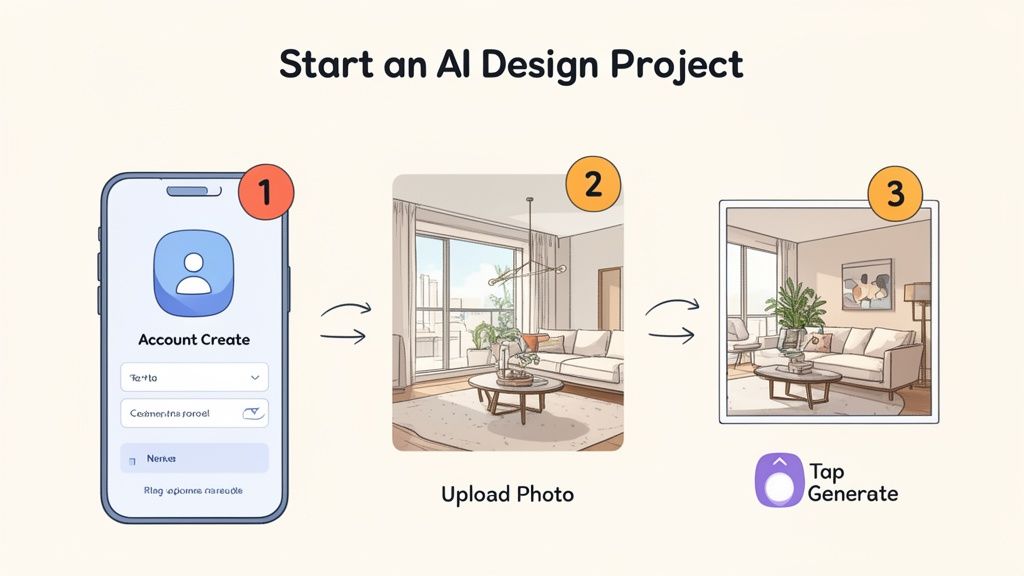
Diving into your first AI-assisted design project is a lot simpler than it sounds. Now it's time to put what you've learned into practice. To help you choose wisely, I've put together a simple checklist you can use to vet any best interior design AI app that catches your eye.
Think of this as your practical guide to cutting through the marketing hype. It’ll help you focus on the features that actually make a difference for your specific needs, ensuring you pick a tool that saves time and delivers the quality you're after.
Your Quick Evaluation Checklist
Before you sign up for anything, make sure the platform ticks these boxes. This isn't just about features; it's about finding a tool that genuinely fits how you work.
Output Quality: Do the images look truly photorealistic, with believable lighting and shadows? You want something that looks like a real photograph, not a clunky digital render.
Ease of Use: How fast can you get from a blank slate to a finished design? The best tools are intuitive and let you jump right in without needing to watch hours of tutorials.
Feature Set: Does it have the specific functions you need? A real estate agent will want top-notch AI Virtual Staging, while a homeowner might care more about finding real-world paint colors.
Pricing and Value: Is the cost clear and reasonable for what you get? A free trial or a flexible starter plan is a must-have, so you can see if it works for you without a big upfront investment.
The best AI design tools don’t replace your creativity—they amplify it. They should feel like a smart assistant that handles the grunt work, letting you visualize concepts faster and bridge the gap between a rough idea and a concrete plan.
Your First Project with Decor8 AI
Ready to see it in action? Kicking off your first AI Home Design project with Decor8 AI is incredibly straightforward. The whole process is built to get you from a blank page to beautiful visuals in just a few minutes.
Here’s a quick walkthrough to get you going:
Create Your Free Account: Just head to the Decor8 AI site and sign up. It’s a fast process that gives you instant access to the main tools.
Upload Your Room Photo: Grab a clear, well-lit photo of the room you're redesigning. Pro tip: shooting from a corner usually captures the space best.
Choose Your Style or Prompt: Pick from one of the 50+ curated styles or just tell the AI what you want using the chat. You could type something as simple as, "Redesign this living room in a Mid-Century Modern style with a navy blue accent wall."
Generate and Refine: Hit the generate button and let the AI do its thing. In a few seconds, you'll see the first draft. From there, you can keep chatting with the AI to tweak colors, swap furniture, or try a completely different look until it’s just right.
Getting your hands dirty is truly the best way to see how powerful and simple these tools can be. It's the first step to bringing your design ideas to life.
Got Questions About AI Interior Design? We've Got Answers.
As you start looking into AI-powered design, you're bound to have a few questions. It's a new frontier for a lot of people. Let's clear up some of the most common ones so you know exactly what these tools can—and can't—do.
Can AI Really Replace a Human Interior Designer?
This is the big one, and the short answer is no. Think of an AI Interior Design tool as an incredibly smart and fast assistant, not a replacement for a human professional.
A seasoned designer brings something an algorithm can't: deep expertise in things like building codes, structural engineering, and the subtle, emotional side of creating a home for a real person. AI, on the other hand, is a master at speed and iteration. It can pump out dozens of visual concepts and explore countless styles in minutes.
An AI is a creative amplifier, not a substitute for professional judgment. For designers, tools like Decor8 AI slash the time it takes to create compelling client visuals. For homeowners, they provide a powerful way to bring a fuzzy idea into sharp focus.
So, the AI handles the "what if" scenarios beautifully, while the human designer nails the "how-to" and "why."
How Realistic Is the Output from AI Room Design?
The quality has come a long way. Early versions of this tech often created images that felt a bit off—flat, fake, or just digitally weird. But today's best platforms, including Decor8 AI, can produce renderings so photorealistic they're easily mistaken for actual photos.
What makes this possible? A few key things working together:
Advanced Lighting Engines: The AI truly understands how light works. It creates believable shadows, accurate reflections on surfaces like glass or mirrors, and an overall sense of depth that feels real.
High-Resolution Textures: Forget blurry, generic surfaces. Modern AIs render the fine grain in a piece of wood, the specific weave of a fabric, and the unique patterns in a marble countertop with stunning detail.
Real-World Color Matching: This is a game-changer. Decor8 AI integrates official color palettes from major brands like Sherwin-Williams and Benjamin Moore. The color you pick on screen is the exact color you'll find in the paint can.
When these elements come together, you get visuals you can actually trust for professional marketing or planning your own renovation.
Do I Need Any Design Experience to Use These Apps?
Not at all. In fact, one of the best things about modern AI design apps is that they're made for everyone. Platforms like Decor8 AI were built from the ground up to be intuitive, whether you're a seasoned pro or have never picked out a paint chip in your life.
The magic is in the interface. Instead of fumbling with complicated software settings, you just talk to it. You can upload a picture of your living room and simply type, "Show me this room in an industrial style with exposed brick and leather furniture." It’s that easy.
This conversational approach strips away the technical intimidation, making high-level AI Home Décor accessible to anyone. It’s truly democratizing design.
How Does AI Virtual Staging Actually Work?
AI Virtual Staging is the process of taking a photo of an empty room and digitally filling it with beautiful, stylish furniture. The workflow is surprisingly fast and straightforward.
Here’s a quick rundown of the process:
Upload Your Image: Start with a photo of an empty or even cluttered room.
Clear the Space: If there's old furniture in the shot, you can use built-in editing tools to digitally erase it, giving you a clean slate.
Choose Your Style: Pick a design aesthetic from a menu (like "Modern," "Coastal," or "Bohemian") or just describe the look you're going for in a text prompt.
Let the AI Work: The AI analyzes the room's architecture, lighting, and scale. In just a few moments, it generates a new image, populating the space with perfectly matched furniture and decor.
The result is a polished, market-ready photo that helps buyers see a property's true potential—without the expense and logistics of physical staging.
Ready to see it for yourself? With Decor8 AI, you can transform any room with stunning, photorealistic visuals in seconds. Start creating your dream space for free today!
Comments