
Virtual Staging AI App: See How virtual staging ai app Transforms Rooms
- oliverjames0609
- 2 days ago
- 16 min read
At its core, a virtual staging AI app is a tool that uses artificial intelligence to digitally place furniture and decor into photos of empty rooms. Think of it as having an interior designer on call, ready to transform a vacant space into a warm, inviting home in just a few clicks.
What Is a Virtual Staging AI App
We've all seen them: property listings with photos of bare, empty rooms. It’s tough for buyers to see themselves living in a space that feels cold and impersonal. For years, the only solution was physical staging—a costly and time-consuming process involving furniture rentals, movers, and a whole lot of heavy lifting.
A virtual staging AI app changes the game entirely.
You just snap a picture of an empty room, upload it, and let the AI work its magic. The software is smart enough to analyze the room's layout, lighting, and angles. It then places photorealistic digital furniture into the image, creating a beautifully furnished scene that looks like it was professionally styled using AI Home Design.
From Empty Space to Dream Home Instantly
This isn't just about dropping a generic sofa into a picture. The best tools offer a full AI Interior Design experience. You can choose from different design styles—like Modern, Scandinavian, or Farmhouse—to create a look that perfectly matches the property and appeals to your target buyers.
The result is a powerful marketing tool that helps properties stand out. By creating an instant emotional connection, you can help homes sell faster and for a better price. If you're curious about the technology that makes this possible, understanding the basics of AI software development can give you a deeper appreciation for how it all comes together.
The core benefit is simple: it transforms a property's potential from an abstract idea into a tangible, beautiful vision that buyers can fall in love with.
Traditional vs AI Virtual Staging at a Glance
When you put the old method side-by-side with the new AI-powered approach, the differences are night and day. Here’s a quick breakdown that shows why so many real estate professionals are leaving physical staging behind.
Factor | Traditional Staging | Virtual Staging AI App |
|---|---|---|
Cost | $500 - $2,000+ per room | $5 - $20 per image |
Time | Days to weeks | Minutes |
Flexibility | Limited to one style | Unlimited style revisions |
Logistics | Furniture rental, movers | None (fully digital) |
Revisions | Difficult and costly | Instant and affordable |
As you can see, the advantages in cost, speed, and flexibility are massive. This shift is clearly reflected in the market's growth.
The virtual staging industry is already valued at USD 1.5 billion and is on track to hit USD 4.7 billion by 2033. This incredible growth highlights a fundamental change in how properties are being marketed across the globe. You can explore this topic in more detail in our articles about AI Virtual Staging.
How AI Turns Empty Rooms into Dream Homes
Ever look at a photo of an empty room and wonder how it gets turned into a stunning, fully furnished space in a listing? It's not magic, but it’s close. A virtual staging AI app is the digital artist behind the curtain, using a mix of smart vision and creative AI to stage a home in just seconds. The whole thing is surprisingly simple for the user, but it's built on some seriously powerful tech.
It all kicks off with something called computer vision. When you upload your photo, the AI does more than just see a picture. It truly understands the space—it identifies the walls, maps out the floors and ceiling, figures out the room's dimensions, and even takes note of where the light is coming from, like windows or light fixtures. Think of this first step as the AI creating a detailed blueprint of the room, giving it the perfect canvas to work with.
Once the AI has the lay of the land, the real fun begins with generative AI. This is where the creativity comes in. The app doesn't just plop random furniture into the image; it intelligently picks out and places pieces that fit the room's scale, perspective, and the style you've chosen.
The Three Steps to a Perfectly Staged Room
For you, this entire complex operation is boiled down to a few simple clicks. The whole point of a virtual staging AI app is to make professional-grade results fast, easy, and accessible to everyone.
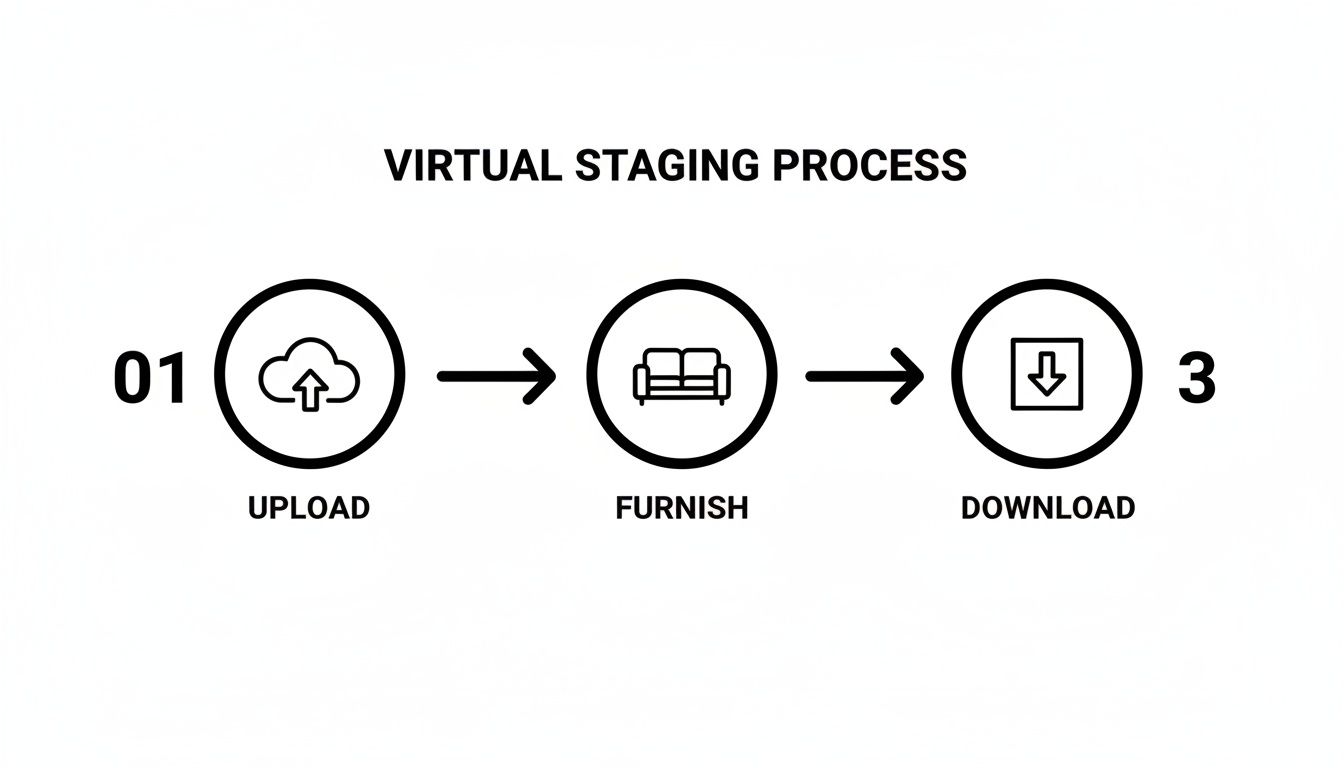
This workflow shows just how quick the journey is: you start with an empty photo, and in just three steps—uploading, choosing a style, and downloading—you get a beautifully staged image.
That speed is exactly what makes AI Virtual Staging such a game-changer. A task that once took hours of wrestling with complicated 3D software can now be done in the time it takes to grab a coffee.
Bringing Digital Furniture to Life
The final, and most important, piece of the puzzle is making sure the digital furniture looks like it actually belongs in the room. This is where the AI's eye for detail really makes a difference. It adds incredibly realistic shadows based on the room's natural lighting, which gives each object a sense of depth and makes it feel grounded in the space.
It also creates subtle reflections on surfaces like shiny wood floors or glass coffee tables, adding another layer of believability. The end goal is a seamless, photorealistic image where you can't tell the digital furniture from the real thing.
This technology bridges the gap between imagination and reality, allowing potential buyers to see not just a house, but a home. By making a space feel lived-in and aspirational, it creates an immediate emotional connection.
Here’s what that looks like in practice:
Upload a Photo: Just snap a clear, well-lit picture of the empty room.
Select a Style: Pick a vibe from a library of design options, like "Modern," "Coastal," or "Industrial." This guides the AI's furniture and decor choices.
Generate the Image: Click a button, and the AI gets to work, furnishing the room in your chosen style and adding all the right lighting and shadow effects.
Download and Share: In moments, you'll have a high-resolution, professionally staged photo ready for your listing or mood board.
This simple process puts high-end AI Room Design into the hands of homeowners, real estate agents, and designers—no technical skills needed. If you want to dive deeper into the nuts and bolts, you can learn more about how AI virtual staging works and see what's happening behind the scenes. It's truly a tool that empowers anyone to create stunning interiors that grab attention and get results.
Why Virtual Staging Is a Game Changer for Everyone
The true magic of a virtual staging AI app is just how useful it is for so many different people. This isn't some niche gadget for a single industry; it's a practical tool that helps everyone from real estate agents hustling to close a deal to homeowners sketching out their dream renovation.
At its core, this technology solves a universal problem: it's hard to see what a space could be. Virtual staging bridges that gap, turning empty, uninspired rooms into places people can actually imagine themselves living in. For each person who uses it, the specific "win" might look a little different, but the main benefit is always the same—making it easier, faster, and way cheaper to visualize a property's true potential.
For Real Estate Agents Boosting Sales
In the cutthroat world of real estate, you only get one chance to make a first impression. An AI Virtual Staging app gives agents a serious leg up by creating listings that connect with buyers on an emotional level.
Let's face it, an empty room feels cold. It's just a box with walls, and most buyers struggle to see past that. But a beautifully staged photo? That tells a story. It helps them mentally move in and picture their life unfolding in that home, which is a powerful driver for making an offer.
Staged homes don't just look better—they perform better. Industry reports consistently show that 82% of buyers' agents found it easier for their clients to visualize a staged property as their future home.
The numbers on the financial side are even more striking. We're talking about a staggering 97% cost reduction compared to traditional physical staging. Getting a real couch, table, and art into a home can easily run you $2,000-$5,000 and take weeks to arrange. An AI app gets you a stunning, photorealistic result in minutes for a tiny fraction of that cost.
For Homeowners Exploring AI Home Design
For homeowners, a virtual staging AI app is less about selling and more about dreaming. It’s like a personal AI Home Design sandbox where you can try out new styles, furniture arrangements, and even wall colors without any of the cost or commitment.
Ever wondered what that living room would look like painted a dramatic navy blue? Instead of taping up paint swatches, you can upload a photo and see the result instantly. Curious if a clean, minimalist design would clash with your home's traditional bones? The app can show you in seconds.
This is a huge deal because it takes all the guesswork out of home projects. Homeowners can test-drive their ideas, make confident choices, and avoid those expensive "oops" moments. It gives you the freedom to get creative and really see what your home is capable of.
For a closer look at the savings, read our complete virtual staging vs. traditional staging cost analysis to see the numbers side-by-side.
For Interior Designers and Developers
Professionals in the design and development space are all about speed and efficiency, and that's exactly where this technology shines for them.
Interior Designers: Can whip up quick mockups for clients in a flash. Instead of getting bogged down in complex 3D modeling software, they can generate several design concepts in minutes. This helps clients see the vision clearly and sign off on decisions faster, moving the whole project forward.
Property Developers: Can start selling units long before the last nail is hammered in. They can take architectural renderings or photos of a construction site and transform them into fully furnished, inviting homes. This allows them to hit the market sooner, improve their cash flow, and avoid having finished properties sit empty.
For larger platforms and developers, the tech can even be integrated directly into their own websites using APIs. Imagine offering virtual staging as a built-in feature to your own customers—it's an incredible value-add. At the end of the day, a virtual staging AI app makes high-end design visualization accessible to everyone.
Choosing The Best Virtual Staging AI App
With so many virtual staging tools popping up, picking the right one can feel like a chore. Let's be honest, they aren't all created equal. The difference between a truly great app and a mediocre one boils down to a few critical features that separate professional-grade results from amateur-hour.
The sweet spot is finding a platform that marries powerful, realistic rendering with an interface that doesn’t require a degree in 3D modeling. You need a tool that lets you create jaw-dropping visuals, fast. This guide will cut through the noise and show you exactly what to look for, so you can evaluate your options like a seasoned pro.
Photorealism And Image Quality
Let’s get one thing straight: photorealism is everything. If the final image looks fake, it completely misses the point of virtual staging and can even hurt your listing. A top-tier app should be able to blend digital furniture into a photo so seamlessly that you can't tell what's real and what's not.
Pay close attention to how the app handles light and shadow. The best tools have an AI smart enough to analyze the light coming from windows or lamps in your original photo and then cast believable shadows from the new virtual furniture. It’s a subtle detail, but it’s what gives objects a sense of weight and makes them feel like they truly belong in the space.
An app’s ability to render accurate textures, reflections on surfaces like floors or mirrors, and natural lighting is the true test of its quality. Anything less will look artificial and undermine buyer trust.
Customization And Creative Control
Preset styles are fantastic when you’re in a rush, but real creative power lies in customization. The best apps give you granular control, letting you tweak every detail until it’s perfect. This isn't just about dropping a couch in a room; it’s about becoming a true AI Home Décor expert.
Here's what you should demand from any tool you consider:
Extensive Style Libraries: It needs a wide, up-to-date selection of design styles—think Minimalist, Scandinavian, Industrial, Coastal, and everything in between.
Text Prompt Capabilities: This is a game-changer. Advanced tools let you simply type what you want, like, "Add a plush velvet sofa and a marble coffee table," and watch the AI bring your words to life.
Color Customization: The ability to change wall colors using real paint palettes (like Sherwin-Williams or Benjamin Moore) is a huge plus for planning renovations or testing out looks.
Item Manipulation: You need the basics—the freedom to move, resize, or rotate furniture to get the layout just right.
This level of control means you can craft a unique vision for every single space. As you're exploring, checking out lists of the best AI marketing tools for STRs can be helpful, as they often feature virtual staging apps with these kinds of robust features.
Advanced Features Beyond Basic Staging
A professional-grade virtual staging app does more than just place furniture. It’s a complete visual marketing toolkit. These advanced features are what separate the good from the great and give you the most bang for your buck.
Look for problem-solving tools that every real estate pro needs:
Clutter and Furniture Removal: This lets you digitally empty out a messy or furnished room, giving you a clean slate to work with. It's a lifesaver.
Sky Replacement: Got a gloomy, overcast day in your exterior shot? Instantly swap it for a bright blue sky or a beautiful twilight glow.
Sketch-to-Image Rendering: This feels like magic. Turn a simple floor plan or a rough architectural sketch into a fully rendered, photorealistic image of the final space.
Image Enhancement: Features like AI upscaling to boost photo resolution or "day to dusk" conversions add a layer of professional polish that makes photos pop.
Finding an app with this full suite of features ensures you’re ready for any visual challenge. If you're comparing options, our guide on the 12 best AI interior design app choices for 2026 is a great place to see a detailed breakdown.
To make your decision-making process even easier, we've put together a checklist of the most important features.
Essential Feature Checklist For Your Virtual Staging AI App
Use this table to quickly compare different apps and see how they stack up. It’s a simple way to make sure you’re choosing a tool that has the power and flexibility you need to get the job done right.
Feature | What to Look For | Why It Matters |
|---|---|---|
Photorealism | Realistic lighting, shadows, textures, and reflections. High-resolution output. | Builds trust and emotional connection. Poor quality looks fake and can deter potential buyers or clients. |
AI De-cluttering | Accurate removal of existing furniture and clutter without distorting the room. | Creates a blank canvas for restyling. Saves time and money on physically emptying a property. |
Extensive Style Library | A wide variety of modern and classic interior design styles (e.g., Modern, Farmhouse). | Allows you to match the staging to the property's architecture and target audience. |
Text Prompt Customization | The ability to use natural language to describe furniture, colors, and materials. | Offers unparalleled creative control and precision, letting you create exactly the look you envision. |
Wall Color Changing | Options to repaint walls virtually, ideally with real-world paint brand palettes. | Helps clients visualize renovations and allows for easy A/B testing of different color schemes. |
Ease of Use | An intuitive user interface (UI), clear instructions, and fast processing times. | You need a tool that speeds up your workflow, not one that requires a steep learning curve to use. |
Advanced Editing Tools | Sky replacement, image enhancement (upscaling), and day-to-dusk conversion. | A complete toolkit for creating stunning property photos from start to finish, beyond just staging. |
Sketch-to-Render | The ability to convert floor plans or sketches into realistic 3D renderings. | Invaluable for developers and designers to visualize a space before it's built, securing buy-in early. |
By prioritizing these features, you'll be well on your way to selecting a virtual staging AI app that not only meets your needs but also becomes an indispensable part of your design or marketing arsenal.
Inspiring Before and After Staging Examples
Talking about the benefits of a virtual staging AI app is one thing, but seeing the results for yourself? That’s where the magic really happens. The difference between a cold, empty room and a warm, beautifully staged one is often what makes a potential buyer fall in love with a property.
Let's look at a few real-world examples of how this technology can turn a tough sell into a dream home.
From Vacant Box to Cozy Living Room
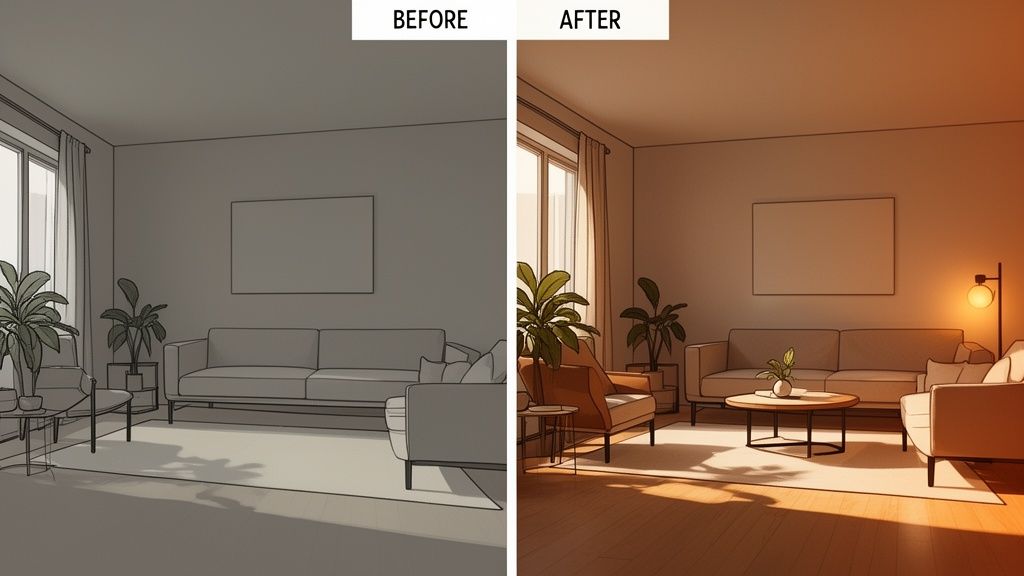
The Challenge: An agent was stuck with a listing that had a massive, open-concept living room. It just felt… cavernous. Buyers couldn't picture their own furniture in it, and the sheer emptiness made the space feel more intimidating than inviting. The mission was to make it feel like a warm, modern family space perfect for relaxing and entertaining.
The AI Solution: The agent snapped a photo of the empty room and popped it into an AI room design tool. They picked a "Modern Farmhouse" style, hoping to create a cozy but still sophisticated vibe. Instantly, the AI filled the space with a plush sectional, a rustic coffee table, and a soft area rug that anchored the whole seating area. It even added tasteful decor to the walls.
The crucial part? The lighting and shadows were spot-on, making the digital furniture look like it had been there all along.
The final "after" photo told a compelling story. It wasn't just a room anymore; it was a place for family movie nights. The listing saw 35% more online views and went under contract in less than two weeks.
Reimagining a Dated Kitchen with AI
The Challenge: A homeowner was desperate to update their 1990s kitchen but was completely stuck. They were terrified of picking the wrong cabinet color or countertop and making a costly mistake. They needed a way to test-drive modern design ideas without spending a fortune on consultations.
The AI Solution: They took a picture of their current kitchen and used a virtual staging app. With the "repaint" feature, they cycled through different cabinet colors in seconds, seeing how trendy sage green or classic navy blue would look. They even used simple text prompts like, "replace countertops with white quartz with subtle grey veining" to visualize different materials.
This let them experiment with dozens of combinations in under an hour. It gave them the confidence to finally pull the trigger on the renovation. The AI became their personal design assistant, turning a daunting project into something fun and exciting.
Turning an Unfinished Basement into a Selling Point
The Challenge: A developer was trying to pre-sell homes in a new community, but the units were just framed-out shells. A key feature was the spacious basement, but photos of concrete floors and exposed studs weren't exactly inspiring anyone to sign on the dotted line. They had to show buyers the basement's true potential as a finished, usable living area.
The AI Solution: The developer took photos of the raw, unfinished basement and used an app’s "sketch-to-render" and "virtual renovation" tools. They generated a few different concepts to hit different buyer demographics:
A home theater with comfy, cinema-style seating.
A bright, cheerful playroom for a young family.
A sleek home gym with all the latest equipment.
This kind of visual storytelling completely changed the conversation. The basement went from being a project-in-waiting to a major asset. By showing people exactly what was possible, the developer helped buyers see the home's full value, which led to much faster pre-sales. It’s a perfect example of the real-world power of AI home design.
Common Questions About Virtual Staging AI
It's only natural to have questions when you're looking at a new piece of technology. How well does it really work? Is it going to be a headache to learn? Getting straight answers is the best way to feel confident before you jump in.
So, let's tackle some of the most common questions people have about virtual staging AI. We'll demystify the process and show you just how powerful and easy to use these tools can be.
How Realistic Are the Images?
This is usually the first thing everyone asks, and for good reason. The answer? The images from top-tier AI apps are stunningly realistic. In many cases, they are completely indistinguishable from photos of a room staged with real, physical furniture.
The magic is in how the AI has been trained. It has analyzed millions of interior design photos, learning the subtle interplay of light, shadow, and texture. It doesn't just plop a picture of a sofa into your room; it understands how the light from the window should hit the fabric and where the shadow should naturally fall on the floor.
The key to making it all believable is the AI's knack for perfectly matching the lighting in your original photo. When the shadows and reflections are right, the digital furniture just melts into the room, creating a vision that buyers can connect with emotionally.
That level of detail is what makes the final image feel authentic, building the trust you need whether you're selling a home or planning your own renovation.
Is It Difficult to Learn?
Not at all. In fact, one of the best things about modern virtual staging AI is how simple it is. The leading platforms were designed for everyday users, not tech experts or 3D artists. Forget about steep learning curves and confusing software.
Most of these apps have a clean, intuitive workflow that looks something like this:
Upload Your Photo: Just start with a clear picture of the room you want to stage.
Choose a Style: Pick a design you like, such as "Modern" or "Coastal," or just type a simple description of what you want.
Generate: Click a button. The AI does all the heavy lifting and renders a fully furnished room in just a few seconds.
Honestly, most people can create their first beautiful, professionally staged image within minutes. The whole point is to make the process fast and painless. If you want to dig deeper, you can always check out our comprehensive FAQs for more detailed answers.
Can I Use This for More Than Just Empty Rooms?
Absolutely. While filling empty rooms is a huge part of what it does, a good AI Interior Design tool is more like a complete visual toolkit. It goes way beyond just adding furniture.
Think of it as your all-in-one app for visualizing property changes. You can:
Restyle Furnished Rooms: Have a cluttered or outdated room? The AI can digitally remove all the old furniture, giving you a clean slate to redesign without lifting a single box.
Experiment with Colors: Virtually repaint walls or kitchen cabinets to see how a new color scheme feels before you ever pick up a paintbrush.
Enhance Exterior Shots: Instantly swap a gray, overcast sky for a beautiful sunny one to make your property's exterior photos pop.
Bring Sketches to Life: Turn a basic floor plan or an architectural drawing into a photorealistic preview of the finished space.
These features make it an invaluable tool for real estate agents, homeowners, and interior designers alike.
What’s the Difference Between Basic Apps and Professional Tools?
The main differences boil down to the final image quality, the number of features you get, and whether it’s built for business use. Lots of apps can stick a couch in a photo, but the professional tools are in a different league.
A professional-grade AI Virtual Staging platform stands out in a few key ways.
Feature Area | Basic Free Apps | Professional Tools (like Decor8 AI) |
|---|---|---|
Image Quality | Often produces lower-resolution images with flat lighting and fake-looking shadows. | Delivers high-resolution, photorealistic results with accurate light, shadows, and textures. |
Feature Set | Usually limited to basic furniture placement with very few style choices. | Offers a full suite of tools like clutter removal, sky replacement, color changing, and sketch-to-image rendering. |
Customization | Gives you a few preset styles with little to no room to make changes. | Allows for incredible customization with huge style libraries and the ability to guide the AI with text. |
Business Use | Lacks features needed for professional workflows or high-volume projects. | Includes business solutions like APIs for developers, cloud syncing, and features designed for teams. |
A basic app can be fun to play with, but a professional tool gives you the quality, power, and flexibility needed to do serious marketing, design, and development work.
Ready to see the difference for yourself? With Decor8 AI, you can go from an idea to a stunning visual in seconds. Transform your empty rooms, try out new design concepts, and create professional-grade images without any of the hard work. Try Decor8 AI for free today and see the future of virtual staging and interior design.
Comments