
Finding the Best AI App for Interior Design
- oliverjames0609
- 3 days ago
- 16 min read
If you're looking for the best AI app for interior design right now, Decor8 AI is a serious contender. It’s a powerful, all-in-one platform that works seamlessly on iOS, Android, and the web. This makes it a great fit for everyone, from homeowners tackling a weekend project to real estate pros needing a reliable AI Virtual Staging tool.
Why an All-In-One AI Design App Matters
The market for AI Interior Design tools is exploding, and picking the right one can be the difference between a frustrating guessing game and a clear, executable plan for your space. Think about the old way: expensive consultations, messy physical mood boards, and waiting days for a designer to render a single concept. AI tools flip that script, giving you an instant, interactive alternative right on your phone or computer.
A truly great AI design app needs to do more than just throw a few color palettes at you; it has to solve practical problems. For a homeowner, that means seeing what a full kitchen remodel will look like before a single cabinet is torn out. For a real estate agent, it’s about turning a vacant, uninspiring listing into a virtually staged home that potential buyers can emotionally connect with.
This is where having a comprehensive tool really pays off. Instead of juggling one app for floor plans, another for color matching, and a third for virtual staging, an integrated AI Home Design platform brings everything together. You should be able to upload a photo, digitally remove clutter, try out real paint colors from brands like Sherwin-Williams, and generate stunningly realistic redesigns in moments.
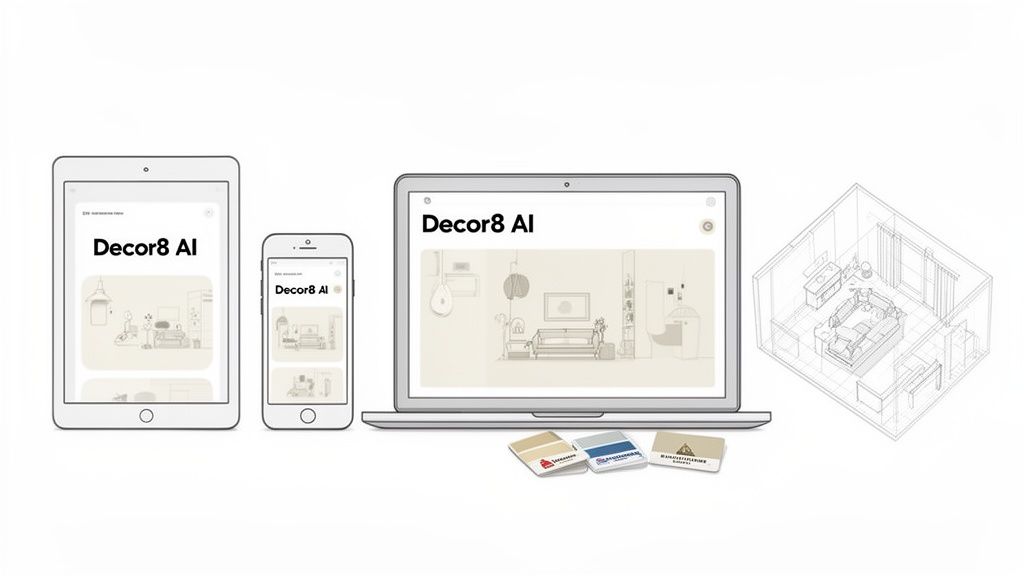
The image above gives you a glimpse of how Decor8 AI can take one simple room photo and instantly generate multiple, distinct design concepts. This kind of immediate visual feedback is exactly what you need to make design decisions with confidence.
Key Features to Look For
To help you cut through the noise, we've zeroed in on the core features that truly define a top-tier AI Home Décor app. The best tools offer a specific set of capabilities that serve both DIYers and industry professionals, though often in different ways.
Below is a quick breakdown of what features to prioritize based on your needs.
Top AI Interior Design App Features at a Glance
Feature | Benefit for Homeowners | Benefit for Professionals |
|---|---|---|
Photorealistic Output | Get a super-clear preview of your final design, which helps you avoid expensive mistakes. | Create client-ready visuals that show off your design intent with stunning accuracy. |
Virtual Staging | See how an empty or cluttered room could look with brand-new furniture and decor. | Produce market-ready listing photos that grab buyer attention and help sell properties faster. |
Brand-Specific Colors | Test exact paint colors from major brands to see how they'll look in your actual room. | Get client sign-off faster by showing them precise color choices in a realistic setting. |
Multi-Platform Access | Work on your designs from any device, whether you're at home on your laptop or on the go with your phone. | Gain workflow flexibility with seamless cloud sync between your office desktop and on-site client meetings. |
These features aren't just bells and whistles; they're the engine that powers a modern, efficient design workflow. Having them all in one place is what separates a decent app from an indispensable one.
Our Evaluation Criteria for AI Room Design Apps
To pick the best AI app for interior design, we needed a consistent way to judge each one. The truth is, not all tools are built the same. Some are great for a quick burst of inspiration, while others are packed with professional-grade features for deep customization. Our evaluation zeroes in on what actually matters when you're using these apps, whether you're a homeowner or a real estate pro.
We based our entire analysis on five core pillars. This framework keeps our recommendations grounded in reality, so you can see exactly why one app might be a better fit for your project than another.
Photorealistic Output Quality
First things first: how good do the pictures look? A top-tier AI Room Design tool has to create images that are more than just pretty—they need to be believable. We looked for realistic lighting, accurate shadows, and textures you could almost feel.
If an app spits out flat, cartoonish renderings, it's missed the point entirely. The whole idea is to visualize a real space. We gave higher marks to tools that could convincingly show how different materials and paint colors react to both sunlight and indoor lighting. To see what a high-quality rendering looks like, check out our guide on the AI interior design quality standard.
Depth and Breadth of Features
Beyond just making nice images, a great app needs a solid set of features that solve real problems. We dug into what each tool could actually do.
This meant testing for specific capabilities like:
AI Virtual Staging: How well does the app fill an empty room? Can it add furniture and decor that genuinely match the home's style?
Clutter and Furniture Removal: You often need a clean slate to start. We checked how effectively each app could digitally empty a room before starting the redesign.
Brand-Specific Color Matching: It’s one thing to see a generic "blue," but it's far more useful to see how Sherwin-Williams' "Naval" actually looks on your wall. We looked for apps that partner with real paint brands.
A truly powerful AI Home Design app doesn’t just show you what’s possible; it gives you the specific tools to make that vision a reality, right down to the exact paint code.
Workflow and Ease of Use
An app can have all the power in the world, but it's useless if you can't figure out how to use it. We looked at the entire process, from uploading your first photo to getting the final design. A simple workflow that produces great results in just a few clicks is what we were after.
We also considered whether the app worked across different devices—like an iPhone, Android, and on the web—with everything synced to the cloud. This makes a huge difference for anyone working on the go. Finally, we looked at pricing. Transparent, fair models won out, because no one likes getting hit with hidden fees or confusing credit systems.
A Practical Comparison of Top AI Interior Design Apps
Trying to find the best AI app for interior design can feel like wading through a sea of look-alikes. Most tools promise the same basic features, but how they actually perform when you need them most is what really matters. A simple checklist of features just doesn’t cut it; you need to know how these apps handle real-world tasks.
That’s why we’re ditching the generic lists. Instead, we’ll look at these tools through the eyes of the people who use them—from a real estate agent scrambling to get a listing online to a homeowner meticulously planning their dream kitchen. This AI Interior Design approach uncovers the subtle but critical differences in workflow, output quality, and customization that make or break the experience.
For the Real Estate Agent: The Urgent Staging Task
Imagine you’re a real estate agent with a brand-new, completely empty listing. The photos look flat and uninviting, and you need to get stunning, virtually staged images on the market by the end of the day. Your priorities are speed, realism, and zero fuss.
Decor8 AI: This is exactly the kind of situation where an all-in-one tool is a lifesaver. You can upload a photo of the bare room, use the one-click AI Virtual Staging feature, and have multiple, high-quality options in your hands within seconds. The AI is sharp—it understands lighting, shadows, and room dimensions, so the furniture looks like it truly belongs there, not just digitally slapped on. Plus, the built-in social media caption generator is a massive time-saver, letting you go from empty room to a market-ready post in minutes.
Homestyler: While powerful, Homestyler often demands a more hands-on approach. You’ll find yourself dragging and dropping individual furniture items from its library. This is great for customization if you have the time, but it really slows things down when you're on a tight deadline. Getting the lighting and shadows just right for a photorealistic look can also require some extra tweaking.
RoomGPT: This tool is blazing fast for generating quick ideas. You feed it a photo, pick a style, and it spits back a redesigned image almost instantly. The trade-off? The final images can sometimes lack the realistic polish needed for a professional listing, looking more like a cool concept than a lived-in space. It's a fantastic brainstorming partner but might not be your final stop for client-facing images.
For this job, Decor8 AI is the clear winner. Its focus on automated, high-quality virtual staging delivers both the speed and realism an agent needs to get a property noticed fast.
For the Homeowner: The Dream Kitchen Remodel
Now, picture a homeowner planning a massive kitchen renovation. They aren’t in a rush. Their focus is on visualizing every detail, from the exact paint color to the specific brand of countertops they’ve been eyeing.
This decision tree shows how factors like output quality, features, and price come into play when choosing the right AI Room Design tool for a detailed project.
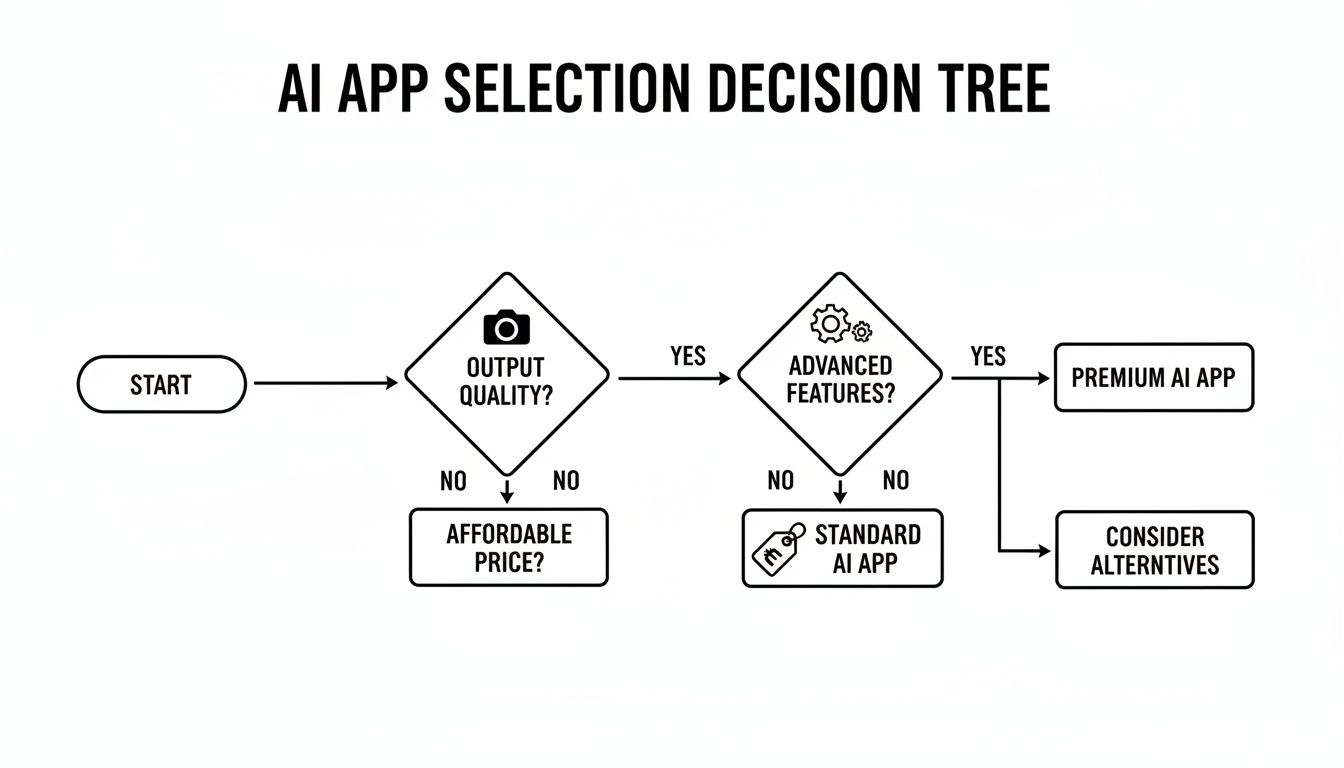
As the chart suggests, a deep feature set is just as crucial as the final image quality when you’re diving into a project like a kitchen remodel. The ability to get really specific is what matters.
Decor8 AI: This is where the platform’s detailed prompting really stands out. You can tell the AI to "redesign my kitchen in a modern farmhouse style with navy blue shaker cabinets, a white quartz countertop, and walls painted in Sherwin-Williams' 'Pure White'." That level of precision is a game-changer. It lets you visualize your space with real-world products, bridging the gap between a digital idea and the final renovation. Its tool for finishing under-construction spaces is also a huge help, allowing you to see the finished product even when you're looking at exposed drywall.
Planner 5D: This tool is a champion of space planning. With its 2D and 3D floor plan creation, you can map out the entire layout, knock down virtual walls, and check if your new fridge will actually fit. While its furniture library is massive, it’s more about general spatial arrangement than getting the hyper-realistic finish with brand-specific materials you might find elsewhere.
Foyr Neo: Aimed squarely at professionals, Foyr Neo offers an incredibly deep and technical set of tools. It gives you minute control over lighting, textures, and rendering settings. The catch? It has a steep learning curve that can be intimidating for the average homeowner, making it potential overkill for a personal project.
For a homeowner, Decor8 AI hits that sweet spot. It offers the detailed customization needed for a complex project without the overwhelming complexity of a full-blown professional software suite.
For the Designer: The Creative Ideation Process
Interior designers don't need a tool to replace their creativity; they need one that amplifies it. They’re looking for an app that can instantly translate a concept into a visual they can share with a client, allowing for quick feedback and changes.
The most effective AI Home Design tools for professionals act as a creative partner. They need to understand abstract ideas and turn them into stunning, high-fidelity visuals in a matter of seconds.
The ability to interpret creative prompts, or even a quick sketch, becomes a key differentiator here.
Decor8 AI: The sketch-to-3D rendering feature is a true standout for designers. A rough, hand-drawn floor plan can be turned into a photorealistic 3D view or an isometric layout in a snap, creating a powerful starting point for any client presentation. Even better, you can upload a reference image and have the AI apply that style to a new room photo, making mood boarding incredibly efficient. And with seamless cloud sync across web, iOS, and Android, a designer can sketch an idea on their tablet during a client meeting and have the fully rendered design waiting for them back at the office.
Leaperr: This app is all about inspiration and mood boarding. It uses AI to pull together images and color palettes based on a style you like. It's fantastic for that initial brainstorming phase but doesn't offer the same direct room rendering capabilities as other tools. Think of it more as an idea generator than a final visualization platform.
DecorMatters: With a strong community vibe, this app has a huge library of real-world furniture that you can place in your room. Its AI is helpful for suggesting color schemes and complementary items. However, it doesn't have the advanced generative features like sketch-to-rendering or detailed text prompts, making it more of a virtual decorator than an end-to-end design tool.
In a professional creative workflow, Decor8 AI brings a more robust and versatile set of tools to the table, connecting the dots between a rough concept and a polished, client-ready deliverable. If you're looking to explore a wider range of options, check out our guide on the 12 best AI-powered interior design tools for 2026.
Feature Showdown Decor8 AI vs The Competition
To lay it all out clearly, let's see how Decor8 AI compares head-to-head with two typical competitors: one built for simplicity (like RoomGPT) and another built for professional complexity (like Foyr Neo).
Feature | Decor8 AI | Competitor A (Simple) | Competitor B (Professional) |
|---|---|---|---|
Workflow Speed | Excellent: Generates high-quality results in seconds with one-click tools and detailed text prompts. | Excellent: Extremely fast for initial style concepts. | Fair: Requires significant manual input and rendering time for detailed projects. |
Real-World Specificity | Excellent: Uses brand-name paint codes and allows for highly detailed prompts about materials and styles. | Poor: Limited to general style selections with minimal customization. | Good: Offers a vast library of generic materials and textures, but lacks specific brand integrations. |
Unique Capabilities | Excellent: Includes sketch-to-3D rendering, clutter removal, and AI for finishing under-construction spaces. | Limited: Primarily focused on style swapping for existing rooms. | Good: Advanced lighting controls and technical rendering settings. |
Platform Accessibility | Excellent: Available on iOS, Android, and web with seamless cloud sync. | Good: Typically web-based, with limited mobile functionality. | Fair: Often desktop-only software requiring powerful hardware. |
This side-by-side look makes one thing clear: the best AI Home Décor app isn’t about who has the most features, but who has the right features organized in a way that actually helps you get your work done. Decor8 AI manages to occupy that ideal middle ground, delivering professional-grade power in a package that’s both accessible and intuitive.
Understanding the AI Interior Design Market Growth
Picking the right AI interior design app isn't just about finding a cool tool for today. It's about getting on board with technology that's completely changing how we design and visualize our spaces. The market for AI Interior Design isn’t just growing; it's exploding. What was once a niche technology is fast becoming a must-have in the design world, and understanding this shift helps explain why you need a powerful, forward-thinking tool.
The numbers tell a dramatic story. The AI interior design market jumped from USD 829 million in 2023 and is on track to hit a staggering USD 7,299 million by 2033. That’s a compound annual growth rate of 24.3%. This incredible growth is being powered by platforms that are making professional-grade design accessible to everyone. This isn’t just an abstract number—it means more powerful, intuitive, and useful tools are hitting the market all the time. For a closer look, you can dig into the market trends and their implications for design tools.
What's Fueling This Surge?
This boom is happening because our expectations have fundamentally changed. Homeowners, real estate agents, and even professional designers are all looking for faster, more effective ways to see their ideas come to life. It’s no surprise that solution-based platforms—the ones that deliver complete designs—held over 65% of the market share back in 2023. People want results, not just another piece of software.
The true power of an AI Home Design app is its ability to produce professional-quality results that used to be reserved for expensive design firms. This market growth is putting more sophisticated features directly into the hands of everyday users.
This is why having an AI Room Design tool has gone from a "nice-to-have" to a "need-to-have" for anyone who wants to stay current. If you're curious about how AI is impacting other industries, articles covering the best AI lead generation tools can offer a broader perspective on these market shifts.
Why This Matters When You're Choosing an App
The platforms that are winning are the ones solving real, practical problems with smart technology. For example, 47% of the interior design industry is already using AI for modeling, which slashes project timelines. In real estate, the benefits are just as clear, with AI Virtual Staging increasing property views by as much as 22%.
This widespread adoption shows that the best tools are those that fit right into how people already work, whether you're a DIY enthusiast or a seasoned pro. You can read more about how Decor8 AI is perfectly positioned for this AI boom. As the market keeps climbing, choosing a versatile and powerful platform ensures you’ll have a tool that not only meets your needs now but grows with you, delivering advanced features that produce real-world results.
Who Really Gets the Most Out of AI Home Décor Apps?
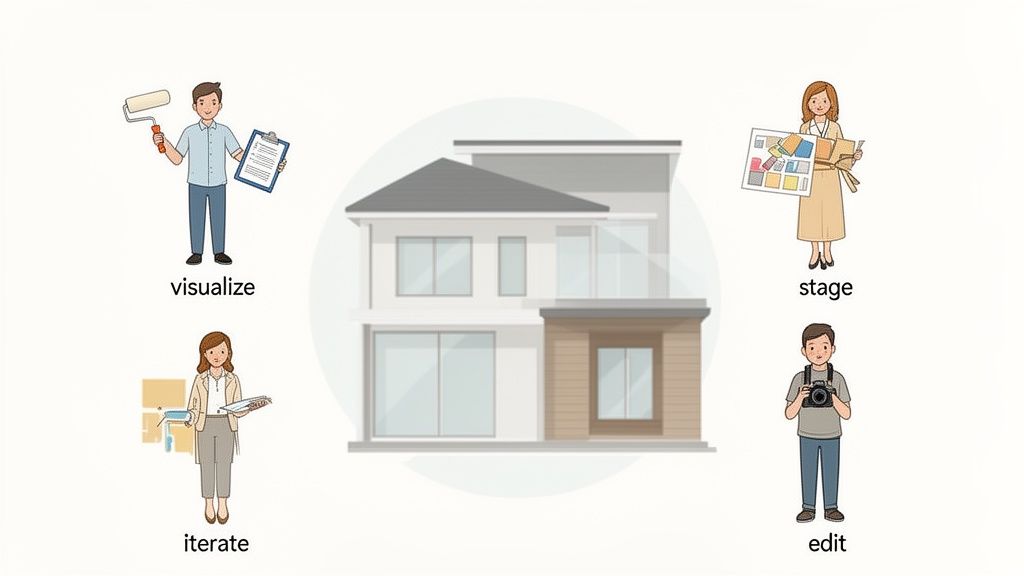
It’s easy to think of an AI Home Décor app as a single tool, but its real magic comes alive when you see how different people use it to solve their unique problems. A homeowner staring at a blank wall has a completely different need than a real estate agent trying to sell a property fast. The right app bridges that gap between a rough idea and a design you can actually execute.
These AI-powered tools are incredibly versatile, helping everyone from homeowners doing a weekend refresh to professionals tackling complex commercial interior design projects. It all comes down to understanding which features serve your specific goals—whether that’s getting a quick visual or creating detailed mockups for a client.
The market numbers back this up. Residential users make up over 40% of the market share, a massive segment valued at USD 700 million in 2023. And it's not slowing down; projections show it rocketing to over USD 4.2 billion by 2033 as more homeowners and pros catch on. You can dig into more stats about the AI interior design market's expansion if you're curious.
Homeowners Trying to Picture the Final Look
For most homeowners, the biggest challenge is visualization. It's tough to commit to big-ticket items—like a full kitchen gut job or even just a new paint color—when you can't be sure how it will turn out. An AI Home Design app is like a risk-free playground for these decisions.
Instead of crossing your fingers, you can upload a photo of your room and see it transformed in seconds. Decor8 AI is especially useful here. Its tools are smart enough to render a finished room even from a photo of a construction site with exposed studs, which is a lifesaver for anyone in the middle of a major renovation.
Real Estate Agents Trying to Sell a Lifestyle, Not Just a House
First impressions are everything in the cutthroat real estate world. An empty house is a tough sell because most buyers can't picture themselves living in a vacant box. This is where AI Virtual Staging completely changes the game for agents.
With a tool like Decor8 AI, an agent can:
Stage a room in seconds. Just upload a photo of an empty space and generate multiple furnished versions in different styles.
Fix bad listing photos. Features like sky replacement can turn a gloomy, overcast day into a bright, sunny one, making the entire property look more inviting.
Write marketing copy on the fly. The app can even create engaging social media captions for the newly staged photos, which speeds up the whole listing process.
It's a known fact in the industry: virtually staged listings get 30-50% more inquiries than empty ones. That number alone shows why AI isn't just a neat trick anymore—it's essential for modern real estate marketing.
Interior Designers Brainstorming with Clients
Professional designers need tools that speed up their creativity, not get in the way of it. For them, the best app for AI Interior Design is one that makes it easy to brainstorm ideas and get on the same page with clients. It’s no surprise they represent a huge 35% end-user share in the market.
Designers can use Decor8 AI to whip up concepts right there in a client meeting. Imagine testing out specific Sherwin-Williams paint colors or applying the vibe from a Pinterest image to the client’s actual room in real-time. The ability to generate a 3D perspective or an isometric view from a simple hand sketch is another massive time-saver, helping everyone agree on a direction long before any detailed rendering begins. If you’re a pro, our guide on AI for interior designers has more tips tailored just for you.
Photographers and Developers Looking for an Edge
The applications don't stop there. Real estate photographers can offer virtual staging as a valuable add-on service, elevating their photo packages without needing to learn complicated 3D software. In the same way, developers and architects can use sketch-to-render features to bring AI Room Design floor plans to life for potential buyers and stakeholders in minutes.
At the end of the day, the best tools make good design accessible. By offering powerful, easy-to-use features that work on any device, they empower a whole range of people to turn their ideas into reality with results that look truly professional.
Why Decor8 AI Gets Our Top Pick
After putting all the top platforms through their paces, we kept coming back to one clear winner: Decor8 AI. It just nails the sweet spot, delivering stunningly realistic images alongside a feature set that’s both powerful and easy to pick up. This isn’t just another niche tool; it’s a full-fledged AI Home Design partner.
What really makes Decor8 AI stand out is how it adapts to different needs. If you’re a homeowner, it takes the guesswork out of a renovation, turning abstract ideas into visuals you can actually get excited about. For real estate agents, its AI Virtual Staging is a game-changer, filling empty rooms with beautiful furnishings in a matter of minutes.
A Single Tool for Everyone
The real magic is how it serves novices and seasoned pros equally well. A DIYer can jump right in and start generating concepts, while a professional designer can use its advanced tools—like sketch-to-image rendering and hyper-specific text prompts—to create precise client visuals. Finding that balance between simplicity and deep functionality is incredibly hard, but Decor8 AI pulls it off.
Decor8 AI does more than just generate pretty pictures; it bridges the gap between what you can imagine and what you can actually create. It gives everyone, regardless of their background, the tools to make design decisions with real confidence.
Whether you're testing out a specific paint color from a major brand or trying to visualize a room that’s still under construction, the app has a practical solution. To see how it all comes together, you can discover how the platform’s AI Interior Design process works.
Making Great Design Accessible
At the end of the day, Decor8 AI delivers on the core promise of AI Home Design: putting professional-quality tools into everyone's hands. Its apps work seamlessly across iOS, Android, and the web, so your projects are always right there when you need them.
This unique mix of high-fidelity output, a genuinely useful feature set, and go-anywhere accessibility is why it earns our top recommendation. It’s a tool built to move you from just looking for inspiration to actually creating something new. We think you’ll be impressed if you give it a try.
Got Questions About AI Interior Design? We’ve Got Answers.
It’s totally normal to have questions when new technology like AI interior design shows up. You're probably wondering what it can really do, where it falls short, and how it actually fits into creating a space you love. Let's break down some of the most common questions we hear.
The big one is always: will AI replace human interior designers? The short answer is no. Think of an AI Interior Design app as a super-smart assistant, not a replacement. It takes on the tedious work of creating visuals and lets you try out dozens of ideas in minutes. This frees up designers to focus on what they do best: building client relationships, finding one-of-a-kind pieces, and adding those personal touches that truly make a house a home.
How Real Does It Look?
People are often curious about how true-to-life the results are. Can you really trust the colors and furniture you see on screen? With the best tools, you absolutely can.
Paint Colors: Top-tier apps don’t just show you a generic "blue." They use official paint codes from brands like Sherwin-Williams and Benjamin Moore, so the color you see is a precise match to the one in the can. It takes the expensive guesswork out of painting.
Virtual Staging: For selling a home, AI Virtual Staging is a game-changer. Staged homes consistently sell faster and for more money because buyers can actually picture themselves living there. A good AI generates incredibly realistic lighting, shadows, and textures that turn an empty, sterile room into a warm and inviting space.
The goal of these tools isn't to take over but to help out. They give homeowners a taste of professional-level design and help pros work smarter, closing the gap between a rough idea and a beautiful, finished room.
An AI Home Design tool is all about building confidence. You can play with different styles without any risk, see exactly how it will look before you spend a dime, and show your vision to others with perfect clarity.
Ready to stop guessing and start seeing? Try Decor8 AI for free and bring your space to life.
Comments