
A Practical Guide to AI Interior Design Software
- oliverjames0609
- Jan 15
- 17 min read
Think of AI interior design software as your personal digital decorator. You feed it a simple photo of a room, and it uses artificial intelligence to instantly spit out brand-new design concepts. It’s a game-changer for homeowners, real estate agents, and even professional designers, letting them visualize different styles, furniture, and colors in seconds. This slashes the time and money that traditional design work usually eats up.
So, What Is AI Interior Design Software, Really?
Imagine having a design expert on call 24/7, ready to bring your ideas to life almost instantly. That’s the promise of AI interior design software. It’s a tool that takes a regular picture of your space and uses sophisticated algorithms to completely reimagine it based on what you want to see.
This isn't just slapping a filter on a photo. We're talking about generative AI creating entirely new, photorealistic designs from scratch. You can snap a picture of your tired-looking living room and, with a few clicks, see it transformed into a sleek Minimalist haven, a free-spirited Bohemian retreat, or a raw Industrial loft. This kind of AI Home Design technology opens up a world of possibilities that used to be hidden behind pricey consultations and endless mood boards.
It’s Way More Than Basic Photo Editing
Standard photo editors let you tweak colors or brightness, but AI goes so much further. It actually analyzes the geometry of your room—the walls, windows, even the existing furniture—to understand its layout. Once it has that blueprint, it can do some seriously impressive things with AI Interior Design.
Here’s a quick rundown of what it can handle:
Total Style Makeovers: Instantly apply dozens of different design styles to a room.
AI Virtual Staging: Fill empty rooms with realistic furniture, complete with believable lighting and shadows. This is a huge help for making listings pop.
Smart Furniture Layouts: Suggest the best ways to arrange furniture to make a room feel spacious and flow naturally.
Swapping Colors and Materials: Test-drive countless paint colors, flooring options, and fabric textures without buying a single sample.
This shift to smart, automated design is making waves. The global interior design software market was valued somewhere between $5.37 and $6.06 billion in 2024 and is expected to climb as high as $11.74 billion by 2030. What's fueling this? A boom in home renovations and the fact that AI is making high-level design accessible to everyone. You can dig into the numbers and trends in this Grand View Research analysis.
Before we dive deeper, let's quickly compare the old way of doing things with this new AI-powered approach.
Traditional Design vs AI-Powered Design: A Quick Comparison
This table puts the conventional interior design process side-by-side with the modern, AI-driven method, showing just how much things have changed in terms of speed and accessibility.
Aspect | Traditional Design Process | AI Interior Design Software |
|---|---|---|
Timeframe | Weeks to months for a single design concept. | Seconds to minutes for multiple concepts. |
Cost | High, often involving consultation fees, retainers, and material samples. | Low-cost subscriptions or pay-per-use models. |
Revisions | Slow and often costly. Each change requires new drawings or renderings. | Instant and unlimited. Test new ideas with a single click. |
Accessibility | Limited to those who can afford a professional designer. | Available to anyone with a smartphone or computer. |
Visualization | Relies on mood boards, 2D sketches, and expensive 3D renderings. | Provides instant, photorealistic visualizations. |
As you can see, AI Room Design dramatically lowers the barriers, allowing more people to create beautiful, well-designed spaces without the traditional hurdles of time and cost.
How Does the Magic Happen?
So, how does it actually work? Under the hood, the software uses machine learning models that have been trained on millions of images of professionally designed rooms. It’s like an artist who has studied every masterpiece in history. By learning what makes a space look good—from color harmony to spatial balance—the AI can generate new designs that are both beautiful and functional. To get into the nitty-gritty, you can explore our guide on how AI interior design works.
The true power of AI Interior Design lies in its ability to bridge the gap between imagination and reality. It allows you to ask "what if?" without consequence, making bold design choices feel safe and exciting.
This whole process turns a static photo into a dynamic, creative canvas. It helps homeowners feel confident in their choices, gives real estate agents a powerful marketing tool, and lets professional designers fast-track their creative workflow. The end result is a smarter, faster, and more creative way to design the spaces we live in.
What Can AI Interior Design Software Actually Do?
To really get what makes AI interior design software so special, you have to look past the buzzwords and check out the tools themselves. These aren't just flashy features on a list; they're built to solve the real, everyday headaches that come with designing a space. They make a complicated process feel surprisingly simple and fast.
The magic really lies in the ability to see your ideas come to life instantly. We've moved way beyond static mood boards. Now, you can take a photo of your own room and start applying changes directly to it, turning a simple picture into a playground for your imagination with AI Home Design.
This diagram breaks down the core benefits pretty well—it's all about boosting creativity, saving a ton of time, and cutting down on costs.
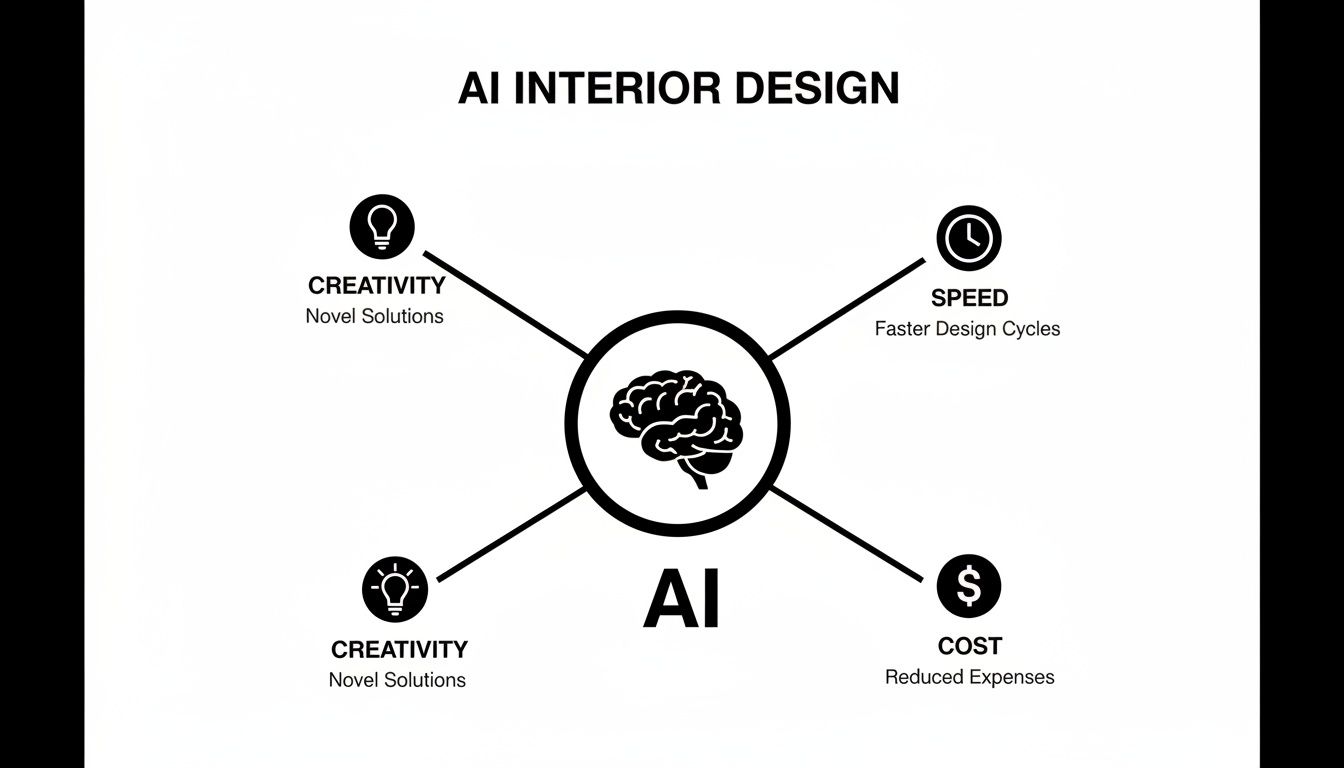
When you combine these three things, you get high-end design results without the high-end friction. It opens up the world of professional design to just about anyone.
Instant Style Makeovers
The most mind-blowing feature right out of the gate is the power to overhaul a room’s entire vibe with a single click. Think of it as a smart filter for your home. You can upload a picture of your dated living room and, seconds later, see it reimagined in dozens of styles.
And it's not just swapping out paint colors. The AI Interior Design intelligently populates the room with the right furniture, lighting, and décor for any theme you choose, whether it's Mid-Century Modern, Industrial, or Japandi. This is what makes platforms offering AI Room Design such a game-changer for brainstorming.
AI Virtual Staging for Empty Rooms
An empty room is a tough sell for real estate agents and developers. It's just hard for people to picture themselves there. This is where AI Virtual Staging comes in. It digitally furnishes vacant properties, transforming them from cold, empty boxes into warm, inviting homes. The AI adds everything—furniture, rugs, art, even plants—all perfectly scaled to the room.
The final images are incredibly photorealistic, right down to the lighting and shadows, which helps potential buyers form an emotional connection. It’s a must-have for creating online listings that stop the scroll and get people in the door. If you want to see how pros fit this into their process, check out the top AI features every interior designer should use.
Clear Out the Clutter (and Furniture)
Sometimes, the hardest part of imagining a new design is looking past your old stuff. That's why many AI tools now let you digitally "empty" a room, erasing existing furniture and clutter from a photo.
This is a huge help in a couple of ways:
For Homeowners: It gives you a fresh perspective on your space, free from the influence of your old sofa. Planning a new layout becomes so much easier.
For Real Estate Pros: You can quickly remove a seller's personal or outdated items before virtually staging the property with more modern, appealing furniture.
This feature gives you the clean canvas you need to get truly creative with your AI Home Design.
The real power here isn't just the tech—it's that these tools crush indecision. When you can see a realistic preview of the final result before you’ve spent a dime or moved a single piece of furniture, you gain the confidence to make bolder, better design choices.
Turn a Quick Sketch into a Realistic Render
Here's one for the designers and architects. A truly amazing AI Interior Design feature is the ability to turn a simple sketch into a photorealistic render. You can upload a rough hand drawing or a basic digital layout, and the AI will interpret it, transforming your lines into a fully furnished, beautifully lit 3D image.
This closes the gap between a fuzzy idea and a polished client presentation. It shortens the feedback loop from weeks to minutes, allowing you to show clients exactly what you're thinking almost instantly. It’s a perfect example of the role of 3D visualization in enhancing design insights because it makes abstract plans feel real and tangible.
Generate Unique Décor and Styling Ideas
Beyond full-room redesigns, some tools can act as your personal AI Home Décor stylist. You can ask the AI to suggest accent pieces, find complementary color palettes, or recommend lighting fixtures that would pull your existing room together. It’s perfect for finding those final touches that make a space feel complete.
These tools are fundamentally changing the game by making powerful design technology available to everyone. In fact, AI is speeding up design cycles so much that it's expected to add an extra 2.2 percent to market growth. With some platforms now kicking out 4K renders in under three minutes, the efficiency is undeniable. A truly great AI design tool bundles all these features into a seamless workflow, taking you from a spark of an idea to a stunning final visual.
How Different Industries Use AI for Design
The real magic of AI interior design software shines when you see it solving actual, everyday problems. This isn't just some tech novelty; it's a serious tool that pros and homeowners are using to save a ton of time, cut costs, and simply make smarter design choices.
Let's dive into a few stories that show exactly how it's being used out in the real world.

Real Estate Agents Selling Homes Faster
Meet Sarah, a real estate agent trying to sell a beautiful but completely empty house. She knows from years of experience that vacant properties often feel cold and sterile, making it tough for buyers to imagine themselves living there. Her job is to help them see a home, not just four walls and a floor.
Instead of shelling out thousands for physical staging, Sarah turns to AI Virtual Staging. She snaps a few photos of the empty living room, master bedroom, and kitchen and uploads them. In just a few minutes, she gets back multiple photorealistic images of each room, all furnished in a trendy Modern Farmhouse style she knows resonates with local buyers.
The impact was immediate. The newly staged listing photos looked warm and inviting, pulling in 35% more online views in the first week alone. During showings, she kept the virtually staged photos on a tablet to help buyers connect with the space. The result? Multiple offers, and the house sold for over the asking price in just two weeks. If you want to see how this works, you can explore more about how AI-powered virtual staging brings listings to life.
Homeowners Avoiding Costly Mistakes
Now, picture Mark and Jenna, a couple about to start a huge kitchen remodel. They’ve saved up for years but are completely stuck, paralyzed by indecision. They can't settle on cabinet colors, countertop materials, or even the backsplash. One wrong choice could be a multi-thousand-dollar mistake they'd have to live with for years.
So, they try an AI Room Design tool. They take a quick photo of their dated kitchen and just start playing. Over a single evening, they cycle through dozens of combinations: classic white shaker cabinets with a marble top, then bold navy cabinets with brass pulls, and even a trendy green island with a butcher block counter.
Seeing the designs come to life in their actual kitchen took all the guesswork out of it. They quickly realized the navy cabinets they thought they loved would actually make the room feel too small and dark. The AI visuals helped them land confidently on light gray cabinets with a tough quartz countertop—a combo they hadn't even considered before. They could finally move forward with their contractor, 100% sure of their decisions.
Interior Designers Accelerating Creativity
Next up is Maria, an interior designer juggling a full roster of clients. One of her biggest time sinks has always been creating those initial design concepts. Traditionally, this meant spending hours putting together mood boards and sketches just to get a conversation started with a client.
Maria now uses an AI Interior Design platform to jump-start this whole process. For a new client wanting a "cozy but minimalist" living room, she uploads a photo of their space and asks the AI for ideas. In less than an hour, she has ten distinct interpretations of that style to review.
This allows her to walk into her first client meeting with a whole range of high-quality visuals, which always makes a great impression and helps them zero in on a final design way faster. She gets to spend her valuable time refining the perfect details and managing the project instead of getting bogged down in the early brainstorming phase.
Property Developers Securing Funding
Finally, imagine a property developer pitching a new condo project to a group of investors. The building is just a concrete shell, but they need to sell a compelling vision of the finished units. They use an AI Home Design tool’s sketch-to-render feature to turn their flat architectural blueprints into gorgeous, fully furnished apartment visuals.
These realistic renders make the entire project feel tangible and exciting. This isn't just a blueprint anymore; it's a future home. This visual storytelling is often what helps them secure the funding they need to get the project off the ground. It's no surprise that real estate is a major adopter of these tools, with many specialized AI solutions for real estate agents built around these very needs.
How to Choose the Right AI Design Tool
With so many new AI interior design tools popping up, trying to pick the right one can feel a bit like drinking from a firehose. But it doesn't have to be. The secret isn’t finding the one “best” tool on the market—it’s finding the one that’s the perfect fit for you.
After all, not all platforms are built the same. Some are simple, fun stylizers perfect for brainstorming a weekend project. Others are powerful toolkits built for serious, professional-grade work. To save yourself a lot of headaches, you need to match a tool's capabilities to what you actually plan to do with it.
Start With Your "Why"
Before you get lost comparing features and prices, ask yourself one simple question: “What do I really need this to do for me?” Your answer is the single most important filter for cutting through the clutter. The perfect tool for a real estate agent is often a terrible one for a DIY decorator, and vice versa.
Let’s break it down to see where you fit:
For DIY Homeowners: You’re probably here for inspiration and to see your ideas come to life. You need an intuitive AI Home Design platform that lets you test out paint colors, play with furniture arrangements, and explore different styles without needing a user manual.
For Real Estate Professionals: You’re all about the listing. Your world revolves around high-quality AI Virtual Staging that can transform an empty, cold room into a warm, inviting space that buyers can’t resist. Speed and photorealism are everything.
For Designers and Developers: You need raw power and flexibility. We’re talking advanced features, high-resolution outputs for client presentations, and maybe even APIs or SDKs to integrate the tech into your own websites or internal workflows.
Once you know which camp you’re in, you can immediately start ignoring the tools that aren’t built for you.
Create Your Feature Checklist
After you’ve nailed down your primary goal, you can start weighing your options with a practical checklist. The trick is to find that sweet spot between powerful features and genuine ease of use. A tool packed with a hundred features you’ll never touch isn’t a good deal; it’s just expensive noise.
Look for a platform that really shines in the areas that matter most to your work. For a more detailed comparison, you might find our guide on the top tools for AI room design in 2026 helpful.
The best AI design tool isn’t the one with the most features—it’s the one that seamlessly fits your workflow and helps you make confident decisions, faster. It should feel less like software and more like a creative partner.
When you're comparing your options, the table below can help you figure out what to prioritize.
Feature Checklist for AI Interior Design Platforms
Use this checklist to evaluate which AI interior design software best meets your specific professional or personal needs.
Feature/Capability | Importance for Homeowners | Importance for Real Estate Agents | Importance for Developers |
|---|---|---|---|
Ease of Use & Intuitive Interface | High | High | Medium |
Photorealistic Render Quality | High | Critical | Critical |
AI Virtual Staging | Low | Critical | High |
Wide Variety of Styles | High | Medium | Medium |
Customization & Prompt Control | Medium | Medium | High |
API/SDK/Plugin Access | Low | Low | Critical |
Platform Accessibility (Web & Mobile) | High | High | High |
This breakdown makes it clear how different needs call for different tools. A homeowner is going to care a lot about a huge library of AI Home Décor styles, while a developer’s first question will be about API documentation. By lining up your needs with a platform's strengths, you can be sure you're picking a tool that will actually make your life easier.
Why An All-In-One Platform Matters
After looking at all the different features and ways to use this tech, one thing becomes crystal clear: not all AI interior design software is built the same. You could juggle a handful of single-purpose tools—one for virtual staging, another for tweaking colors, and a third for decluttering photos. But that fragmented approach gets messy, expensive, and just plain slow.
This is where a single, integrated platform completely changes the game.
Think of it like having a fully stocked digital workshop where every tool you could possibly need is right there at your fingertips. Instead of fumbling with different subscriptions, logins, and interfaces, you have one streamlined environment that takes you from a rough idea all the way to a stunning final image.
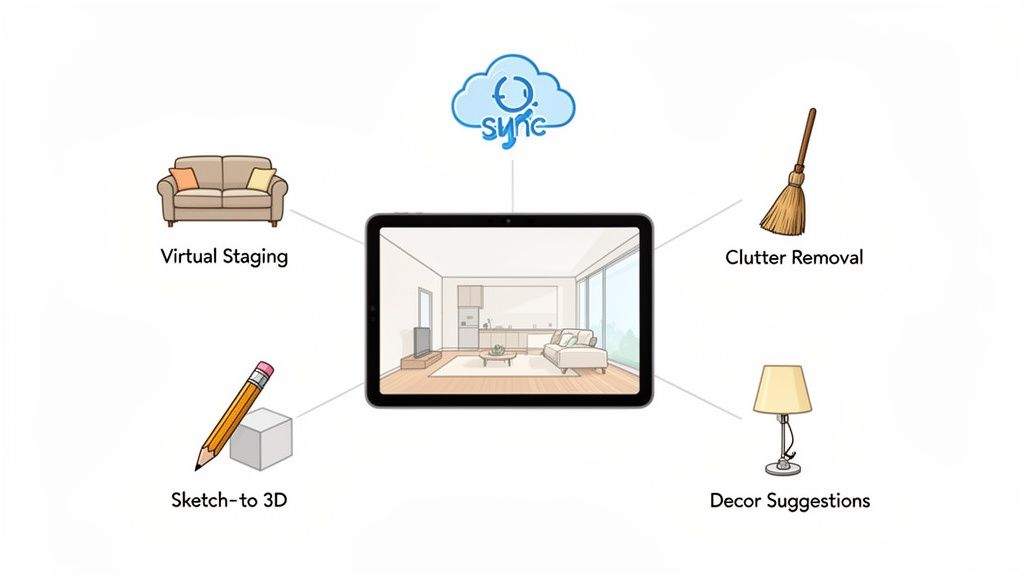
This isn’t just about convenience. It’s about building a creative process that actually flows.
The Power of a Single Ecosystem
A platform like Decor8 AI is designed from the ground up to be a complete toolkit. It bundles all the essential features into one place, making sure every step of your project connects logically to the next.
For example, you can upload a photo of a chaotic, furnished room and, with a few clicks, strip out all the existing clutter and furniture. Right from that clean slate, you can jump straight into AI Virtual Staging and fill the empty space with beautiful, photorealistic furniture in any style you can imagine.
That kind of seamless handoff eliminates all the usual friction. The real benefits here are:
A Smooth Workflow: Move from decluttering to staging to final color adjustments without ever switching apps.
Consistent Quality: Every feature produces the same high standard of photorealism, so your final images look professional and put-together.
Cost-Effectiveness: One subscription is almost always a better deal than paying for three or four separate specialized tools.
A Simpler Learning Curve: You only have to master one intuitive interface, not several quirky ones.
A unified system lets you focus on your creative vision, not on wrangling software. We actually wrote a bit more on this, exploring why Decor8 AI is perfectly positioned for the virtual interior design AI boom.
From Simple Idea to Professional-Grade Output
An all-in-one platform is built to support the entire design journey. It can start with something as simple as getting a few AI Home Décor suggestions and scale all the way up to complex tasks, like turning a napkin sketch into a detailed 3D rendering. This flexibility makes it a powerful asset for just about anyone.
An all-in-one platform isn’t just a random collection of features—it’s an integrated system where the whole is far greater than the sum of its parts. It helps you think bigger and execute faster.
A homeowner can use it to plan a weekend room makeover, while a real estate agent can rely on it to stage every single listing they have. And that accessibility is a huge reason the market for these tools is exploding.
The AI Interior Design market is growing at 15.60% annually and is on track to hit $7.2 billion by 2033. A huge slice of that growth is coming from everyday residential DIY users, a group expanding at an incredible 12.62% each year. This just goes to show how accessible these platforms have become. You can discover more insights about the AI interior design tools market to see the full picture.
Built for Individuals and Scalable for Business
The best platforms are designed to grow with your needs. For an individual user, having cloud sync across your web browser and smartphone means you can work on your AI Home Design ideas whenever inspiration strikes. Your projects are always saved and waiting for you.
For businesses, that scalability is even more important. A real estate agency staging hundreds of properties or a developer visualizing an entire portfolio needs a reliable system that can handle high-volume work. An all-in-one platform provides the robust foundation needed to deliver consistent, top-tier results at scale.
Common Questions About AI Interior Design
Jumping into any new technology brings up a few questions. That's a good thing—it means you're thinking critically about how to get the most out of it. We've rounded up the most common questions we hear about AI interior design software to give you clear, straightforward answers.
Think of this as your quick-start guide to the practical side of this exciting tech. Let's clear up any confusion right off the bat.
How Realistic Are the Images From These AI Tools?
Honestly, the realism is often staggering. Modern AI Interior Design has gotten incredibly good at producing photorealistic visuals that nail the details—scale, lighting, and even the texture of materials. The technology is smart enough to analyze the light sources in your original photo and mimic them, so new furniture and decor cast believable shadows and reflections.
This level of detail is what makes these tools so powerful. They aren't just creating digital cartoons; they’re generating professional-grade, listing-ready visuals that can serve as a reliable guide for your entire project.
The goal of an AI render is to give you a clear, confident vision for your project. Use it as a roadmap for your design, not a substitute for final real-world measurements and material checks.
That said, it’s wise to use these images as a powerful guide rather than an exact blueprint. While the visuals are stunningly accurate, things like the precise shade of a paint color can look slightly different in person due to your home's unique natural light. Always, always order physical samples of key materials before you commit.
Can I Use My Own Specific Furniture or Decor Ideas?
Absolutely, and this is where the creative flexibility of a great platform really shines. You are not stuck with a fixed library of styles. The best AI Interior Design tools give you multiple ways to guide the output so it lines up perfectly with what you’re picturing in your head.
You have a few ways to steer the creative process:
Natural Language Prompts: You can get incredibly specific with text commands. Instead of just "add a chair," you can say, "add a green velvet mid-century modern armchair in the corner by the window."
Reference Images: Found a photo online that captures the exact vibe you're after? You can often upload it and tell the AI to apply that specific aesthetic to your own room.
Iterative Refinement: Many tools let you have a back-and-forth conversation. You can generate an initial design and then provide feedback like, "make the rug larger," or "change the coffee table to a dark wood," tweaking the image step-by-step.
This collaborative process turns the AI into a creative partner that helps bring your specific ideas to life, rather than just spitting out random concepts.
Is AI Interior Design Software Expensive to Use?
This is a common worry, but the reality is that these tools are surprisingly affordable, especially when you weigh them against the alternatives. Most platforms run on a subscription or credit-based model, and many offer free trials or a few free designs to get you started.
When you frame the cost in terms of value, the picture becomes even clearer. A low-cost monthly subscription is a tiny fraction of what you would spend on traditional interior design services or physical home staging. More importantly, it helps you avoid expensive design mistakes.
Think about the cost of buying a sofa that doesn't fit, painting a room a color you end up hating, or renovating a kitchen with a layout that just doesn't work. An AI home design tool helps you sidestep these costly errors by letting you see the outcome first, which means a massive return on a very small investment.
How Difficult Is It to Get Started?
Getting started is incredibly easy. This accessibility is one of the biggest wins for modern AI room design tools. You don't need any technical background, design experience, or software skills to get professional-looking results. Seriously, if you can upload a photo to social media, you can use this software.
The whole workflow is built to be simple and intuitive for everyone.
Upload a Photo: Just snap a picture of your room with your phone.
Choose a Style or Write a Prompt: Pick a design aesthetic from a menu or type a simple description of what you want to see.
Get Results in Seconds: The AI takes over and generates multiple high-quality design concepts for you to look through.
This straightforward process removes all the old barriers to interior design. It makes experimenting with your home's style fun, fast, and available to anyone.
Ready to see how easy it is to transform your own space? With Decor8 AI, you can go from a simple photo to a stunning, photorealistic design in seconds. Stop wondering and start visualizing. Try Decor8 AI for free today and bring your perfect room to life.
Comments