
AI Room Design from Photo A Practical Guide
- oliverjames0609
- 1 day ago
- 12 min read
We've all been there—staring at a room, knowing it needs a change but feeling completely stuck on where to start. That feeling of uncertainty is exactly what AI room design from photo technology is built to solve. Instead of guessing, you can now snap a picture of your space, upload it, and watch as it transforms into countless photorealistic possibilities. It turns that vague "what if?" into a clear, visual plan.
How AI Is Changing Interior Design
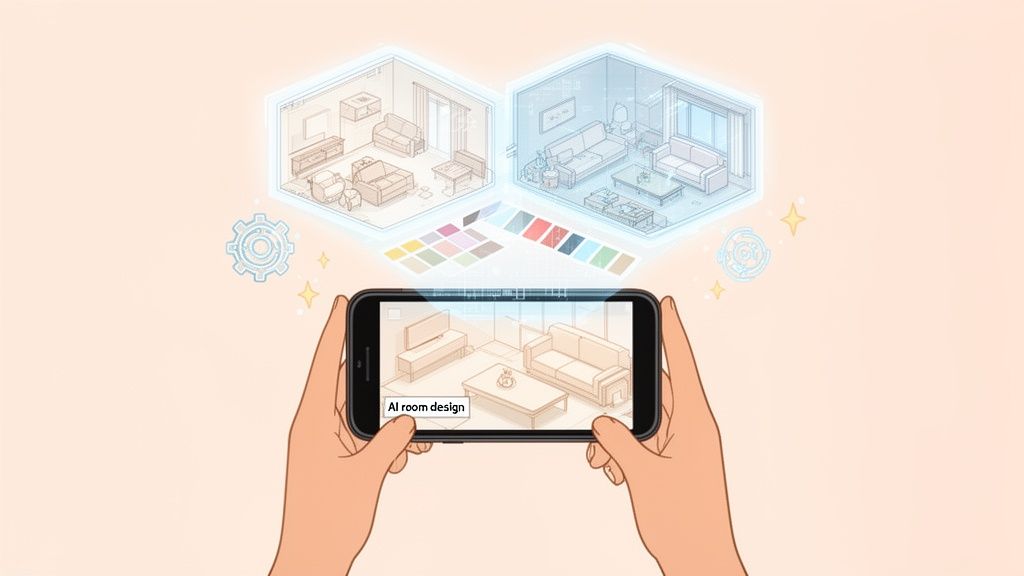
Not long ago, redesigning a room meant collecting paint swatches, creating physical mood boards, and relying heavily on your imagination. Now, smart technology does the heavy lifting. Platforms like Decor8 AI can look at a photo and instantly understand its dimensions, lighting, and layout to create entirely new concepts from scratch. This isn't just a fun trick; it's a serious visualization tool that closes the gap between an idea in your head and what it will actually look like in your home.
This shift has made interior design accessible to everyone, not just those with a professional background. Whether you're planning a small weekend refresh, staging a home to sell, or just curious about a new style, AI gives you a no-risk sandbox to play in. You can see precisely how that bold paint color or new sofa will fit into your space before spending a dime or lifting a paintbrush.
The demand for this kind of tool is skyrocketing. The AI interior design market was valued at a massive USD 829 million globally in 2023 and is expected to soar to USD 7.3 billion by 2033. This growth is all about people wanting professional-looking redesigns quickly and easily, starting with nothing more than a photo.
What This Means for You
Simply put, this technology turns you into your own designer. You no longer have to feel held back by a lack of experience. Instead, you can use AI as a creative partner to explore styles you might have never considered on your own. For instance, you can easily play with different modern bedroom design ideas and see them come to life in your actual bedroom within seconds.
"AI in interior design isn’t here to replace human designers—it’s just another tool to help test design choices quickly and visualize different aesthetics before committing in real life."
Ultimately, these tools give you confidence. You can move forward with a project knowing you have a solid, visual roadmap. To see just how far you can take this, check out our https://www.decor8.ai/post/complete-guide-to-ai-powered-home-design.
Core Features of AI Room Design Tools
Here’s a breakdown of what you can actually do with a photo using modern AI design platforms.
Feature | What It Does | Best For |
|---|---|---|
Virtual Staging | Fills an empty room with photorealistic furniture, decor, and lighting based on a chosen style. | Real estate agents, developers, and homeowners looking to sell or rent a property. |
Style Redesign | Transforms the entire look and feel of a furnished room into a new style (e.g., from Traditional to Japandi). | Homeowners and renters wanting to visualize a complete makeover without moving existing furniture. |
Object Removal | "Erases" unwanted clutter, furniture, or fixtures from your photo to create a clean slate. | Decluttering a space visually before a redesign or preparing marketing photos. |
Material & Color Swapping | Changes the materials of floors, walls, and countertops or applies new paint colors. | Testing out different finishes, paint colors, or flooring options before making a purchase. |
Lighting Adjustment | Simulates different lighting conditions, such as daylight, warm evening light, or ambient lighting. | Seeing how a design will look at different times of the day or with a new lighting setup. |
These features work together to give you an incredible amount of control, letting you fine-tune your vision until it's just right.
Taking the Perfect Photo for AI Redesign
The quality of your final design hinges entirely on the quality of the photo you start with. Think of it as giving the AI the best possible blueprint to build from. You don't need to be a professional photographer, but a few simple tricks here will pay off massively in the final rendering.
Light is everything. Seriously, it's the most important factor. Always try to use natural daylight to fill the space. Flip on all the lights, throw open the blinds, and aim to take your shot during the brightest part of the day. This gives the AI a clear look at the room's real colors and textures, helping you dodge the weird, yellow-ish tint that indoor lighting often creates.
Treating the room like a 'product' can be a helpful mindset. Learning a few basic product photography lighting techniques can make a world of difference in how well the AI understands and redesigns your space.
Capture the Right Angle and Perspective
Where you stand with your camera completely changes how the AI "sees" the room's size and layout. A common mistake is standing in the middle of the room. Instead, back yourself into a corner or stand in a doorway. This simple shift gives you a much wider view, capturing more of the space and giving the AI a better grasp of its actual depth and dimensions.
Try to hold your phone or camera straight, right around chest level. Tilting it up or down warps the perspective, making walls look like they're leaning and furniture seem oddly stretched. That kind of distortion can really throw off the AI's algorithms.
Good Photo: Taken from a corner, bright with natural light, camera held steady and straight.
Bad Photo: Dark or blurry, shot from a weird low angle that makes the room look warped.
A great input photo is like giving the AI a clear set of instructions. When you provide a bright, wide, and straight-on view, you’re taking the guesswork out of the equation and setting yourself up for a much more believable redesign.
Declutter for a Clean Canvas
While the AI needs to see the room's structure, a ton of clutter just gets in the way. You don't have to haul everything out, but clearing away small things like magazines, toys, or random odds and ends creates a much cleaner slate. This helps the AI focus on what really matters: the walls, the floor, and the main architectural features.
What about that bulky old couch you can't move? Don't sweat it. Most modern AI tools, including ours at Decor8 AI, come with incredibly powerful object removal features. In fact, you can learn exactly how to declutter real estate photos instantly with AI and let the software digitally erase unwanted items after the fact.
Your main goal is just to present a clear, understandable space. Following these simple steps helps you avoid the classic "garbage in, garbage out" trap, ensuring your results are as realistic and inspiring as possible.
Bringing Your Vision to Life in Minutes
Alright, this is where the magic happens. Once you have a great photo prepped and ready, turning it into a professional-looking design concept with Decor8 AI is surprisingly fast. The whole experience is built to be intuitive, making what used to be a complicated process feel more like a creative game.
Let's dive into how you can get your first AI room design from a photo done right now.
The first move is simply getting your image onto the platform. Whether you're working from your computer or using the mobile app, the interface is clean and simple. Just select your photo, and the AI instantly starts analyzing everything—the room’s layout, the natural light, even the existing furniture. No complicated settings or technical hoops to jump through.
Choosing a Core Style
With your photo loaded, it's time to pick an aesthetic direction. This is where Decor8 AI really shines. Instead of making you try to describe a style from scratch, it presents you with a curated library of over 50 distinct design styles.
You can explore popular options like:
Modern Minimalist for that clean, uncluttered look.
Bohemian if you're after a more relaxed, earthy vibe.
Industrial for a raw, edgy feel with exposed materials.
Japandi for that perfect, peaceful blend of Japanese and Scandinavian design.
Think of this library as your expert-curated starting point. It takes the guesswork out of the equation and lets you immediately see your room reimagined in a cohesive style. Just click one, and the AI generates a complete redesign in seconds.
Making It Your Own with Plain Language
That first generation is just the foundation. The real fun begins when you start customizing. Decor8 AI lets you tweak the design using simple, everyday language. You don't need to be a pro with complex software; you just type what you want to see, almost like you're texting a designer.
For instance, you could try commands like:
"Add a large fiddle-leaf fig in the corner by the window."
"Change the walls to a light sage green."
"Make the sofa a dark blue velvet material."
This conversational approach makes experimenting fast and enjoyable. The AI understands what you’re asking for and updates the design on the fly, so you can fine-tune every little detail until it feels just right.
For the AI to give you the best results, it all starts with the quality of your photo. This quick visual guide breaks down the three essential steps for capturing the perfect source image.
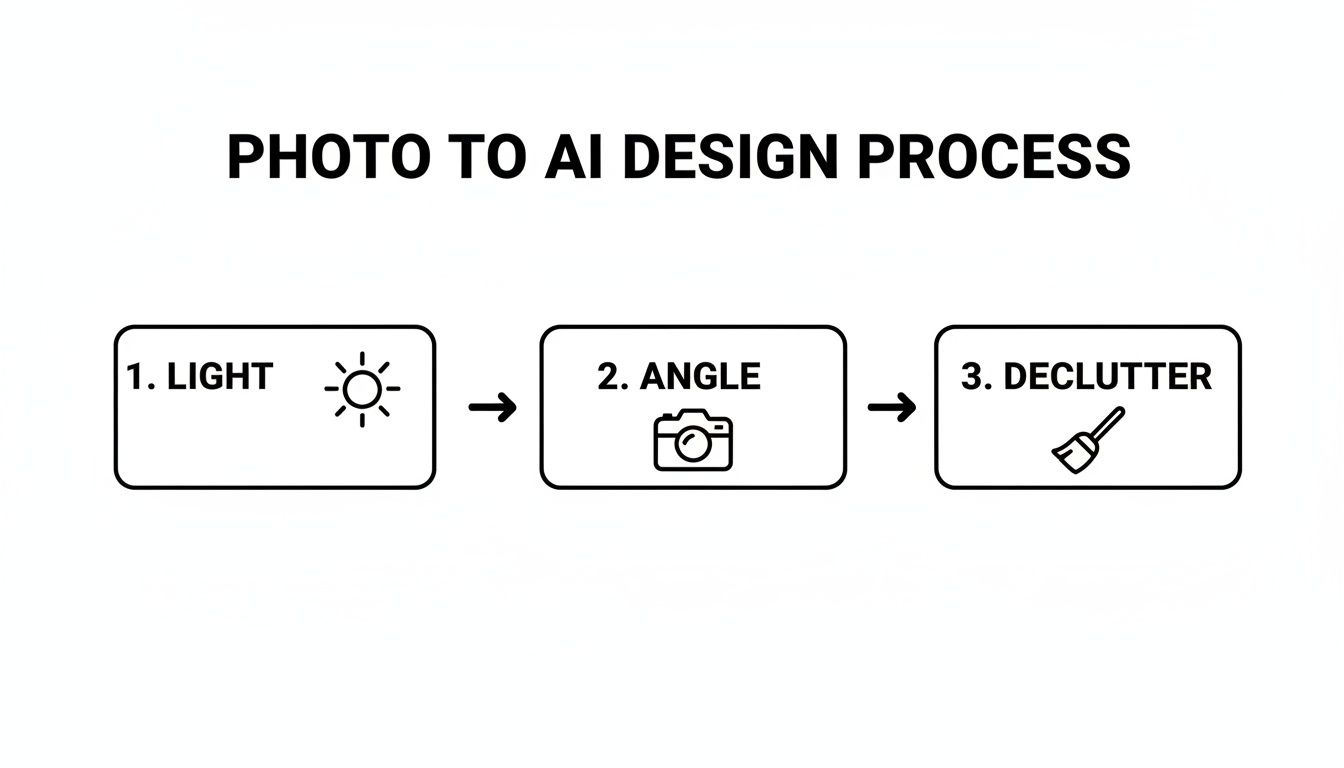
As the flowchart shows, focusing on good lighting, a solid angle, and a clutter-free space gives the AI the clearest information to work with, leading to a much more realistic and accurate final design.
Testing Real-World Paint Colors
One of the most practical features is the ability to try out real paint colors from major brands. Instead of holding up a tiny swatch and trying to imagine it on a whole wall, you can virtually paint your room with colors from Benjamin Moore, Sherwin-Williams, and Behr.
This feature is a game-changer. It closes the gap between a digital idea and a real-world project. Seeing an actual paint color rendered in your room's specific lighting gives you incredible confidence before you head to the store.
You can even punch in a specific hex code if you have a custom color in mind. The AI renders the paint with realistic shadows and highlights, giving you a remarkably true-to-life preview.
If you want to explore more about what the platform can do, our introductory guide to the Decor8 AI Room Design Studio is a great resource. From that initial photo upload to the final, personalized tweaks, you have all the tools you need to create polished, professional-grade designs in minutes, no matter your experience level.
5. Dial in the Details with Advanced Tweaks
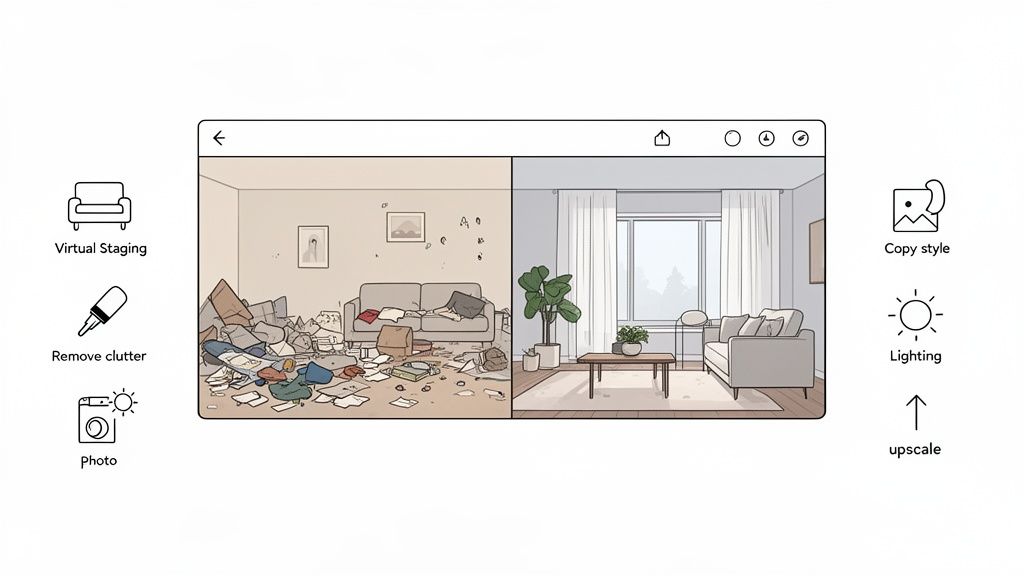
Alright, your first AI-generated concept is a fantastic starting point. But the real magic happens when you roll up your sleeves and dive into the advanced toolkit. This is where you graduate from a simple style swap to solving real-world design challenges, whether you're working with a completely empty room or one that’s just a bit… chaotic.
Think of these features as your personal digital renovation crew. They let you make major changes that go far beyond just swapping out a sofa or slapping on a new paint color. Getting comfortable with these refinements is what separates a good AI room design from photo from a truly spectacular one.
From Empty to Extraordinary with Virtual Staging
One of the most powerful tools in the arsenal is virtual staging. Got a photo of a completely empty room? You can furnish it from the ground up in seconds. For real estate agents or anyone struggling to visualize a blank canvas, this is an absolute game-changer. The AI fills the space with correctly scaled furniture, decor, and lighting, making it feel like a real, lived-in home.
The tools get even more impressive for spaces that are mid-renovation. A platform like Decor8 AI has touch-up features built specifically for those messy, under-construction photos.
See finished walls: You can render smooth, painted drywall right over a photo of exposed studs and wires.
Visualize flooring: The AI can lay down stunning hardwood, tile, or carpet over a rough concrete subfloor.
This lets you see the finished product long before the dust settles, helping you lock in decisions on finishes and layouts with total confidence.
The demand for these capabilities is exploding. Generative AI apps for room design pulled in USD 412.06 million in 2022 alone. Looking ahead, the entire AI interior design industry is on track to hit USD 6.96 billion by 2032, largely thanks to tools like clutter removal and hyper-realistic staging.
Nailing the Vibe and Finishing Touches
Beyond the big structural changes, advanced tools let you perfect the little things that truly bring a design to life. If your original photo has distracting clutter, the object removal feature can instantly erase it. This gives you a clean slate to work from without having to physically move a single thing.
You can also play with the lighting to completely shift the mood of a room.
The day-to-dusk effect is one of my favorites. With a single click, you can transform a bright, sun-drenched daytime shot into a cozy, inviting evening scene. It’s an incredibly useful way to see how your design will feel at different times of the day.
Another critical refinement is image upscaling. Initial AI outputs are designed to be fast, which sometimes means they aren't as high-resolution as you might need. Upscaling sharpens the entire image, making textures pop and lines look crisp. To get your project looking its absolute best, it's worth learning how to upscale your AI images to high resolution). This final step makes sure your design is polished and ready for a client presentation, a real estate listing, or your own portfolio.
Making It Real: From Screen to Reality
You’ve done the hard work. You’ve refined, tweaked, and perfected your design until it's just right. So, what’s the next step? It's time to take that stunning digital concept and bring it into the real world. This is where you export your work and start putting it to use, whether you're planning a home renovation or creating a knockout property listing.
Most solid AI design platforms will let you download your finished images in high resolution. We're not talking about simple screenshots here. These are crisp, clean JPEGs that are perfect for a mood board, a social media showcase, or handing to a contractor to show them exactly what you have in mind. For anyone in real estate, these polished visuals become marketing gold.
Some tools, like Decor8 AI, even provide AI-generated captions to go with your images. These descriptions smartly highlight the best features of your design, which is a massive time-saver when you need to write compelling copy for an Instagram post or a Zillow listing.
Weaving AI into Your Daily Grind
For businesses that need to do this at scale, using AI room design from photo is more than just a one-off trick. The best platforms offer smart ways to plug this technology right into the tools you already use every day.
This is where things like Decor8 AI’s Virtual Staging API and no-code plugins really shine.
When you can integrate the tool like this, it stops being just a handy gadget and becomes a core part of your business. Imagine automatically staging hundreds of listings, all with a consistent, professional look, and slashing the manual work involved.
What This Means for Your Time and Wallet
Let's talk numbers, because the real-world benefits are huge, especially for real estate agents and developers. Virtual staging can slash costs by up to 80% compared to traditional physical staging, which can easily set you back $2,000 to $5,000 for a single room.
And it gets better. Staged properties tend to sell about 73% faster. In a tough market, that's a game-changing advantage. When an AI can churn out 1,000 design ideas in an hour, you're not just saving money—you're speeding up your entire sales cycle. If you want to dig deeper, you can discover more insights about AI's impact on real estate.
This isn't just a pro tool, though. If you're a homeowner, it means you can sidestep expensive design mistakes and save a ton of time. By getting your vision right on the screen first, you walk into your redecoration project with a clear, proven plan, feeling confident that the final result will be everything you hoped for.
Getting Your AI Design Questions Answered
Jumping into any new tool can bring up a few questions. That's totally normal. Let's walk through some of the most common things people ask when they start creating an AI room design from a photo, so you can get started with confidence.
Just How Real Do These AI Designs Look?
Honestly, it’s pretty staggering. Today’s best AI tools, like ours at Decor8 AI, can generate images that are almost impossible to distinguish from a professional photograph. They've learned from millions of real-world photos, so they have a deep understanding of how light bounces off a wooden floor, how shadows fall behind a sofa, and how textures should appear up close.
This isn't about creating a cartoonish render. We're talking about a high degree of accuracy where the final image has the nuance and detail you'd expect from a real estate photographer. For homeowners, it means getting a genuine preview of a design, and for professionals, it means creating marketing materials that truly impress.
What If My Room Is Completely Empty or a Construction Zone?
That's actually one of the best use cases for this technology. The virtual staging feature is a powerhouse for transforming empty spaces. You can take a photo of a vacant room and fill it with everything you can imagine—couches, tables, artwork, plants, you name it.
It's also a lifesaver for renovations and new builds. Got a picture of a room with exposed studs and a concrete subfloor? The AI can visualize it with finished drywall, paint, and beautiful hardwood flooring. This is fantastic for selling properties off-plan or just helping a client (or yourself!) see the finish line when you're stuck in the messy middle of a project.
Being able to take a chaotic, mid-construction photo and instantly show a client the polished, final vision is one of the most powerful things you can do with AI. It closes the gap between the blueprint and the beautiful reality.
Do I Need to Be a Designer to Get Good Results?
Absolutely not. These platforms are built for everyone, from seasoned interior designers to first-time homeowners with zero design experience. The whole point is to make the process easy and intuitive.
You don't have to start from a blank slate. Most tools offer a library of popular styles—think ‘Modern Farmhouse’ or ‘Minimalist’—to give you a great starting point. From there, making changes is as simple as typing what you want, like "add a large fiddle-leaf fig in the corner." The AI does the heavy lifting, so you can focus on experimenting and finding a look you love.
If you want to dig a bit deeper into the "magic," we've put together a post explaining how AI design prompts actually work in our detailed FAQ guide.
Ready to see it for yourself? With Decor8 AI, you can take your room photos and transform them into stunning, photorealistic designs in just a few clicks. Start creating for free and bring your vision to life today at https://www.decor8.ai.
Comments