
The 12 Best AI Interior Design App Choices for 2026
- oliverjames0609
- 4 days ago
- 19 min read
Planning a room makeover or staging a home used to require expensive software, professional help, or a lot of guesswork. Today, artificial intelligence has completely changed the game. The best AI interior design app can take a simple photo of your room and generate dozens of photorealistic concepts in seconds, letting you visualize new furniture, paint colors, and layouts without any heavy lifting.
But with so many options now available, choosing the right one can be overwhelming. Some are perfect for a quick AI Room Design refresh, while others offer powerful AI Virtual Staging tools for real estate professionals. This guide cuts through the noise. We've tested and ranked the top 12 platforms to help you find the perfect fit for your specific project, whether you're a homeowner, a real estate agent, or an interior designer.
These powerful AI tools can instantly generate ideas, but timeless interior design tips for your living room can also inspire your digital creations. In our comprehensive breakdown, we'll dive deep into each app, comparing their core features, pricing, photorealism, and ideal use cases. Each review includes before-and-after images and direct links so you can get started immediately. Our goal is to provide a clear, practical resource that helps you select the right AI Home Design tool to bring your vision to life efficiently and effectively.
1. Decor8 AI
Decor8 AI establishes itself as a premier, all-in-one solution and a top contender for the best AI interior design app available today. It distinguishes itself not just as a tool, but as a comprehensive ecosystem designed for a wide range of users, from homeowners envisioning a remodel to developers integrating advanced virtual staging. The platform’s core strength lies in its ability to transform a single room photo into multiple, photorealistic design concepts in seconds, making it an indispensable asset for rapid visualization and decision-making for any AI Interior Design project.
What makes Decor8 AI a standout choice is its powerful combination of creative flexibility and practical, high-fidelity outputs. Unlike many competitors that offer generic styles, Decor8 AI provides over 50 curated design themes and supports natural language prompts for truly custom results. This functionality allows users to go beyond presets and articulate specific visions, like "a mid-century modern living room with a navy blue accent wall and brass fixtures." Its AI engine excels at producing realistic lighting, shadows, and even mirror reflections, details that are crucial for creating believable final images.
Key Features & Use Cases
High-Fidelity Visualization: The platform’s true-to-life paint previews are a significant advantage. By integrating color palettes from major brands like Benjamin Moore, Sherwin-Williams, and Behr, or allowing custom HEX codes, it eliminates guesswork. Homeowners can see exactly how a new color will look on their walls, saving time and money on physical paint samples.
Advanced AI Toolkit: Decor8 AI consolidates the functions of multiple niche apps into one interface. Its toolkit includes essential features for professionals, such as object and furniture removal, sky replacement for exterior shots, and sketch-to-3D rendering (both perspective and isometric). This makes it invaluable for real estate agents who need to create compelling listing photos or designers who want to quickly convert a concept sketch into a 3D view.
Developer-Friendly Integration: For businesses, the platform offers a robust AI Virtual Staging API and SDKs (Python, JavaScript, Dart). This allows for seamless integration into existing websites and applications, a feature that sets it apart for tech-forward real estate companies and software developers.
Cross-Platform Accessibility: With web, iPhone, and Android apps that sync projects to the cloud, users can start a design on their computer and make adjustments on their phone while on the go.
Pricing and Access
Decor8 AI offers a free start, allowing users to test its core capabilities. However, the website does not provide transparent pricing for its advanced features, higher resolution exports, or API access. These are likely gated behind subscription tiers or pay-as-you-go plans, so prospective business users should contact them for a demo or quote. This practical guide to AI Home Décor offers more insights into leveraging these tools effectively.
Best for: A broad audience including homeowners, real estate agents, interior designers, and developers seeking a powerful, versatile, and photorealistic AI design platform.
Website: https://www.decor8.ai
2. REimagineHome
REimagineHome is a versatile and powerful contender for the best AI interior design app, distinguishing itself with a toolset that extends far beyond standard room redesigns. It caters to a wide audience, from homeowners experimenting with new styles to real estate professionals needing high-quality virtual staging. The platform’s AI can handle everything from furnishing an empty room to completely transforming occupied spaces by decluttering and redesigning them.
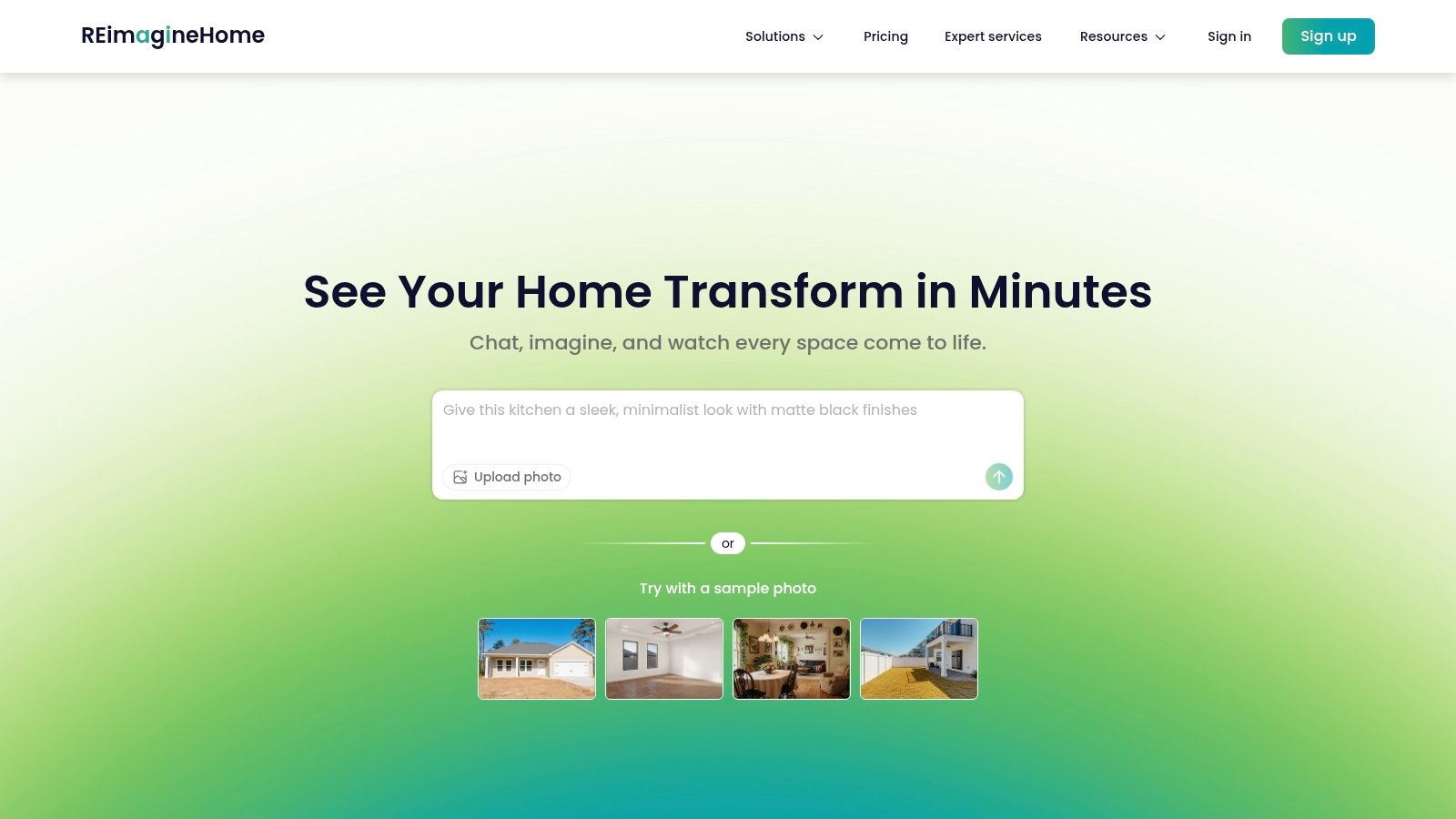
What makes REimagineHome unique is its comprehensive approach. Beyond interiors, it offers tools for AI home design that cover exteriors, landscaping, and even seasonal decor like adding festive Christmas lights. This makes it an all-in-one solution for total property visualization. The platform operates on a credit-based subscription model, which offers flexibility. New users receive three free credits to test the full range of features without commitment. For those looking to learn more about the potential of these tools, it's helpful to see how AI can transform an empty space into a fully realized concept.
Key Features & Use Cases
Broad Toolset: Handles interior redesign, exterior updates, virtual staging, and clutter removal.
Scalable Plans: Options range from a basic plan for DIY enthusiasts to agency and enterprise tiers with API access for developers.
Batch Processing: Higher-tier plans allow users to upload and process up to 10 photos simultaneously, a major time-saver for professionals.
AI Design Companion: A conversational tool helps generate ideas and refine AI Room Design choices.
Pros and Cons
Pros: - Extensive features cover both interior and exterior projects. - Scalable model suits individual users and large teams. - Free trial credits allow for a full test-drive.
Cons: - The credit system may require careful management for high-volume users. - Core efficiency features like batch uploads are reserved for pricier plans.
Website: REimagineHome
3. Interior AI
Interior AI establishes itself as a strong contender for the best AI interior design app, particularly for professionals who demand photorealistic results and advanced visualization tools. It moves beyond simple static images, offering a suite of features geared towards creating immersive experiences. The platform excels at AI virtual staging and redesign, allowing users to choose between different rendering models like Flux for speed or Hyper Realism for superior quality.
What sets Interior AI apart is its focus on dynamic outputs and deep editing capabilities. Users can generate walkthrough videos and VR-ready content, providing a more engaging way to present a design. The ability to edit renders by adding people or swapping furniture, combined with multi-room parallel processing, creates a powerful workflow for agents and designers using AI Home Design. For those new to this technology, it's useful to understand how AI design prompts actually work to get the most out of these advanced tools.
Key Features & Use Cases
Advanced Rendering: Offers multiple quality models, including "Hyper Realism" for best-in-class visuals and options for wall painting and lighting changes.
Immersive Outputs: Generates walkthrough videos and VR-compatible visuals, ideal for client presentations and property tours.
Professional Workflow: Supports batch and parallel rendering across multiple rooms, significantly speeding up large projects.
Deep Editing Tools: Allows users to edit generated images by adding or removing elements, upscale resolution, and use Google Lens for object discovery.
Pros and Cons
Pros: - Professional-grade features like video and VR outputs. - High-concurrency processing speeds up workflows for large projects. - Excellent photorealism, especially with premium models.
Cons: - Higher pricing tiers are required to access the best features. - The extensive toolset can have a steeper learning curve.
Website: Interior AI
4. Homestyler AI
Homestyler AI offers a streamlined and highly accessible approach to interior redesign, making it a strong candidate for the best AI interior design app for users seeking quick and inspiring transformations. Distinct from its more complex, CAD-based counterpart, this web app focuses on a simple photo-to-design workflow. Users can upload an image of their space and instantly visualize it in up to 29 different styles, from Minimalist to Art Deco, making it perfect for rapid brainstorming and style exploration.
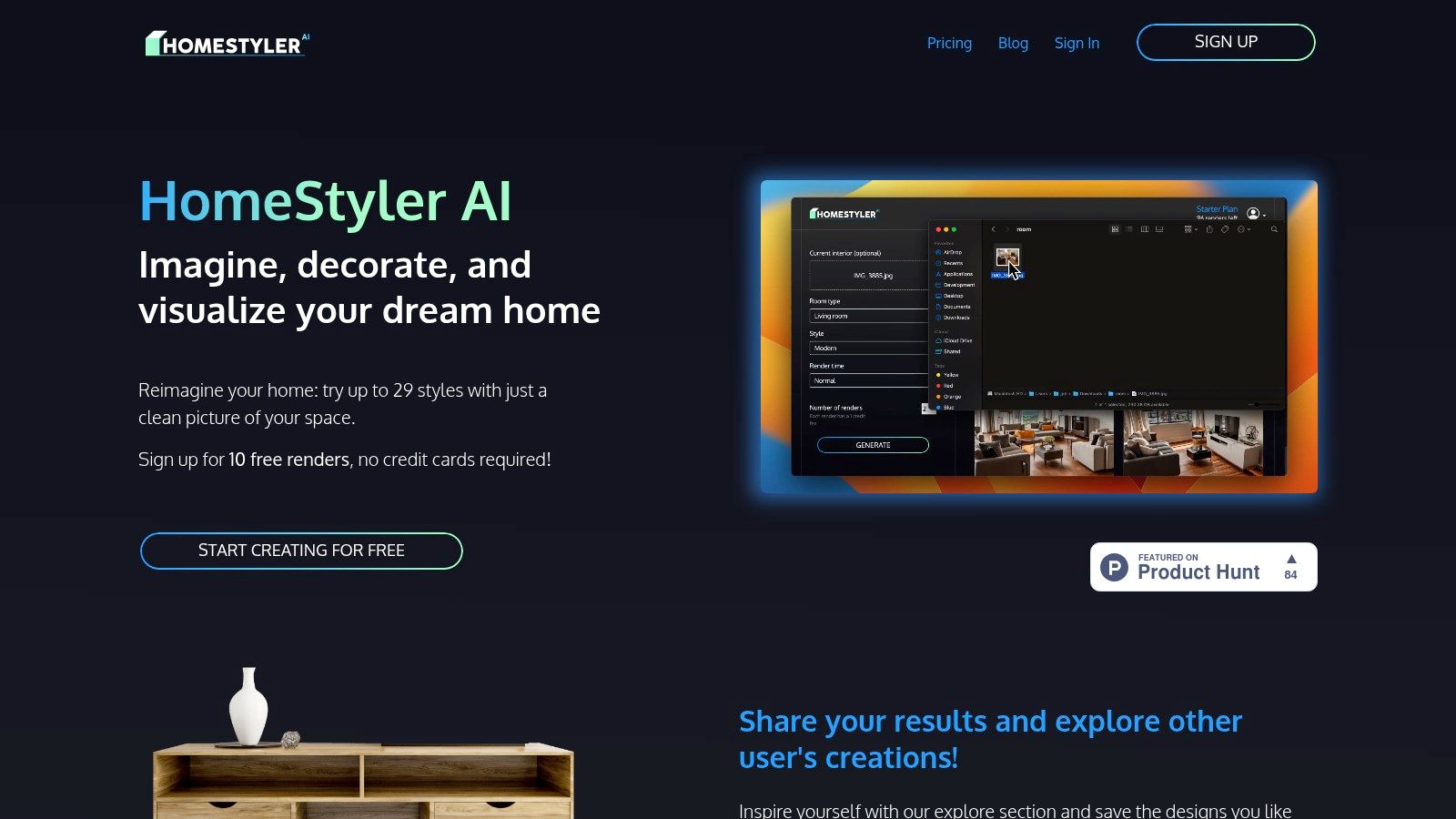
What makes Homestyler AI stand out is its simplicity and generous free offering. New users receive 10 free renders to test the platform's capabilities without any commitment. The platform’s social "Explore" gallery also serves as a valuable source of inspiration, showcasing what other users have created. For professionals, paid plans unlock higher render quotas and a commercial license, providing a scalable solution for business needs. This straightforward model is ideal for anyone needing quick AI room design visualizations without a steep learning curve.
Key Features & Use Cases
Photo-to-Design Workflow: Upload a photo and apply dozens of pre-set interior design styles instantly.
Extensive Style Library: Choose from up to 29 distinct styles to find the perfect look for any room.
Inspiration Gallery: Browse the public "Explore" feed to see community-generated designs and spark new ideas.
Scalable Plans: Starts with a free trial and offers paid subscriptions with high render allowances (up to 3,000/month) and commercial usage rights for AI Interior Design.
Pros and Cons
Pros: - Extremely easy to use, making it ideal for beginners. - Generous render allowances on paid plans suit high-volume users. - The free trial is sufficient for testing core functionality.
Cons: - Lacks advanced CAD tools for precise measurements or layout planning. - The variety of styles may feel limited for certain niche room types.
Website: Homestyler AI
5. Planner 5D – AI Design Generator
Planner 5D is a well-established name in the home design space, known for its robust 2D and 3D modeling tools. It enters the race for the best AI interior design app with its AI Design Generator, which cleverly integrates generative AI with its powerful planning suite. Instead of just offering a static image, the tool takes your room photo and produces multiple styled concepts that can be directly edited and refined within the full Planner 5D ecosystem.
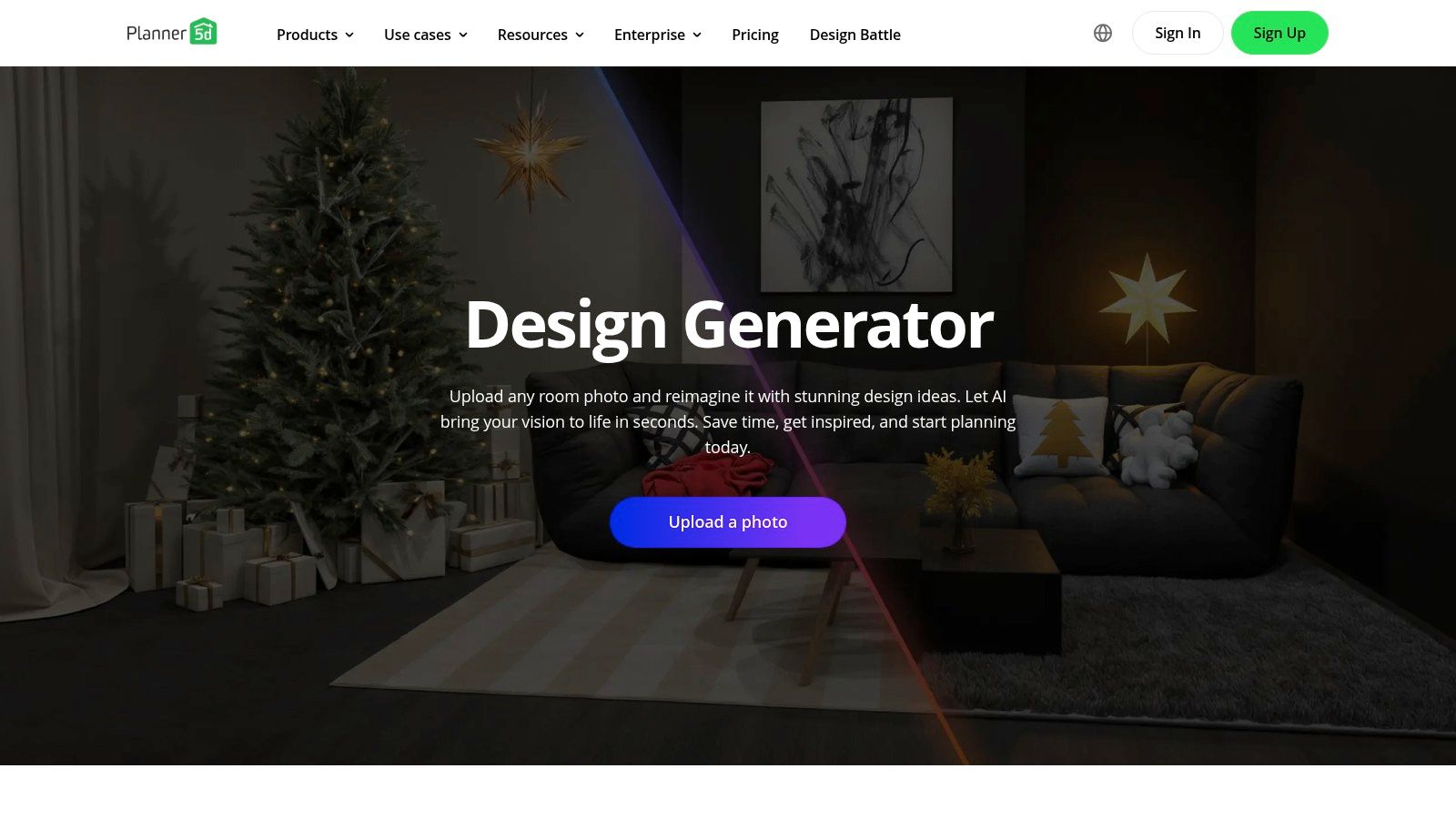
What makes Planner 5D stand out is this seamless bridge from inspiration to implementation. After the AI generates between six and twenty concepts, you can select one and immediately transition into the 2D floor plan or 3D modeler to adjust layouts, swap furniture from its massive catalog, or experiment with finishes. This integrated approach is ideal for users who want to not only visualize but also meticulously plan every detail of their AI room design. It's a great way to see different styles, much like using AI visualization tools to see paint colors in your room before committing.
Key Features & Use Cases
Integrated Workflow: Generates AI concepts that are fully editable in the platform's 2D/3D modeling suite.
Large Asset Catalog: Users can customize AI-generated designs with thousands of real-world furniture and decor items.
Photorealistic Snapshots: Create high-resolution, lifelike renderings of your final AI Home Design from any angle.
Cross-Platform Sync: Start a project on the web and continue editing on the iOS app.
Pros and Cons
Pros: - Combines quick AI ideation with detailed manual planning in one tool. - Massive user base ensures consistent app support and updates. - Excellent for users who want to go beyond a simple redesign image.
Cons: - Requires more steps than one-click AI tools if you move into the 3D editor. - AI credit pricing can be unclear and is tied to various subscription plans.
Website: Planner 5D – AI Design Generator
6. RoomsGPT
RoomsGPT is a highly accessible and user-friendly contender for the best AI interior design app, built for speed and simplicity. It stands out by offering a completely free and browser-based experience that requires no signup to start, making it ideal for anyone seeking quick inspiration. Users can simply upload a photo of their space, whether it's an interior room, an exterior facade, or a garden, and instantly apply one of over 100 preset styles or create their own with a custom prompt.
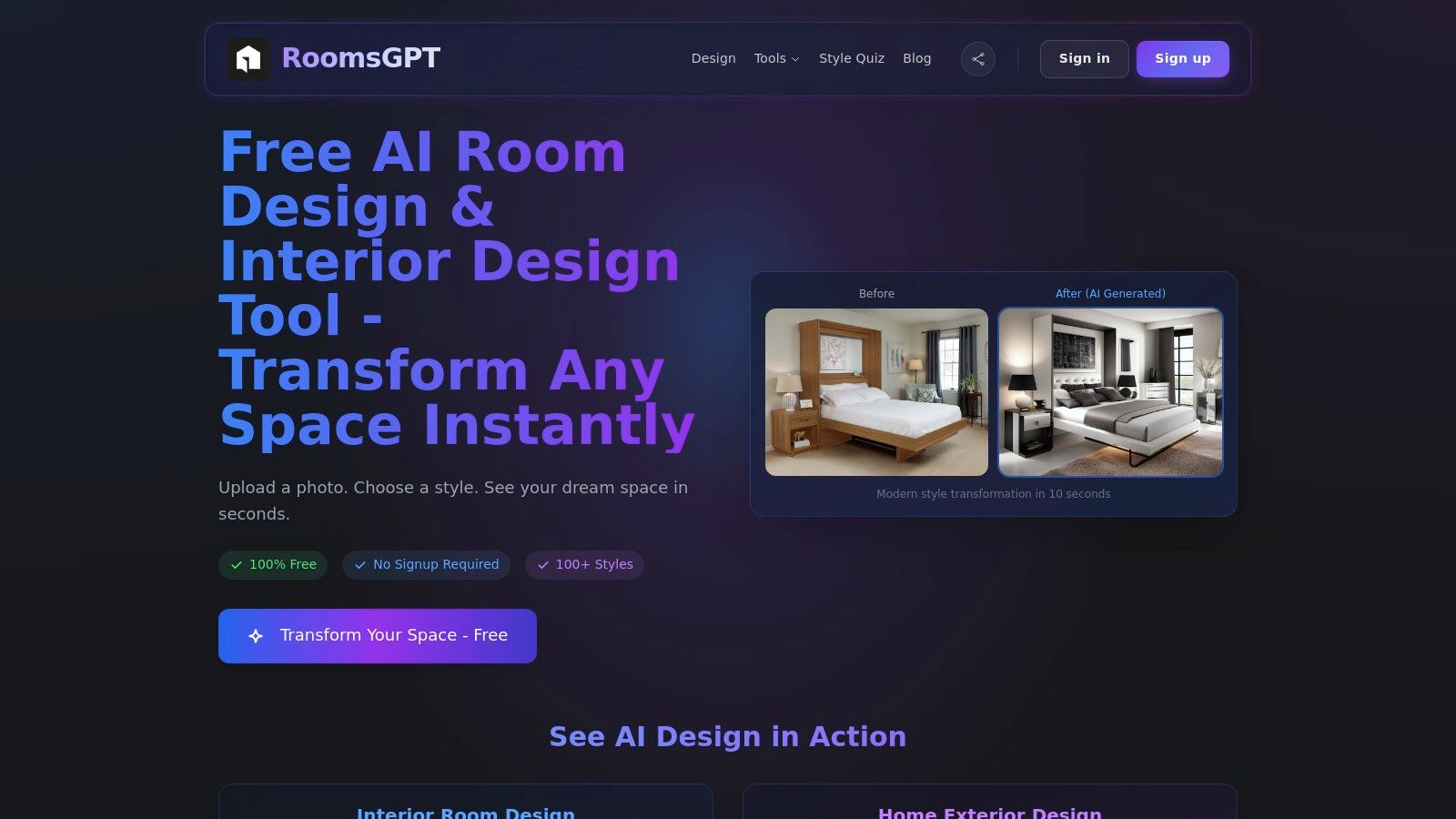
What makes RoomsGPT unique is its focus on immediacy and ease of use. This platform is perfect for homeowners and DIY enthusiasts who want to experiment with different aesthetics without committing to a paid service. The tool's ability to handle AI home design for exteriors and gardens adds a layer of versatility not always found in free tools. While it lacks the advanced features geared toward high-volume professional use, its core functionality delivers impressive, photorealistic visualizations in seconds, serving as an excellent starting point for any redesign project.
Key Features & Use Cases
Instant Access: No registration is required to generate your first few designs, lowering the barrier to entry.
Extensive Style Library: Choose from over 100 predefined styles or use a custom text prompt for limitless creativity.
Versatile Applications: Supports AI Room Design for interiors, home exteriors, and gardens.
Rapid Generation: Creates high-quality visualizations almost instantly, ideal for quick brainstorming sessions.
Pros and Cons
Pros: - Completely free to start, with no account needed. - Very simple and intuitive user interface. - Large catalog of styles provides ample inspiration.
Cons: - Lacks professional-grade features like batch processing or API access. - Not designed for complex virtual staging workflows.
Website: RoomsGPT
7. IKEA Kreativ
IKEA Kreativ brings the power of AI interior design directly into the hands of shoppers, seamlessly integrating design visualization with its massive product catalog. This free tool, available through the IKEA app and website, is designed for anyone planning a room refresh using IKEA furniture. Its standout feature is the "Scene Scanner," which uses a smartphone’s camera to create an interactive 3D replica of your space, allowing you to digitally erase existing furniture and test new items to scale.

What makes IKEA Kreativ unique is its practical application for real-world shopping. Unlike purely inspirational tools, it connects every design choice directly to a purchasable product, ensuring your virtual AI room design is achievable. Users can experiment with furniture, rugs, and accessories from the IKEA catalog, seeing exactly how items will fit and look in their home before committing to a purchase. The platform also offers interactive showrooms for exploring pre-designed concepts. This direct retail integration makes it an incredibly useful and accessible app for budget-conscious decorators.
Key Features & Use Cases
Scene Scanner: Creates an editable 3D replica of your room and can digitally remove your current furniture.
Direct Product Placement: Place and swap items from IKEA’s live product catalog to scale within your virtual room.
Interactive Showrooms: Browse and get ideas from pre-made virtual rooms without needing to scan your own space first.
Cross-Platform Access: Available on both iOS and Android apps as well as the IKEA website for US users exploring AI Home Décor.
Pros and Cons
Pros: - Completely free to use. - Practical and directly integrated with IKEA’s retail catalog for easy shopping. - Accurate scaling helps with practical layout and purchasing decisions.
Cons: - Limited exclusively to IKEA products. - Scanning performance can vary depending on your device's hardware. - Some product categories like textiles and certain fixtures may be limited.
Website: IKEA Kreativ
8. Wayfair Decorify
Wayfair Decorify enters the AI interior design space by directly connecting inspiration with commerce. As a tool from a major online retailer, it focuses on helping users visualize their own rooms with products they can actually buy. Users upload a photo of their space, and the generative AI reimagines it in various styles, from “Bohemian” to “Industrial,” filling the room with shoppable items from Wayfair’s extensive catalog. It’s an ideal solution for those who want to eliminate the guesswork of online furniture shopping.
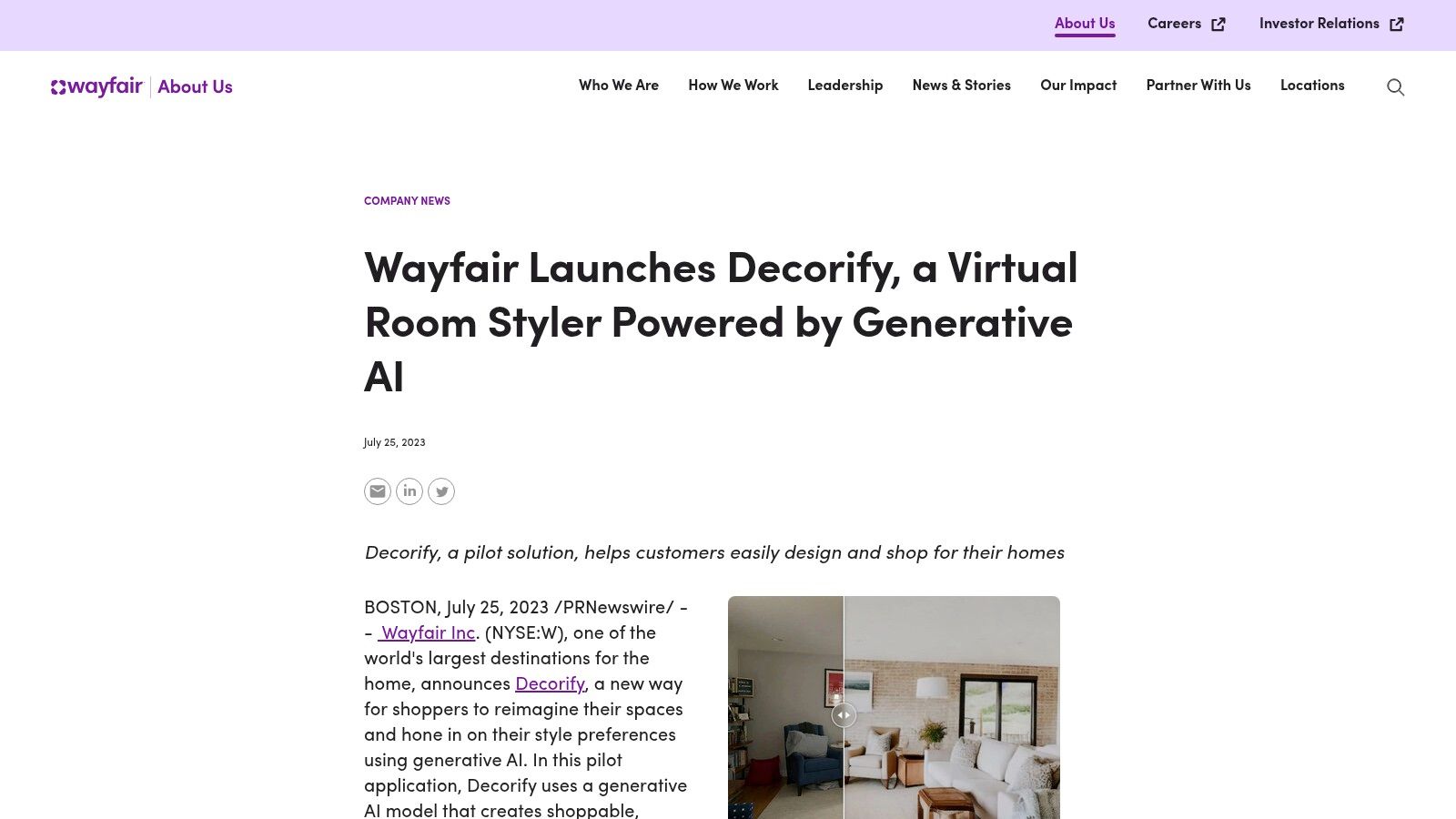
What makes Decorify unique is its seamless integration into the retail ecosystem. It is less of a professional design suite and more of a powerful shopping assistant. This free tool is perfect for homeowners and DIY decorators who need help visualizing how specific products will look in their homes before making a purchase. Its availability on standard web browsers and as an immersive app on Apple Vision Pro makes this AI room design tool accessible and forward-thinking.
Key Features & Use Cases
Shoppable Results: Every AI-generated design includes direct links to purchase the featured furniture and decor on Wayfair.
Style Exploration: Instantly apply different design aesthetics to your own room to discover what you like best.
Multi-Platform Access: Use the tool on your desktop or mobile browser, or experience it in a more immersive way on Apple Vision Pro.
Unlimited Use: The web-based pilot for AI Home Décor is free, allowing users to upload and redesign as many photos as they need.
Pros and Cons
Pros: - Completely free to use. - Directly links design ideas to purchasable products. - Great for gaining shopping confidence and discovering new styles.
Cons: - Exclusively features Wayfair products, limiting design options. - Lacks advanced tools for professionals, such as batch processing or API access.
Website: Wayfair Decorify
9. Virtual Staging AI
Virtual Staging AI is a highly specialized tool that excels in one key area: rapid, high-quality AI virtual staging. Designed primarily for real estate agents, developers, and property marketers, this platform streamlines the process of furnishing empty rooms to make listings more appealing. Its laser focus on staging means it delivers results quickly, often in just a few clicks, making it an indispensable asset for professionals on a tight schedule.

What sets Virtual Staging AI apart is its simplicity and efficiency. Users can upload a photo, select a style, and the AI handles the rest, including furniture removal and placement. The platform offers unlimited re-generations, allowing users to fine-tune the final image until it's perfect without using extra credits. While exploring virtual tools, it's also valuable to understand real-world home staging principles. Learn more about effective Top 10 Staging Tips for Selling Your Home to complement your digital efforts. For those considering this tool, our deeper analysis of Virtual Staging AI offers more insights into its capabilities.
Key Features & Use Cases
One-Click Staging: Streamlines the virtual staging process with preset styles for instant transformations.
Unlimited Re-generations: Allows for endless variations of a design without additional cost, ensuring the perfect look is achieved.
Watermark-Free Images: All generated images are ready for professional use in marketing materials and listings.
API & Team Plans: Offers scalable solutions for agencies and developers needing to integrate AI Interior Design into their workflows.
Pros and Cons
Pros: - Extremely fast turnaround for high-quality staging. - Rolling credits and clear monthly quotas are user-friendly. - Unlimited variations provide excellent creative flexibility.
Cons: - Lacks granular control; adjustments require a full re-generation. - Purely focused on staging, not a comprehensive interior design suite.
Website: Virtual Staging AI
10. RoomX AI
RoomX AI positions itself as a streamlined and cost-effective solution specifically for the real estate market. It's designed to be a faster, more affordable alternative to traditional physical staging, allowing professionals to prepare entire listings for market in just minutes. The platform's core focus is on workflow efficiency, offering an AI virtual staging tool that simplifies the process of furnishing empty properties to attract potential buyers.
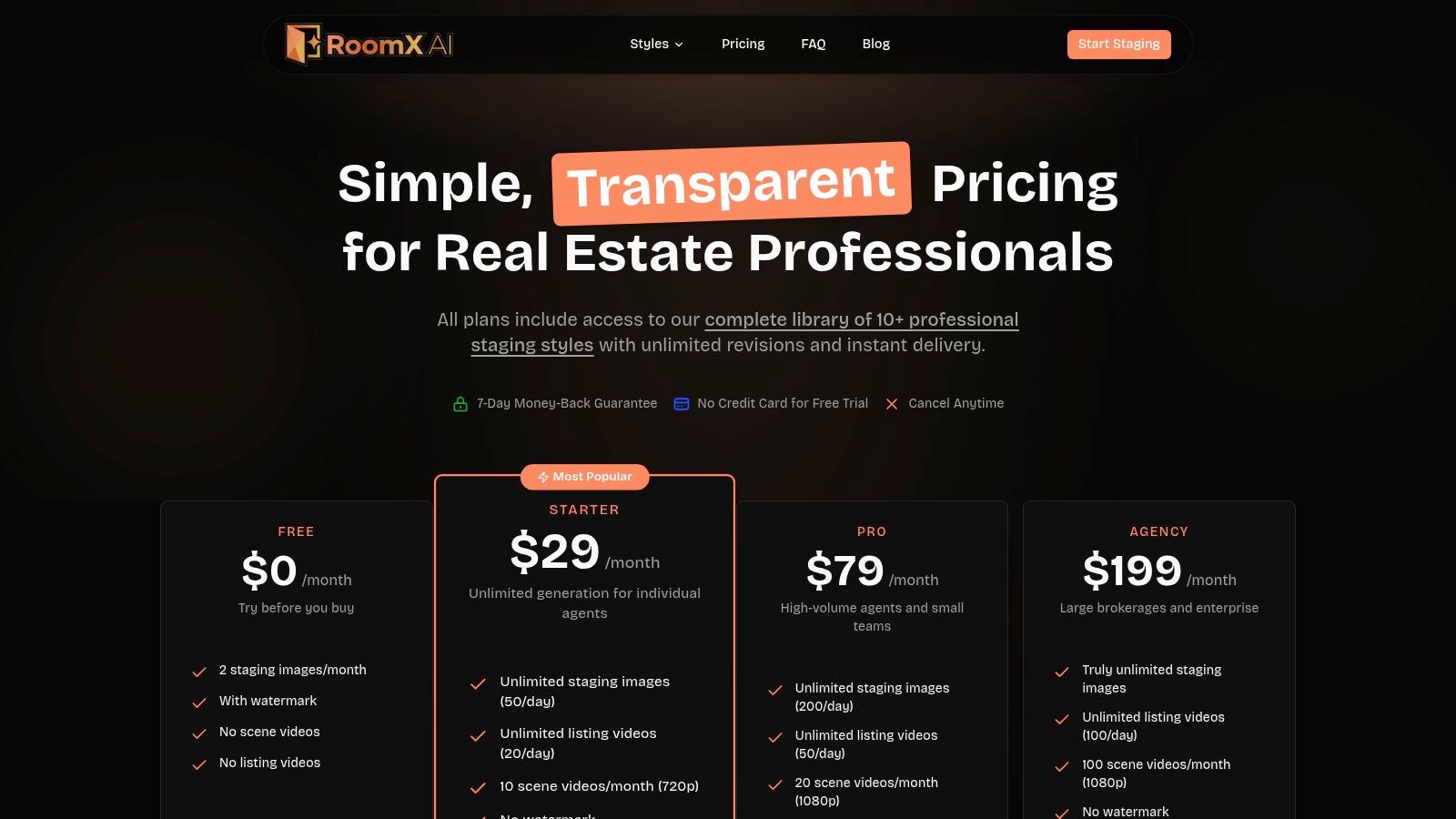
What makes RoomX AI a compelling choice is its direct appeal to real estate professionals in the US, with messaging and pricing tailored to their needs. Plans are structured for high-volume users, emphasizing time and cost savings over intricate design features. This makes it an ideal best AI interior design app for agents, stagers, and marketers who need reliable, quick, and budget-friendly visuals to enhance property listings without a steep learning curve. The emphasis is on practicality and speed, ensuring a quick turnaround for a fast-paced market.
Key Features & Use Cases
Rapid Virtual Staging: Designed to stage entire real estate listings quickly with unlimited style outputs.
Professional-Focused Plans: Monthly subscription plans are built for frequent users, with enterprise options available for larger teams.
Workflow Integration: The platform is built around the typical US real estate listing workflow, focusing on speed and efficiency for AI Home Design.
Cost-Effective Alternative: Heavily markets its value proposition as a significant cost and time saver compared to physical staging.
Pros and Cons
Pros: - Highly competitive pricing, with monthly plans starting around $29 for frequent stagers. - Clear focus on the US real estate market and its specific needs. - Simple and straightforward tool designed for speed and ease of use.
Cons: - Fewer published technical details compared to more feature-rich competitors. - The emphasis on value means less focus on advanced editing or granular design controls.
Website: RoomX AI
11. DecorlyAI
DecorlyAI positions itself as a practical and accessible AI room design tool, focused on transforming user photos into actionable, shoppable concepts. By uploading an image of a room, users can quickly generate multiple design variations, each populated with furniture and decor. The platform’s core strength lies in its claim to align these AI-generated items with real, purchasable products, bridging the gap between digital inspiration and real-world application.
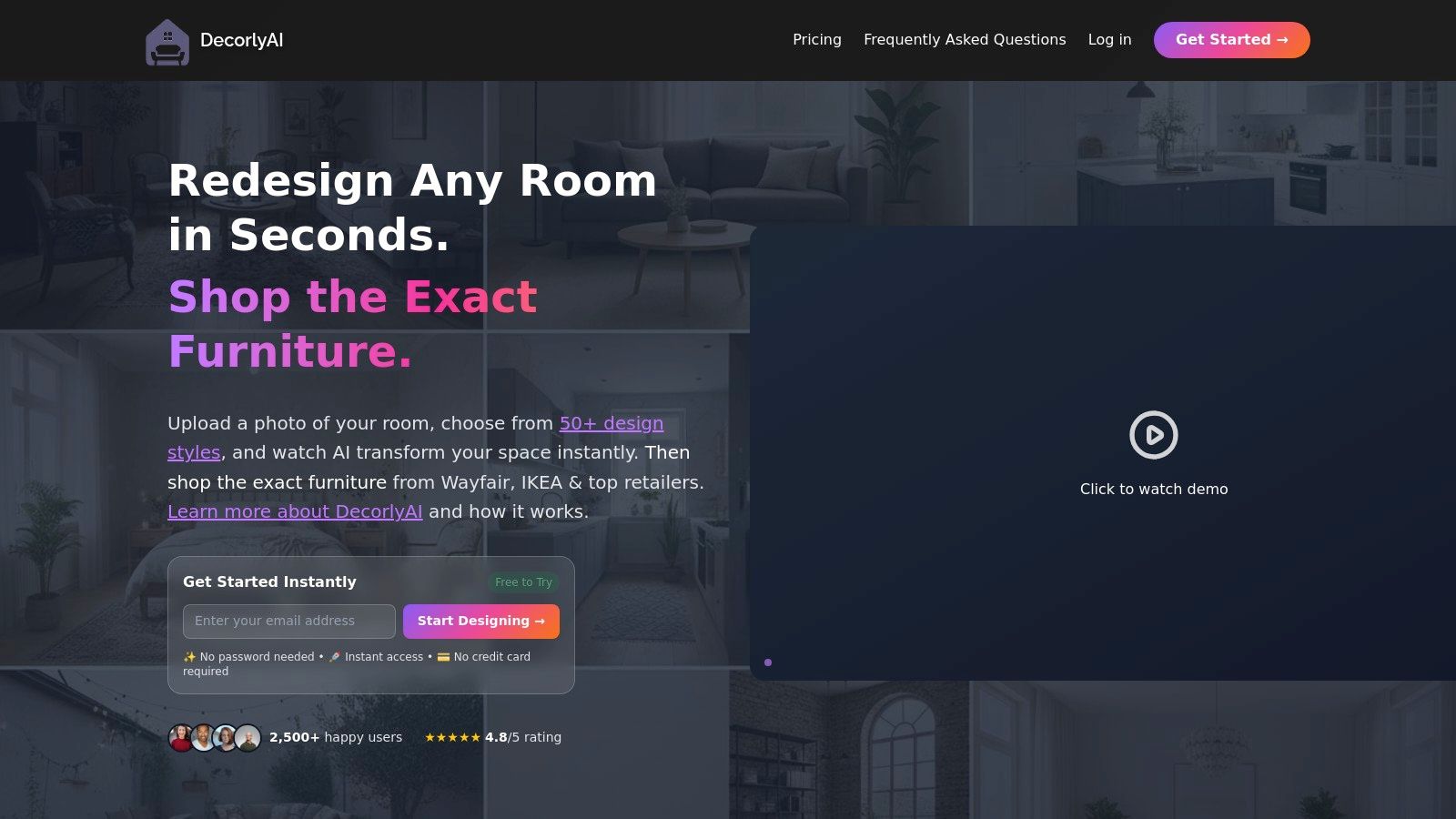
What makes DecorlyAI a notable contender for the best AI interior design app is its straightforward approach, making it ideal for homeowners and DIY decorators who want immediate, tangible ideas. The platform operates on a simple subscription model with clear weekly and monthly pricing, offering a set number of design generations based on the chosen plan. Premium tiers unlock higher-quality image upscaling, ensuring the final visuals are crisp and detailed enough for serious planning of AI Home Décor.
Key Features & Use Cases
Photo-to-Design: Instantly generates multiple design ideas from a single room photo.
Shoppable Outputs: Aims to connect AI-generated furniture with real products, making designs easier to execute.
Plan-Based Generations: Offers different tiers with specific allowances for design creations.
Premium Upscaling: Higher-tier plans provide enhanced image resolution for more detailed visuals.
Pros and Cons
Pros: - Simple, transparent pricing with weekly and monthly options. - Focus on actionable, purchasable items helps users bring designs to life. - Fast AI iterations for quick brainstorming.
Cons: - Lacks the advanced workflow tools for enterprise or professional users. - As a smaller platform, furniture links may become outdated over time.
Website: DecorlyAI
12. Layoutly
Layoutly offers a unique and highly practical take on AI interior design, focusing on delivering actionable results for one-off projects. Instead of a subscription model, it operates on a pay-per-design basis, making it an excellent choice for users who need a quick, low-commitment refresh without ongoing fees. Its core function is to transform a simple room photo into a photorealistic redesign, complete with a shoppable list of corresponding IKEA furniture.
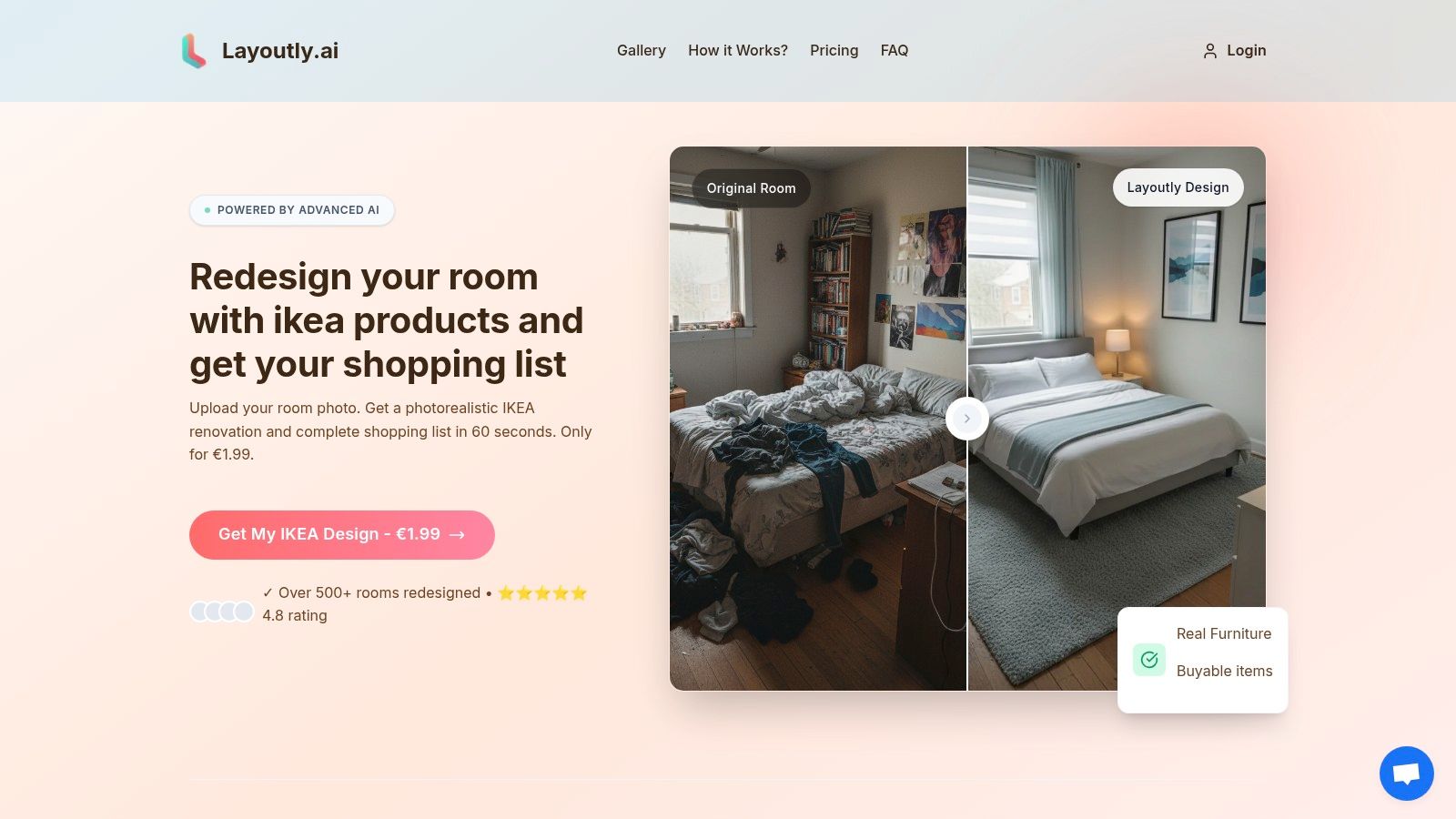
What sets Layoutly apart is its direct link between inspiration and execution. While many apps provide beautiful concepts, Layoutly grounds its AI room design in reality by generating an IKEA shopping list for the items featured in the render. This bridges the gap between seeing a design and actually creating it. The platform also includes a satisfaction policy, offering a redo if the initial design doesn't meet expectations, adding a layer of confidence for first-time users.
Key Features & Use Cases
Pay-Per-Design Model: No subscription is required, making it ideal for single-room makeovers or budget-conscious experiments.
Actionable Shopping Lists: Each design is paired with a list of real, purchasable IKEA products, simplifying the decorating process.
Multiple Style Options: Users can choose from various interior styles to guide the AI toward their desired aesthetic.
Satisfaction Redo Policy: Provides a risk-free way to try the service and ensure the final output of your AI Interior Design aligns with the user's vision.
Pros and Cons
Pros: - Very low entry cost for quick, high-quality redesigns. - Concrete, actionable output tied directly to affordable furniture. - Simple, straightforward process ideal for DIY decorators.
Cons: - Narrow scope focused primarily on IKEA products. - Lacks the advanced tools needed for professional or high-volume use.
Website: Layoutly
Top 12 AI Interior Design Apps — Feature Comparison
Solution | Core features | UX / Quality ★ | Price / Value 💰 | Target audience 👥 | Unique selling points ✨ |
|---|---|---|---|---|---|
Decor8 AI 🏆 | Photorealistic redesigns; 50+ styles; paint previews (BM/SW/Behr/HEX); furniture removal; virtual staging; API/SDKs | ★★★★★ professional, listing-ready | 💰 Free tier → paid tiers/API (pricing gated) | 👥 Homeowners, agents, designers, developers, builders/platforms | ✨ True-to-life paint previews; cloud sync; sketch-to-3D; high-quality JPEGs; SDKs/API |
REimagineHome | Virtual staging & full-room redesigns; exterior edits; batch uploads; conversational AI | ★★★★☆ fast, flexible | 💰 Credit-based subscription; free 3 credits | 👥 DIY, agents, agencies | ✨ Batch processing; shareable before/after sliders; agency scaling |
Interior AI | Multiple model/quality options; upscaling; add people/furniture; walkthrough videos & VR; parallel rendering | ★★★★★ pro-grade; high-concurrency | 💰 Paid tiers; premium/ultra higher cost | 👥 Designers, studios, VR creators | ✨ Videos & VR exports; model-quality choices; multi-room parallel renders |
Homestyler AI | Upload photo → up to 29 styles; social Explore gallery; free renders + paid plans | ★★★★☆ beginner-friendly | 💰 10 free renders; subscriptions unlock private/commercial use | 👥 Home DIYers, social users | ✨ Large style set; social inspiration; high quotas on top plans |
Planner 5D – AI Design Generator | AI generates 6–20 concepts from a photo; integrates with 2D/3D modeling & large catalog | ★★★★☆ integrated planning workflow | 💰 Free limited; AI credits vary by subscription | 👥 Home planners, pros needing full modeling | ✨ AI → full 3D modeling & photorealistic Snapshot integration |
RoomsGPT | Upload photo → 100+ presets or custom prompt; interiors/exteriors/gardens; instant renders | ★★★☆☆ instant, exploration-focused | 💰 Free, no signup required | 👥 Quick-inspiration users, casual DIY | ✨ No signup; 100+ presets; very fast exploration |
IKEA Kreativ | Scene scanner builds editable 3D room; erase furniture; place IKEA products to scale; interactive showrooms | ★★★★☆ retail-integrated, accurate scale | 💰 Free (works with IKEA catalog) | 👥 IKEA shoppers, planners | ✨ Editable 3D scans + shoppable IKEA catalog; scale-accurate placement |
Wayfair Decorify | Upload photos → AI-styled images with shoppable links; supports Vision Pro immersive app | ★★★★☆ shopping-forward UX | 💰 Free pilot; products purchasable via Wayfair | 👥 Shoppers, style browsers | ✨ Direct buy links to Wayfair; immersive Vision Pro support |
Virtual Staging AI | One-click staging; style presets; furniture removal; unlimited re-generations; API & enterprise plans | ★★★★☆ fast turnaround | 💰 Subscription/credits; clear monthly quotas & rollover | 👥 Real-estate agents, teams | ✨ Unlimited variations; enterprise API; rollover credits |
RoomX AI | Stage entire listings quickly; unlimited-style outputs; pro/enterprise plans | ★★★★☆ fast, cost-efficient | 💰 Plans from ~ $29/month; enterprise options | 👥 Real-estate professionals, frequent stagers | ✨ Low-cost alternative to physical staging; listing workflow focus |
DecorlyAI | Multiple design variations; shoppable furniture recommendations; upscaling on Premium | ★★★☆☆ shoppable-focused | 💰 Clear weekly/monthly pricing; Premium upscaling | 👥 Consumers wanting actionable, shoppable designs | ✨ Purchasable item alignment; quick AI iterations |
Layoutly | Pay-per-design photorealistic redesign; IKEA-style shopping list; satisfaction-redo policy | ★★★☆☆ simple, low-commitment | 💰 Pay-per-design (very low entry price) | 👥 One-off users, budget DIYers | ✨ IKEA shopping list; no subscription required; pay-as-you-go model |
Making Your Final Choice: Which AI Design App Is Right for You?
We've journeyed through a comprehensive lineup of twelve of the most innovative and powerful AI interior design tools on the market. From free, quick-inspiration generators to professional-grade platforms with robust API integrations, the landscape of AI-powered design is vast and exciting. The key takeaway is that the single best AI interior design app doesn't exist as a one-size-fits-all solution; instead, the ideal tool is the one that aligns perfectly with your specific project, budget, and technical requirements.
Throughout this guide, we've seen how different platforms excel in distinct areas. Your final decision should be guided by a clear understanding of your primary goal. Are you looking to simply visualize a new paint color, or do you need to virtually furnish an entire empty property for a real estate listing? This is the core difference between simple AI Home Décor apps and robust AI Virtual Staging solutions.
How to Choose Based on Your Role
To simplify your choice, let's recap which tools are best suited for different users. This breakdown will help you filter the options and focus on what truly matters for your work.
For Homeowners & DIY Enthusiasts: If your goal is inspiration and personal project planning, simplicity is key. Tools like IKEA Kreativ and Wayfair Decorify are excellent starting points because they integrate directly with shoppable products. For quick, no-cost experiments, RoomsGPT offers a fun and accessible entry into AI room design.
For Real Estate Agents & Marketers: Speed, realism, and efficiency are paramount. Specialized AI Virtual Staging platforms like Virtual Staging AI and RoomX AI are built for this purpose, offering fast turnarounds for listing photos. These tools are designed to transform empty spaces into appealing, market-ready homes with minimal effort.
For Professional Interior Designers: You require a blend of creative freedom, high-quality rendering, and advanced features. Homestyler AI and Planner 5D provide extensive 3D modeling and vast asset libraries. However, for a tool that balances creative input with powerful AI assistance, a more versatile AI Interior Design platform might be a better fit.
For Developers & Agencies: The ability to integrate AI design capabilities into your own applications is the most important factor. Look for platforms with well-documented APIs and plugins. This is where a tool like Decor8 AI truly separates itself, offering the backend infrastructure needed for custom solutions.
Final Considerations Before You Commit
Before you subscribe to a paid plan, take advantage of the free trials and credit-based systems most of these platforms offer. Upload the same source image to your top two or three choices and compare the results side-by-side. Pay close attention to the realism of textures, the logic of furniture placement, and the overall aesthetic quality.
Remember that the quality of your input photo significantly impacts the output. A clear, well-lit, and high-resolution image will always yield a better AI home design rendering. As you experiment, you'll discover which app’s AI "thinks" most like you do, ultimately making it the perfect creative partner. The world of AI home décor is at your fingertips, ready to turn your vision into a stunning visual reality.
Ready to experience the pinnacle of AI-driven design? If you need a single, powerful solution that delivers photorealistic renderings, advanced features like object removal, and a developer-friendly API, then Decor8 AI is the clear choice. See for yourself why it stands out as the best AI interior design app for professionals and enthusiasts alike by starting your free trial today at Decor8 AI.