AI Interior Design in Your Browser
No download required. Access Decor8 AI from any device with a web browser. Always up to date, always available.
Works on Chrome, Firefox, Safari, Edge • No installation needed
Web App Demo
Instant Access
No app store, no download, no waiting. Just open your browser and start designing.
Works Everywhere
Use any computer or device with a web browser—Windows, Mac, Linux, Chromebook, and more.
Big Screen Experience
Take advantage of your desktop's full screen for detailed design work.
Works on All Your Devices
Access Decor8 AI from your desktop, tablet, or phone. Just open a browser.
Desktop
Full experience on Windows, Mac, or Linux
Chrome, Firefox, Safari, or Edge
Tablet
Touch-optimized on iPad or Android tablets
Any modern mobile browser
Mobile
Works great on phones too
Chrome, Safari, or Firefox mobile
Everything You Need in the Browser
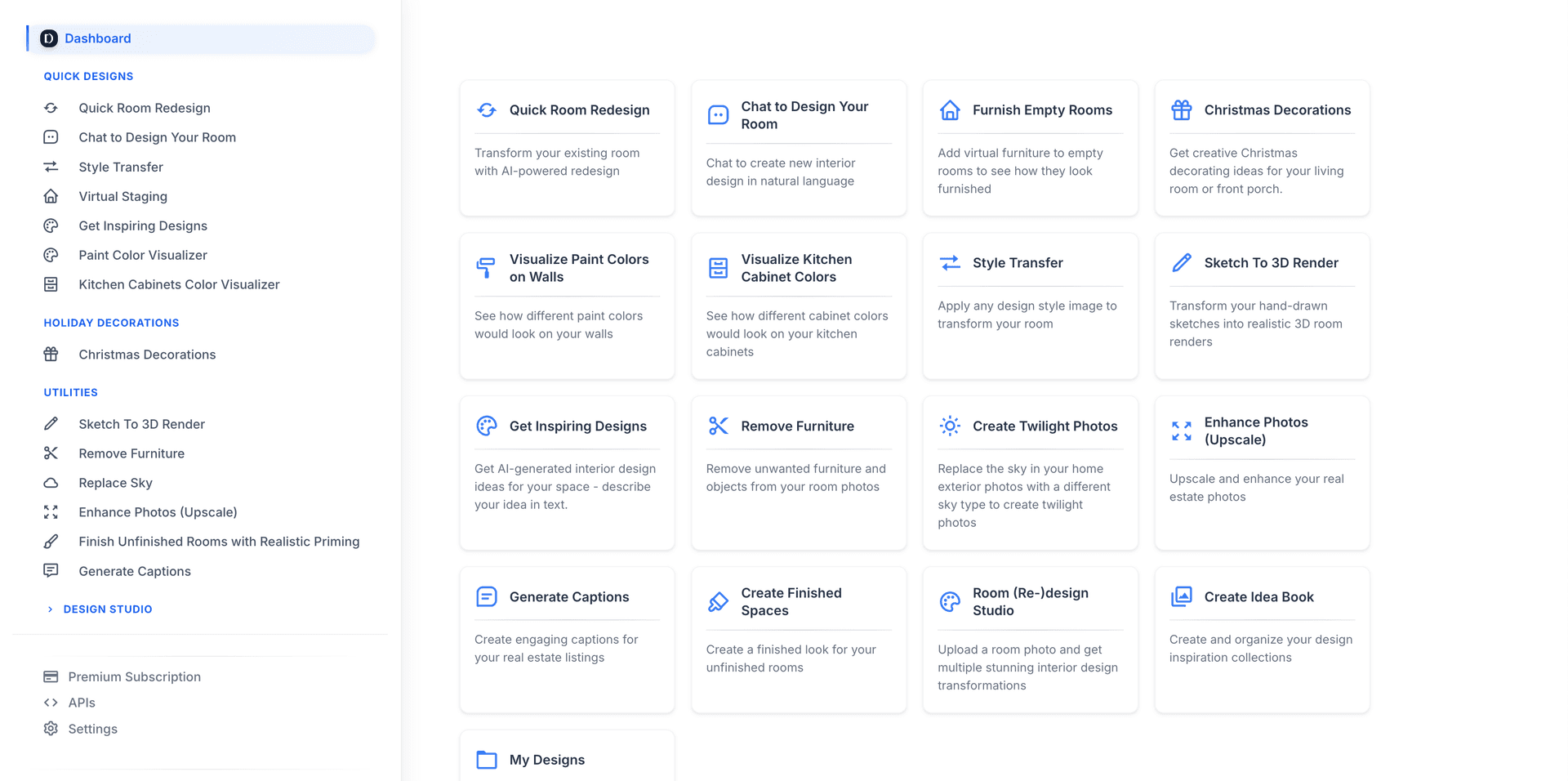
The web app includes all the same powerful features as our native apps. No compromises.
Chat with AI
Describe your vision in natural language and watch your room transform. Say things like 'make it more cozy', 'add mid-century furniture', or 'change to a minimalist style'. The most intuitive way to design.
Try Chat with AI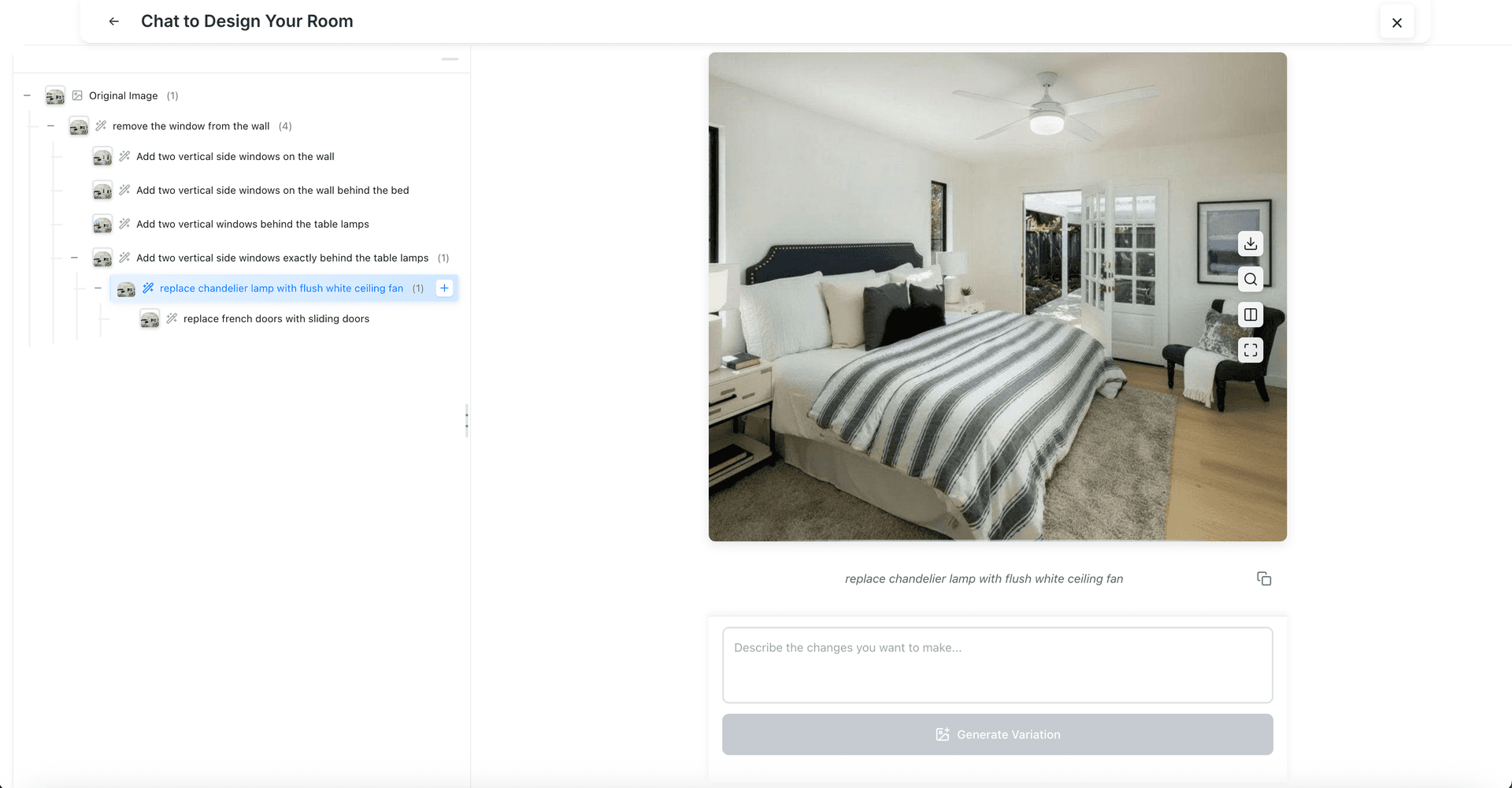
Chat with AI
Describe your vision in natural language and watch your room transform. Say things like 'make it more cozy', 'add mid-century furniture', or 'change to a minimalist style'. The most intuitive way to design.
Try Chat with AI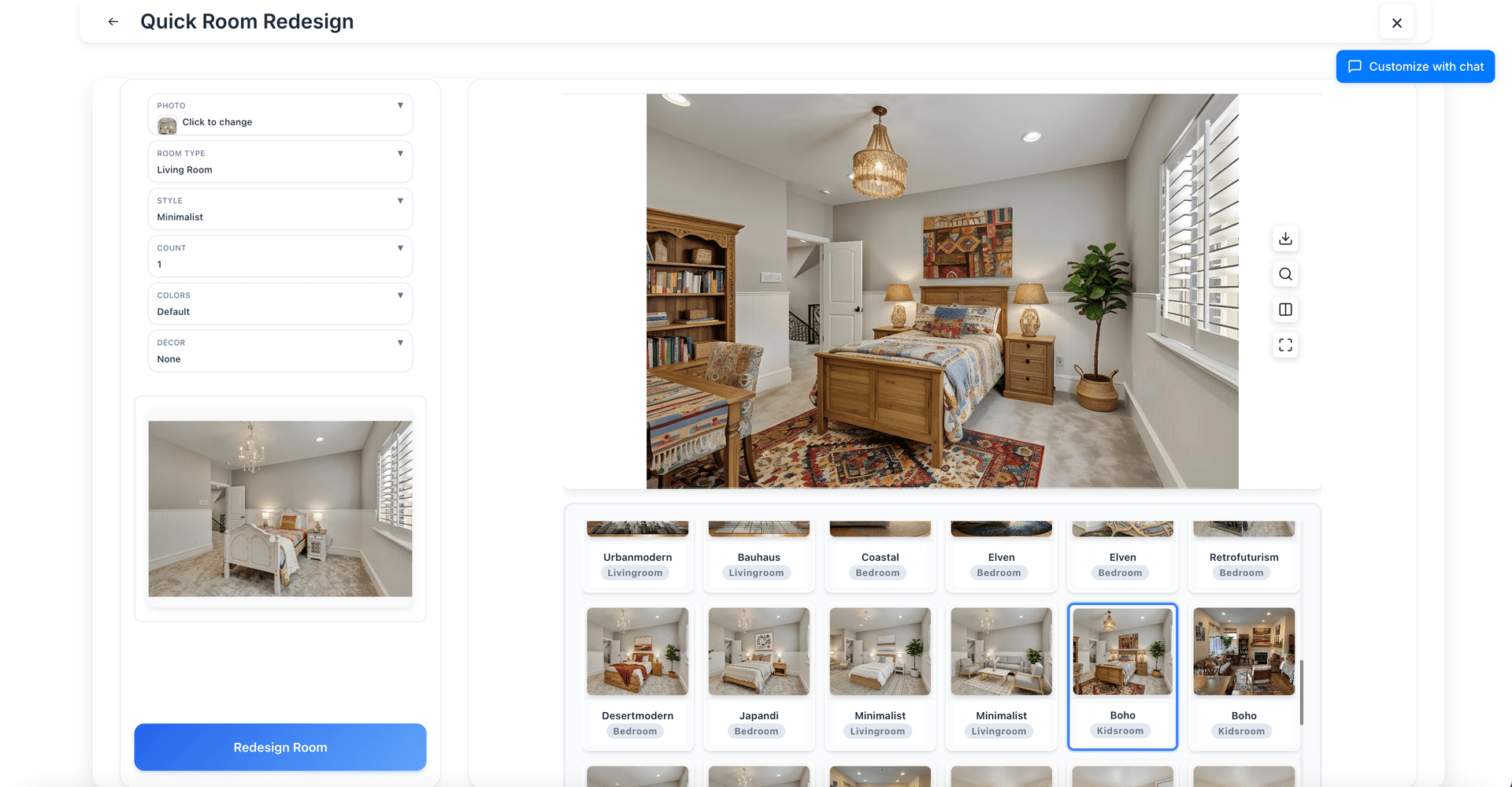
Room Redesign
Transform any room into 56+ design styles instantly. Upload a photo, pick your aesthetic—Modern, Scandinavian, Industrial, Bohemian—and see photorealistic results in seconds.
Try Room Redesign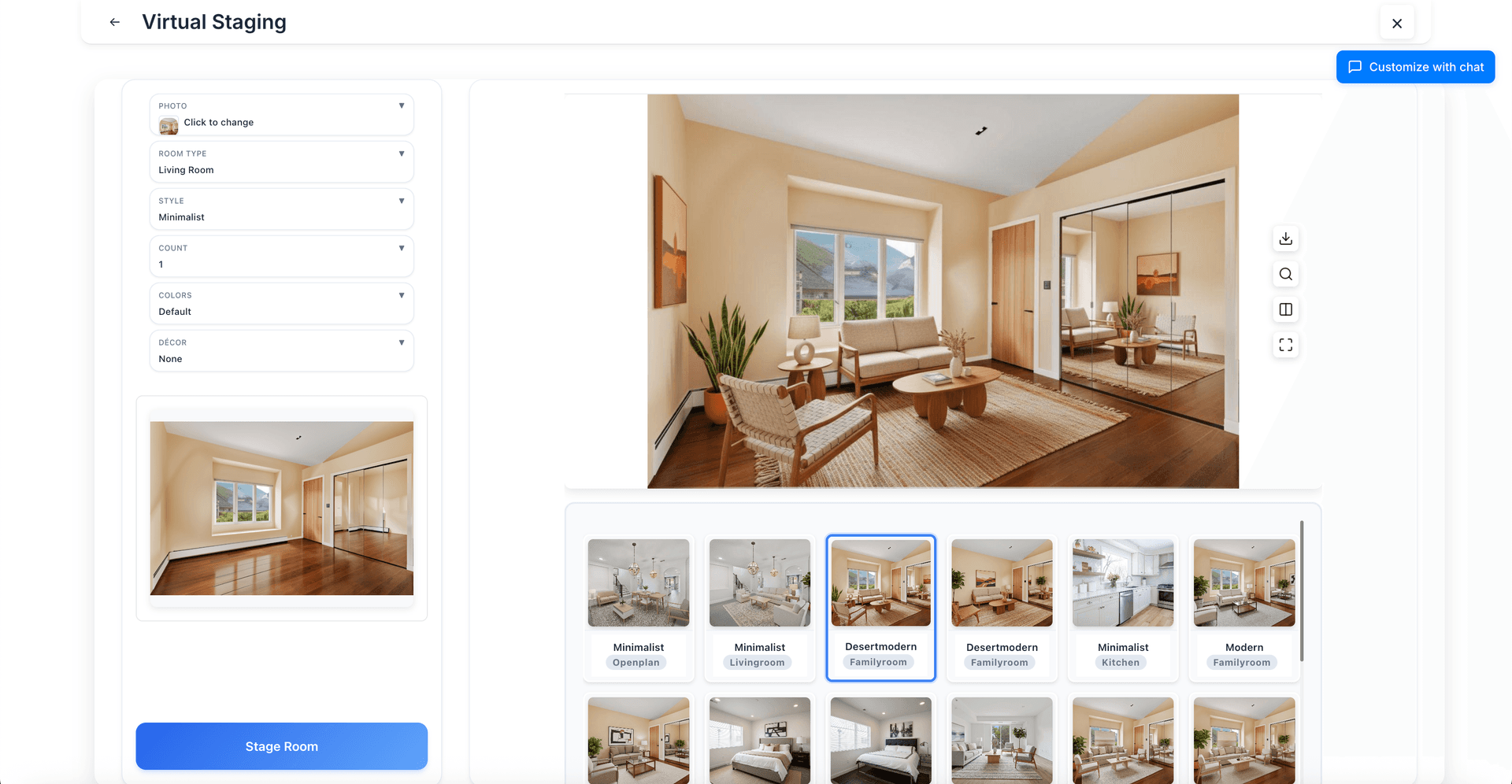
Virtual Staging
Add realistic furniture to empty rooms. Perfect for real estate professionals who want to help buyers visualize a property's potential. Save 90% vs. traditional staging costs.
Try Virtual Staging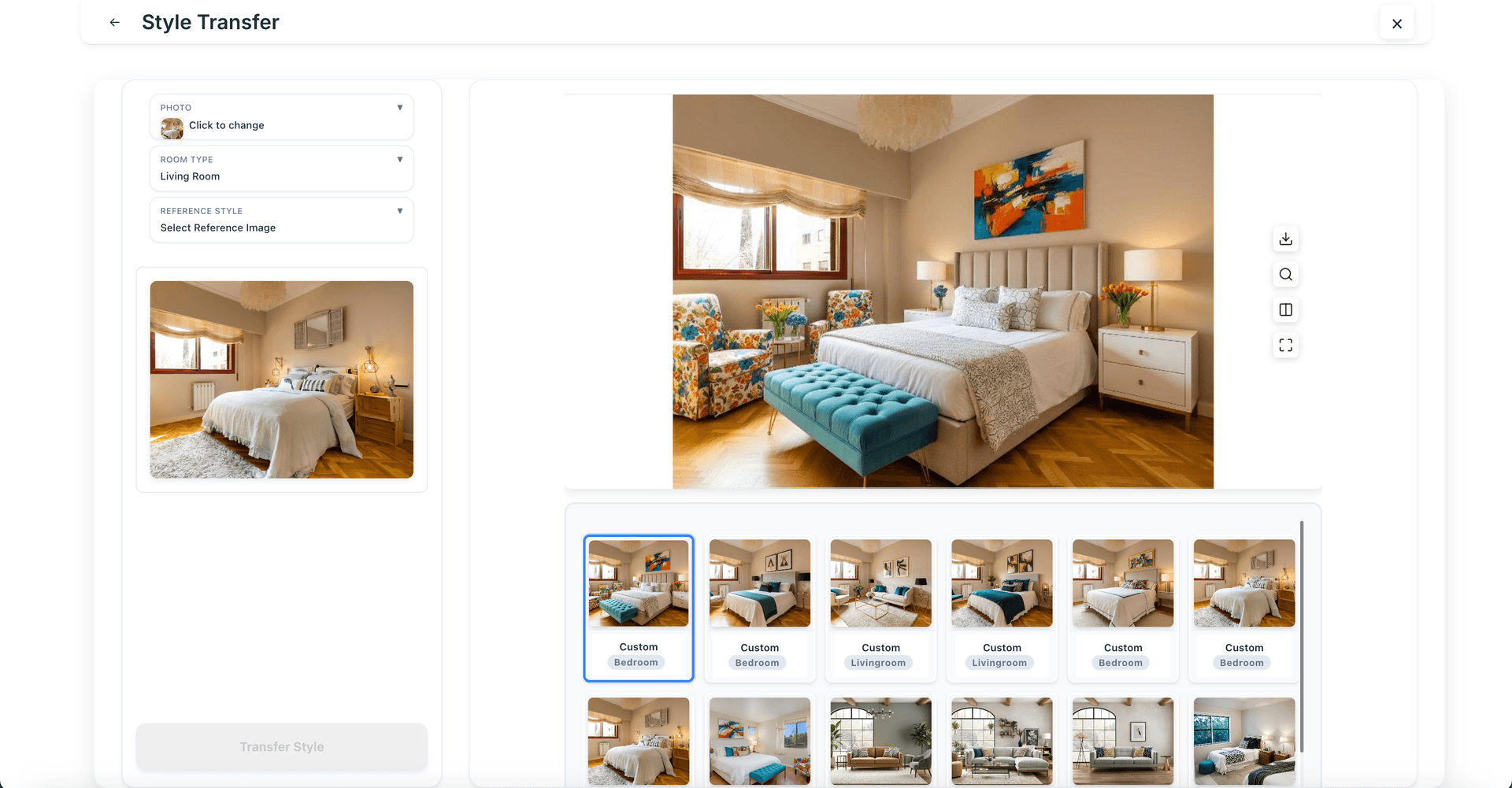
Style Transfer
Love a design you saw on Pinterest or Instagram? Upload it as inspiration and the AI will apply that aesthetic to your room while preserving your layout.
Try Style Transfer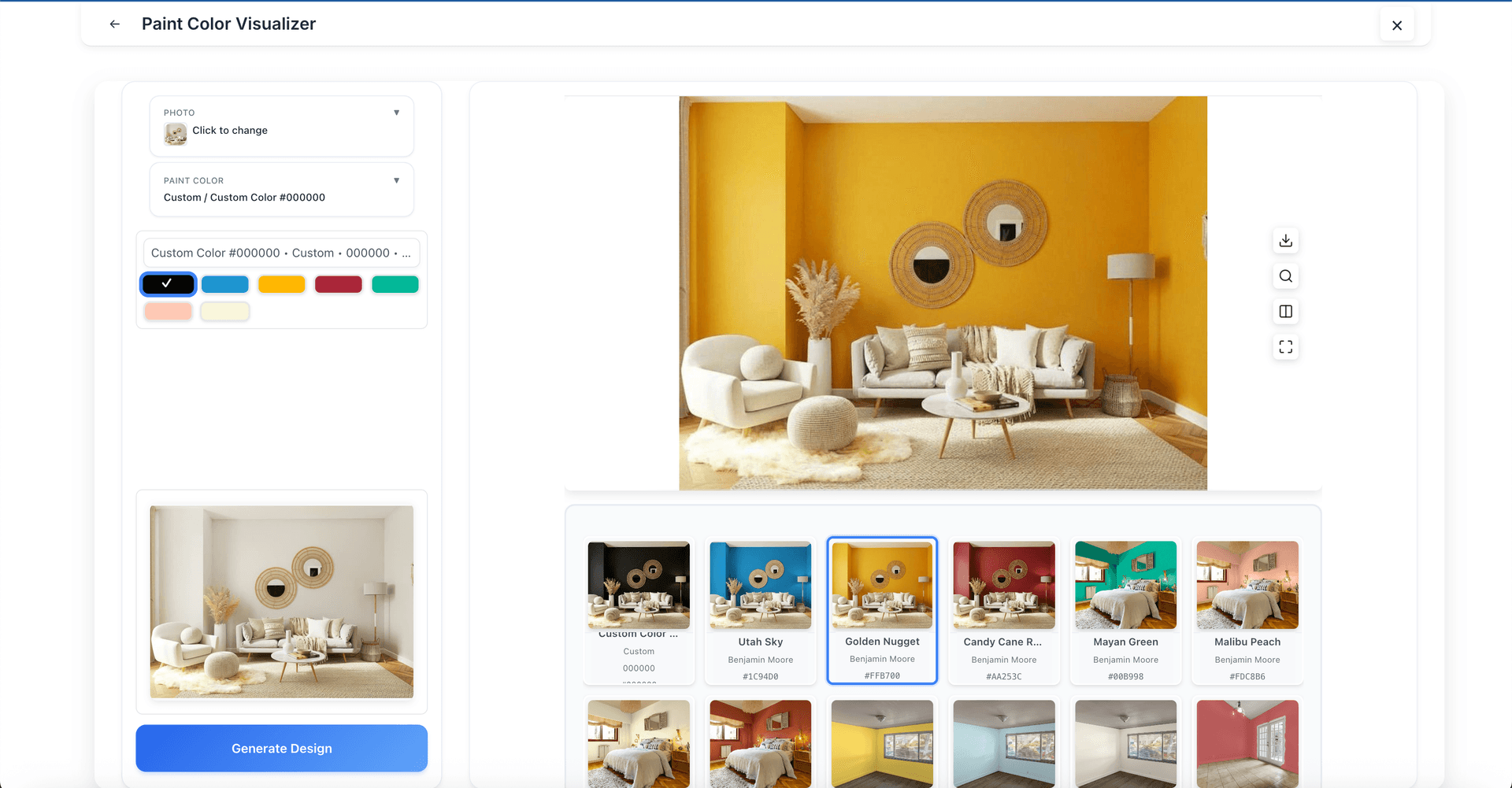
Paint Color Visualizer
Preview how any paint color looks on your walls before buying. Choose from Benjamin Moore, Sherwin-Williams, or enter any custom hex color. Never buy the wrong paint again.
Try Paint Color Visualizer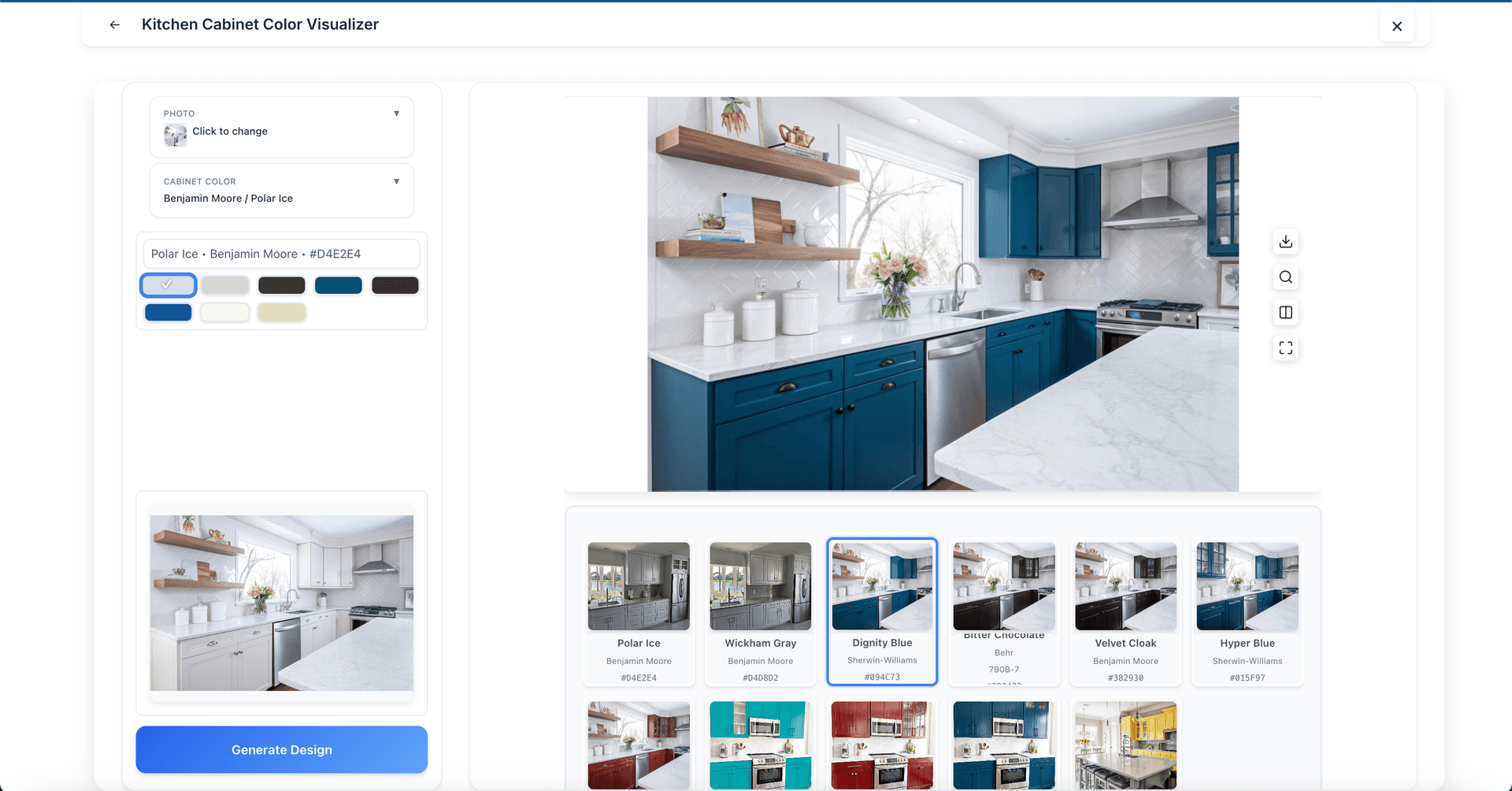
Cabinet Color Visualizer
See how different colors would look on your kitchen cabinets. Perfect for planning a kitchen refresh without the commitment of refinishing.
Try Cabinet Color Visualizer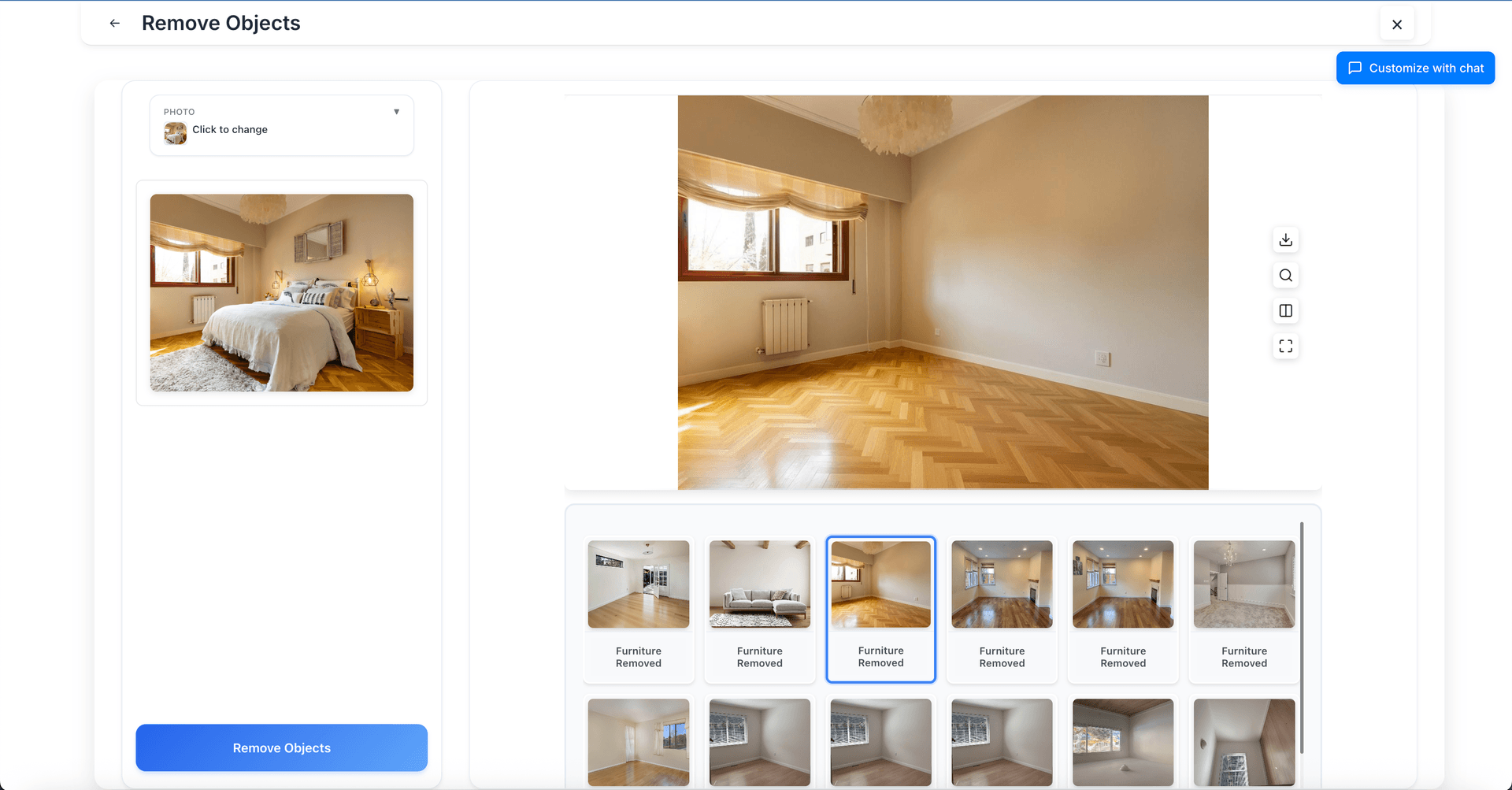
Remove Furniture
Clean out existing furniture from any room photo. Great for preparing images for virtual staging or showing the raw potential of a space.
Try Remove Furniture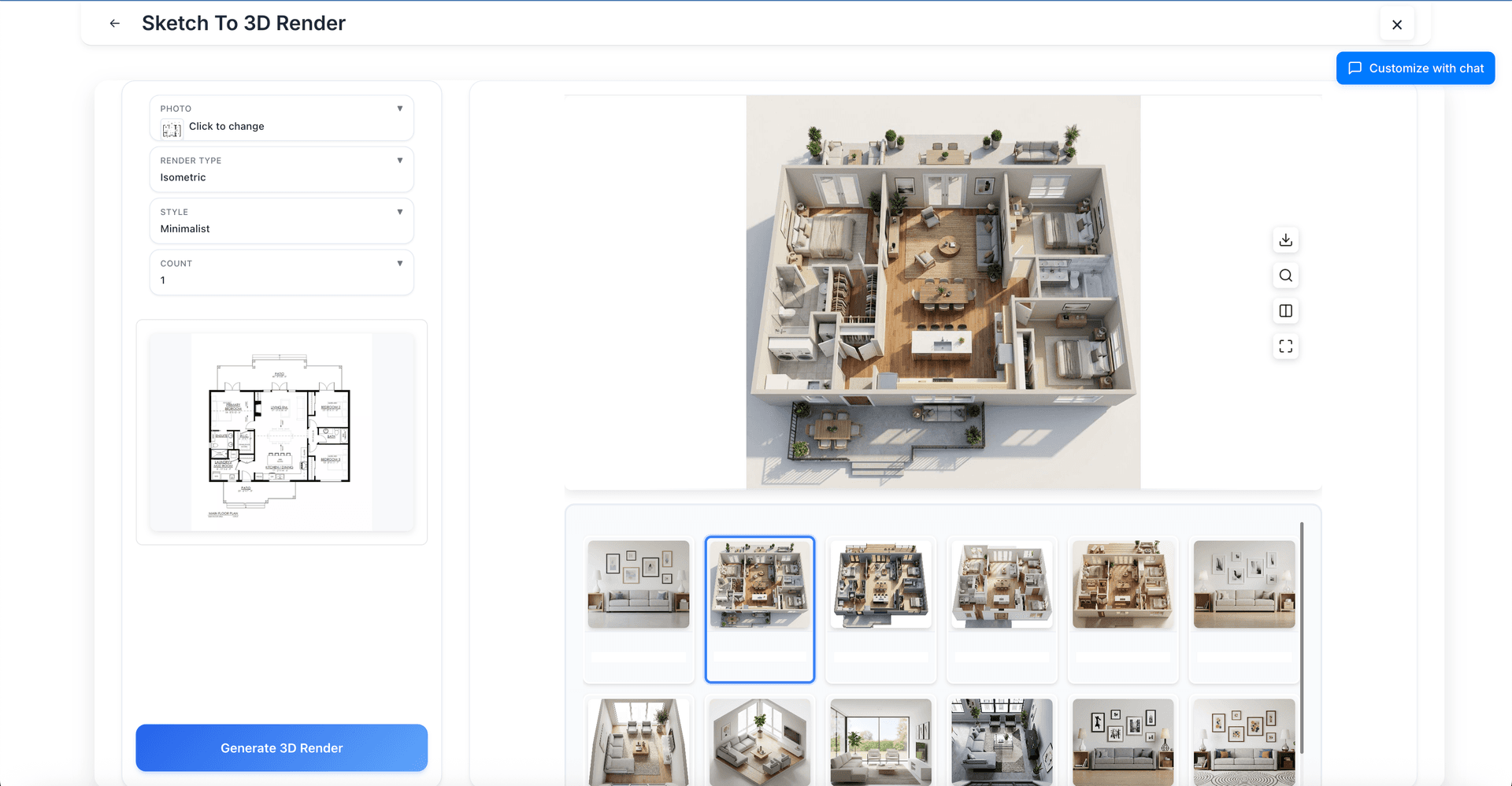
Sketch to 3D Render
Transform hand-drawn floor plans and architectural sketches into photorealistic 3D renders. Perfect for architects, designers, and anyone visualizing new spaces.
Try Sketch to 3D RenderFull Featured Web Experience
The web app includes all the same features as our native apps—room redesign, virtual staging, paint visualization, and more.
Add to Home Screen
Want an app-like experience without downloading from an app store? Add Decor8 AI to your home screen for quick access.
How to add to home screen:
- 1Open prod-app.decor8.ai in your browser
- 2Tap the browser menu (⋮ or share icon)
- 3Select "Add to Home Screen" or "Install App"
Try Decor8 AI Web App
No download needed. Just open your browser and start designing.